
WhosOff’s tech team has been hard at work upgrading the platform – and we’ll be launching our new version this spring.
Here’s everything you need to know about the new version:
Q: What’s different about the new WhosOff version?
Most of the upgrades we’ve made focus on performance.
The new version is faster and easier to operate than previous iterations of WhosOff. We’ve introduced a new technical architecture and improved data structure to enhance speed and security.
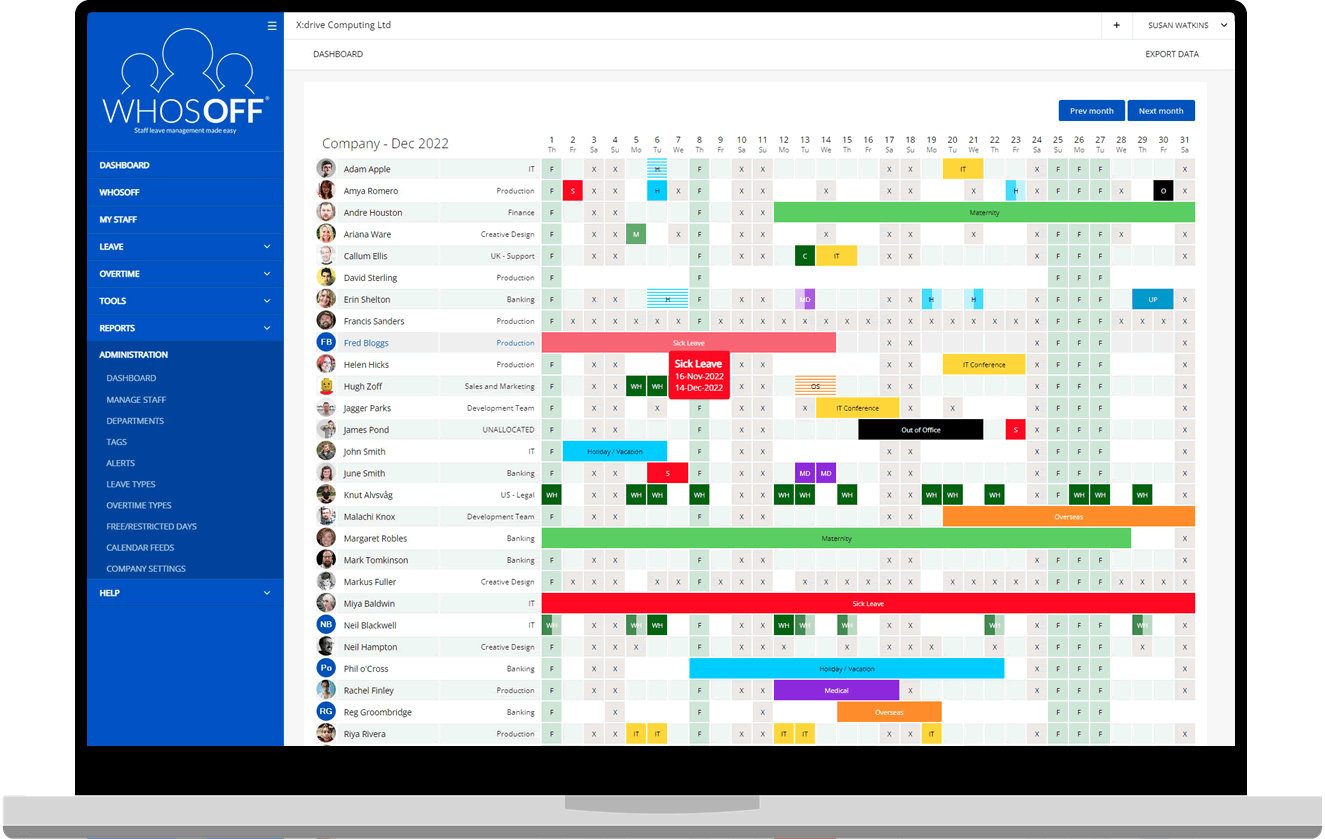
Current users will also notice a sleeker, more modern feel to the WhosOff dashboard when you log in.
Q: Will the new version include any new features?
After listening to customer feedback, we’ve added new functionality to the new version:
- Limitless calendar feeds: super users can see data for your entire workforce in one feed, no matter how many people are in your organisation. Plus, you can view employee data up to 12 months ahead if you want to see future holidays.
- Better reporting: Users can export data from many screens on WhosOff into a CSV or XLSX file in one click.
- Plan changes to working time: if a team member needs to temporarily adjust their working hours for a set period (for example, shared parental leave or seasonal working hours), you can now block out this time in advance.
- Hourly absences: super users can choose to record certain leave types by the hour – such as doctor and dentist appointments (even if their annual leave allowance is calculated in days).
- Daily email updates: super users can receive a daily email round-up of the information from your customised WhosOff dashboard. We’ll be rolling this feature out to all users of the new WhosOff version at a later date.
Q: I’m a current WhosOff user. How do I access the new version?
If you’re already using WhosOff, you don’t need to do anything. Your login details and passwords will remain the same, and we’ll take care of the upgrade process.
To ensure a smooth transition, we’re migrating WhosOff users to the new version in small batches. This process will take a month or so – we’ll email you when it’s your turn to move over to the latest version.
If you’d like to be one of the first to move, let us know!
If you’re thinking of signing up for a free WhosOff trial, you’ll automatically receive access to the latest version once the new version has launched.
Q: Will I be able to continue using all the current WhosOff features?
For the vast majority of WhosOff users, nothing will change. You’ll keep all your current functionality, from staff onboarding to tracking leave and managing overtime.
However, we will be removing the HR Essentials module from WhosOff when we switch to the new version, which will affect a small number of users.
Two options are available: move to our sister platform, WhosOffice, which includes an enhanced HR and document storage module. Or, carry on using WhosOff without the HR feature.
If your business uses WhosOff for HR, we will contact you by telephone to discuss next steps.
Do you have any questions?
Please send us an email or call +44 (0)1227 812933 if you have any questions about the new version of WhosOff.
Our tech team will be happy to talk you through the upgrade process.


Similar articles
07.SEP.2026
A spreadsheet is fine when there are five of you. It's less fine when requests are arriving by email, WhatsApp, and sticky note, and nobody's quite sure who's actually off next week. Here's a practical look at why leave admin hits small businesses harder than most, and how to know when it's time for something better than a shared spreadsheet.
24.AUG.2026
Leave management looks simple on paper - until three people request the same week off, your busiest month collides with a holiday rush, and someone resigns with ten days still owed. These situations aren't exceptions; they're what HR actually deals with every week. Here's a practical look at the most common leave scenarios, and how the right process (and the right software) stops each one from becoming a headache.
03.AUG.2026
Office-based leave management is easy - until your team isn't all in one office. Add remote workers, multiple sites, or a genuinely hybrid schedule, and "who's actually off this week?" stops being a simple question. Here's what to look for in leave management software built for distributed teams, and how to stop spreadsheets from quietly falling out of sync.
20.JUL.2026
Still juggling leave requests through email and a shared spreadsheet? You're not alone - but it's costing you more than you think. With so many leave management tools on the market, picking the right one isn't about finding the flashiest feature list. It's about finding software your team will actually use.