
Time off in lieu, or TOIL, is when employees earn time off instead of overtime pay for working extra hours. For example, if someone works 2 additional hours on Monday, they might earn 2 hours of leave to take later in the week.
TOIL arrangements require clear policies covering:
How overtime converts to leave (typically 1:1, but some companies offer 1.5:1 for weekends)
Maximum TOIL hours employees can bank (e.g., 40 hours per quarter)
When TOIL must be taken (usually within the same holiday year)
How employees request and managers approve TOIL leave
Under UK employment law, employees must still receive their statutory 5.6 weeks annual leave regardless of any TOIL arrangements.
Overtime Management Software
Often, staff go above and beyond what’s required of them to drive company success. You want to make sure that effort is rewarded – either through paid overtime or time off in lieu (TOIL). But how are you tracking those hours?
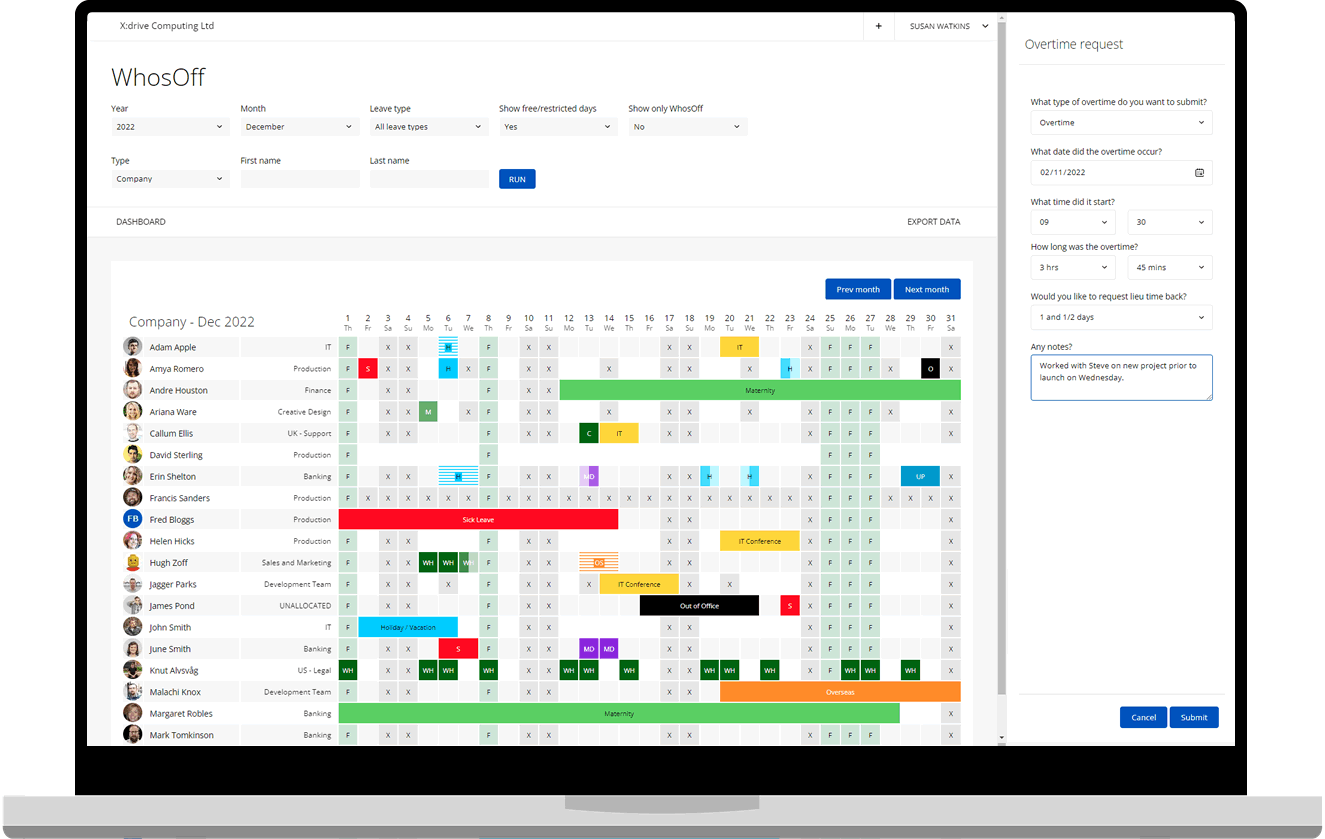
The most successful overtime schemes keep a close eye on who’s working, when. Too many extra shifts and your key personnel become tired and unproductive. Too few, and people may think you’re favouring other team members.
To allocate overtime fairly and avoid employee burnout, your business needs an efficient system in place. WhosOff is a digital leave management platform with built-in features for recording overtime and managing TOIL.
Get your Free trial of WhosOff, instantly!
Our software can
- Log every hour of overtime your team works in a central, online location – including on the move via the WhosOff mobile app
- Help you offer TOIL as an alternative to paid overtime, by logging extra shifts worked alongside paid holiday
- Run regular overtime reports to align staff hours with payroll and allocate additional opportunities fairly, based on who has completed the most/least overtime
- Allow team leaders and managers to check upcoming schedules and holiday bookings online, to identify staffing shortages ahead of time
- Check who is and isn’t using their TOIL to make sure everyone has taken their hours by the end of the holiday year
Document your TOIL conversion rates, accrual limits, and usage deadlines in employee contracts. This prevents confusion and ensures fair treatment across your team.
Use WhosOff's reporting to identify employees who aren't using their earned TOIL. Unused hours create financial liability and can indicate potential burnout risks.
Employees submit TOIL requests through WhosOff's online system, giving managers clear visibility of who's requesting time off and when. Multi-level approvals ensure coverage during busy periods.
Set automatic reminders for TOIL that's approaching expiration. This helps employees use their earned time while preventing large leave liabilities for your business.
Running an overtime programme is a practical way to make sure staff absences don’t slow your company down. However, too much overtime will impact your bottom line.
WhosOff allows you to strike the right balance, while make sure additional shifts are reflected in staff wages or their time off allocation.
How? By recording every team member’s overtime hours online, so you can use this data to underpin business decision-making:
Overtime monitoring & reportingPull weekly, monthly, quarterly or annual reports to see which person or team is doing the most overtime in your business. This will help you to manage overtime better long-term, for example by ensuring that overtime opportunities are being evenly distributed between employees, or recruiting new resources within departments logging the most additional hours.
Creating overtime policiesThe data you extract and share around overtime management can also shape your company policies. For instance, you can set in writing the maximum number of additional hours each employee is allowed to work per week or month. For more information about creating overtime guidelines, visit our policies page.
Payroll integrationsFor companies that choose to pay staff for overtime rather than earning time off in lieu, a central overtime management system collects all the data your finance team needs to accurately run payroll.
Discover how easy it is to track and manage staff overtime online using the WhosOff platform. Sign up now to start your free trial.
Try WhosOff's overtime management tools today