
Two-minute overview
New to WhosOff? Watch this short video to see how leave management works end-to-end - then dive into the detailed sections below.
Requesting & approving leave
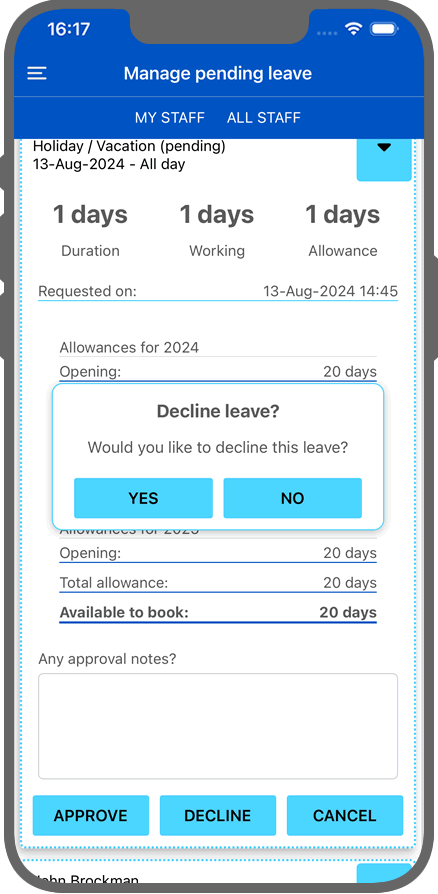
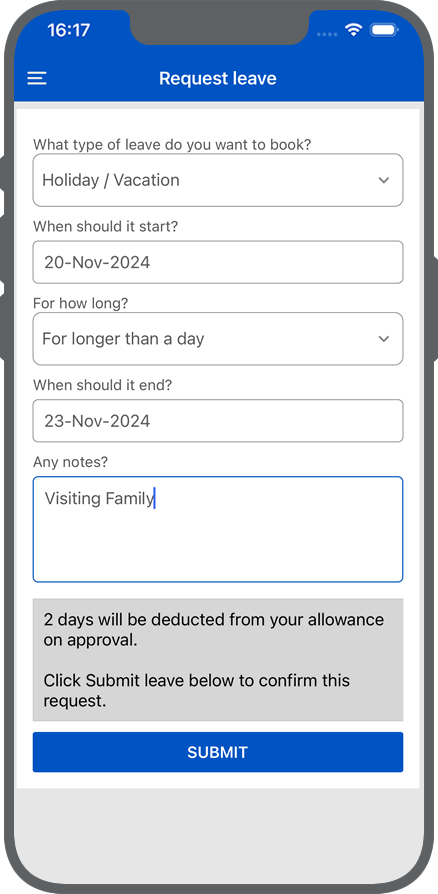
Your staff submit leave from their phone or desktop. Line managers get everything they need to decide - who else is off, department cover, allowance balances - before approving or declining in one click.
Book leave from anywhere -
phone, tablet or desktop
Staff choose their leave type, pick their dates, and add a note if needed. The request lands instantly with their line manager, complete with team availability context so they can make an informed call.
- Staff can report a colleague off sick (up to one day) without manager involvement
- Create your own leave types - whether they need approval, affect allowance, and who can see them
- Set leave types to auto-approve for low-friction requests like training days or WFH
- Super Users can send gentle reminders to managers with pending requests
- Expired pending requests are flagged automatically with options to approve or remove
Approvals that give managers the full picture
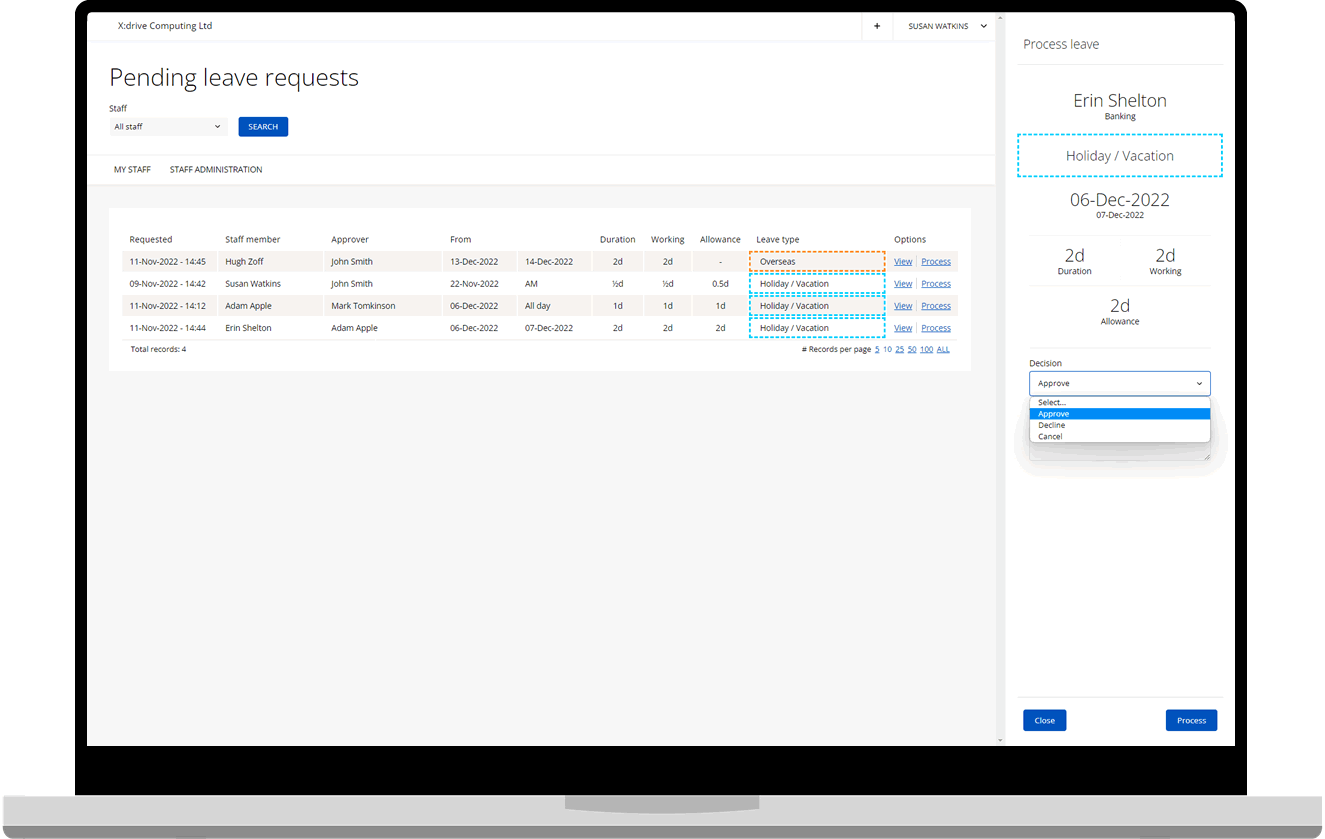
When a request comes in, managers see the employee's remaining allowance, who else is off during that period, and any policies that could affect approval - all before they decide.
- Process approvals directly from the calendar sidebar without navigating away
- Add a decline reason so staff understand and can resubmit if needed
- Up to two additional notifiers per staff member - keep HR or a second manager in the loop
- Full audit trail of every request, decision, and who made it
Overtime & time off in lieu
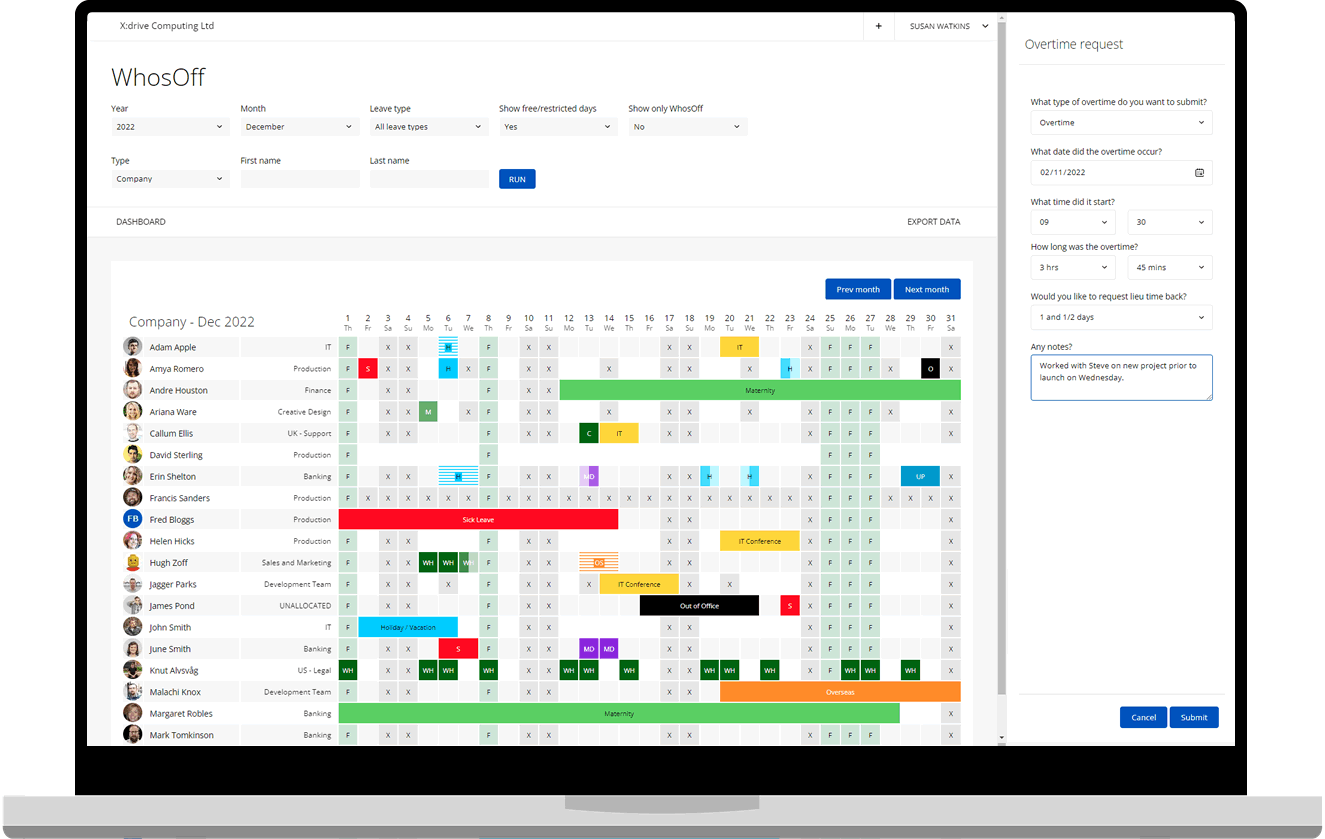
Staff log overtime as they work it - from their phone or desktop. Managers review and approve, and balances feed directly into your allowance and payroll reporting with no manual reconciliation.
Track every extra hour
and give time back fairly
Whether it's a late finish, a weekend shift, or on-call cover, staff record overtime through the same apps they use for leave. Managers approve it, and the system handles the rest.
- Create your own overtime types - standard time, double time, weekend cover, on-call
- Allow staff to request time off in lieu (TOIL) for hours worked over their contract
- TOIL balances are tracked separately from holiday allowances - no confusion
- Export overtime data for payroll processing alongside leave reports
- Managers can view and manage all team overtime from a single screen
Bulk tools - onboard faster, manage at scale
When you're managing dozens or hundreds of staff, doing things one-by-one isn't an option. WhosOff's bulk tools let you import, book, adjust, and reorganise your entire workforce in minutes.
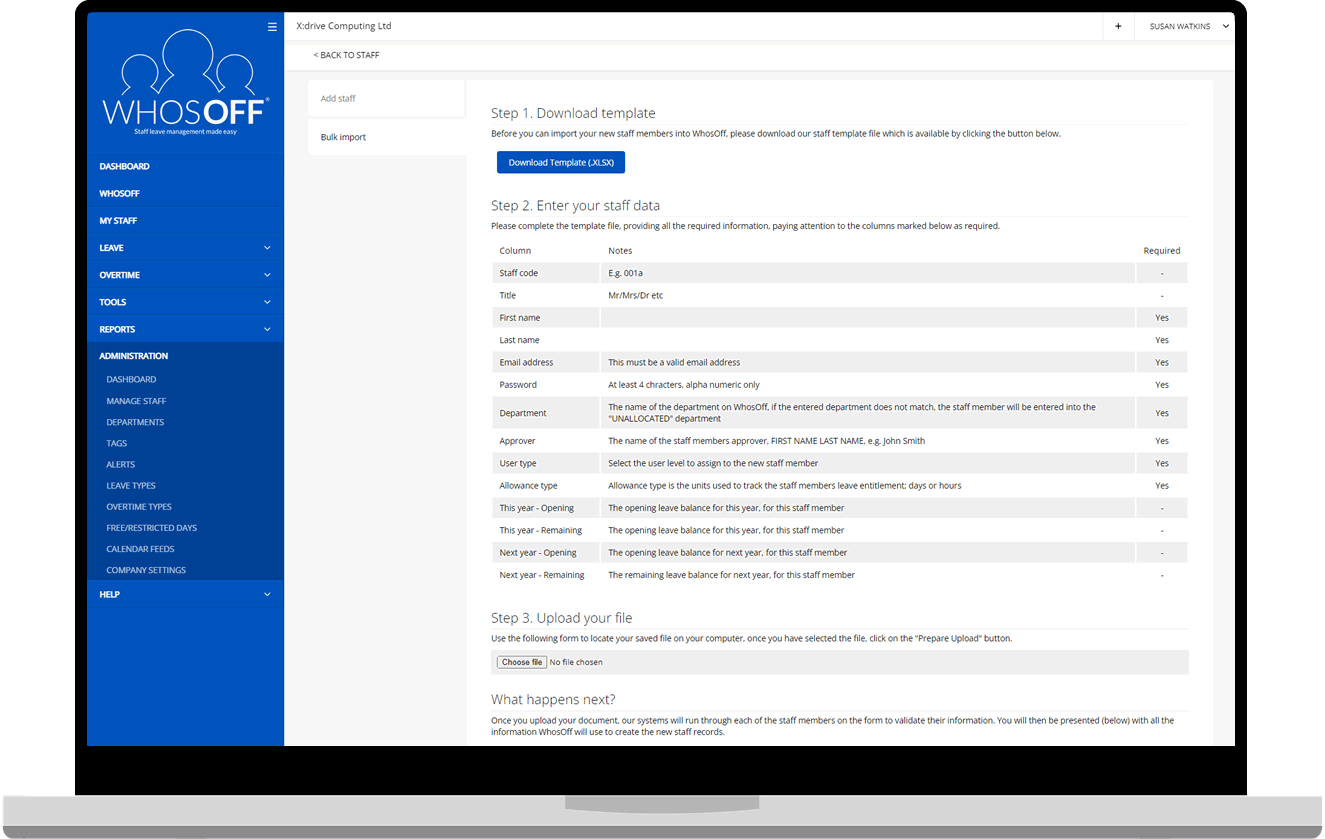
Bulk staff import
Download the Excel template, fill in your staff details offline, and upload them all at once. Optionally send each new staff member a welcome email automatically.
See onboarding >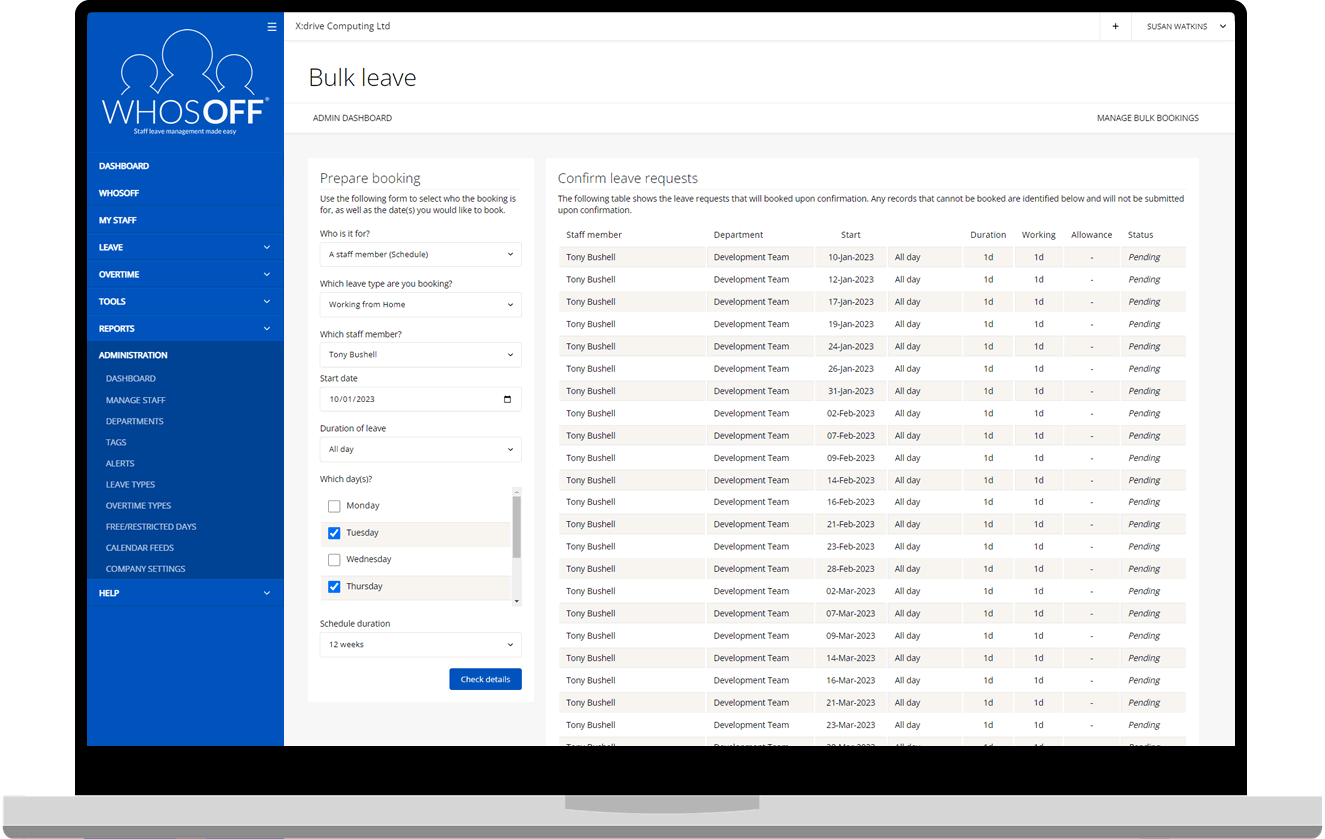
Bulk leave bookings
Book a half or full day off for one or more departments in one action. Perfect for company-wide closures, Christmas shutdowns, or training days.
See leave management >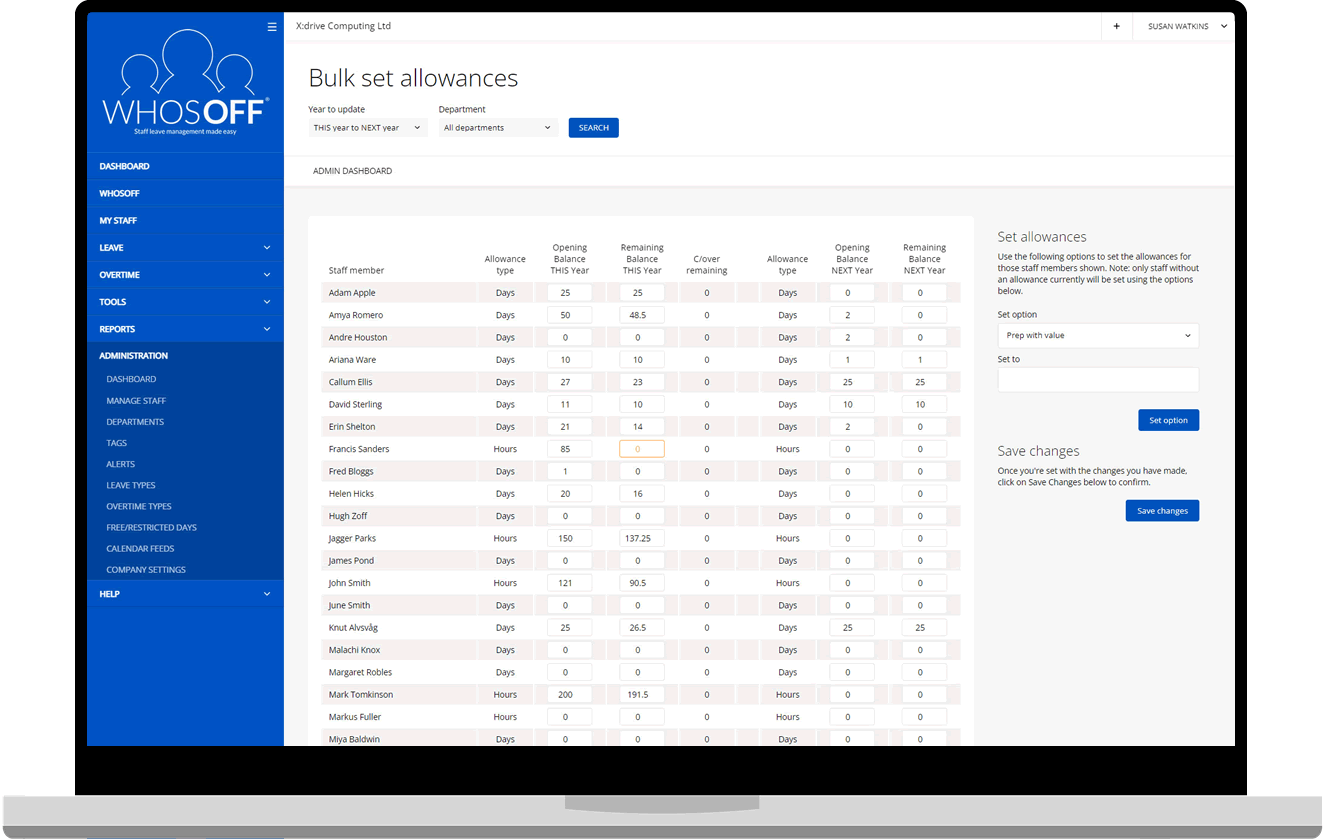
Bulk allowance adjustments
Roll over allowances at year end in one step - copy balances from this year, or reset all employees to a flat value by department. No spreadsheet gymnastics required.
See leave policies >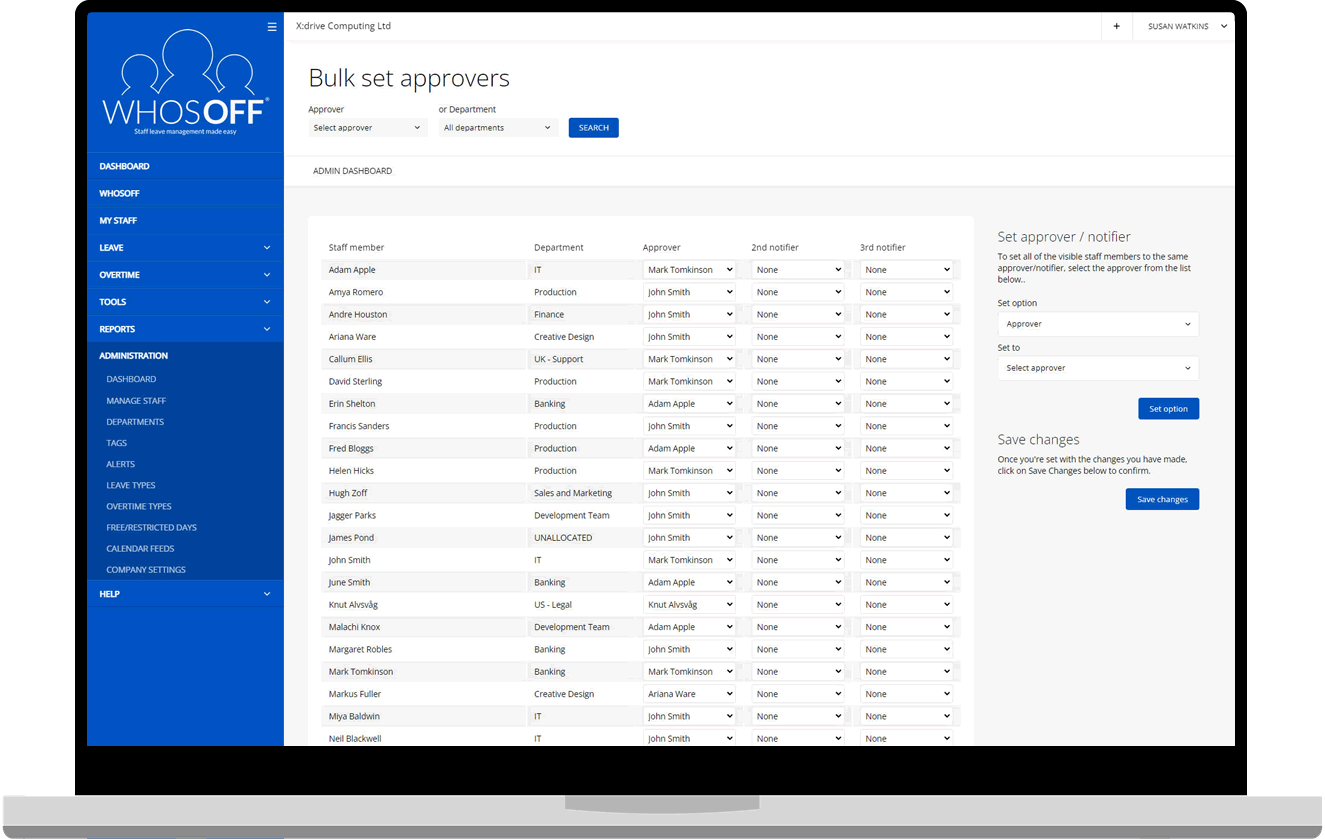
Bulk change approvers & departments
Restructured a team? Promoted a new line manager? Reassign approvers and departments across multiple staff members at once without touching individual profiles.
See approvals >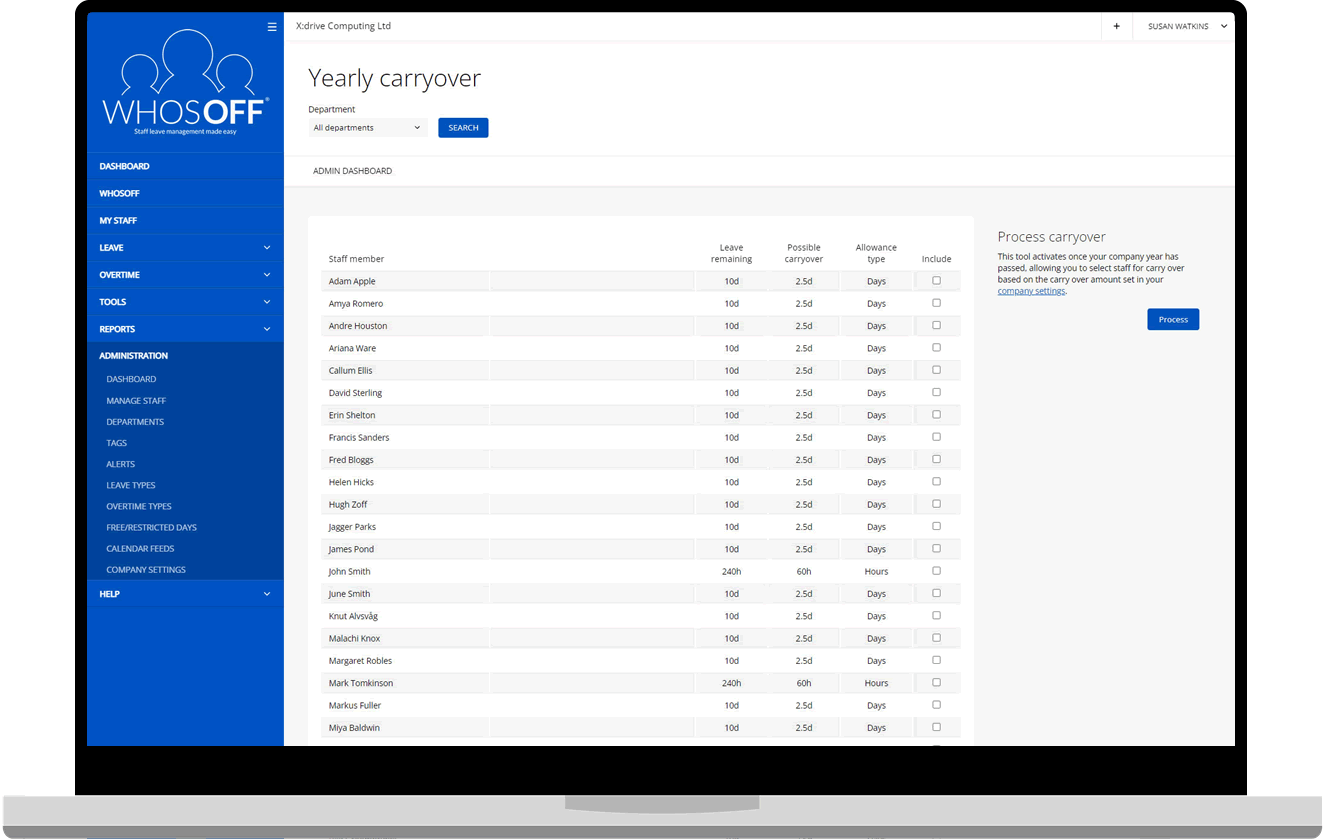
Yearly carryover
If your policy allows carrying unused leave into the next holiday year, WhosOff automates the calculation and transfer so entitlements are always accurate and up to date.
See carryover policies >Use the bulk import wizard to go from spreadsheet to live in minutes.
See migration guide →Reports - the data you need, when you need it
From Bradford Factor absence analysis to yearly leave calendars and payroll-ready exports, WhosOff puts meaningful workforce data in front of HR teams and managers without them having to dig for it.
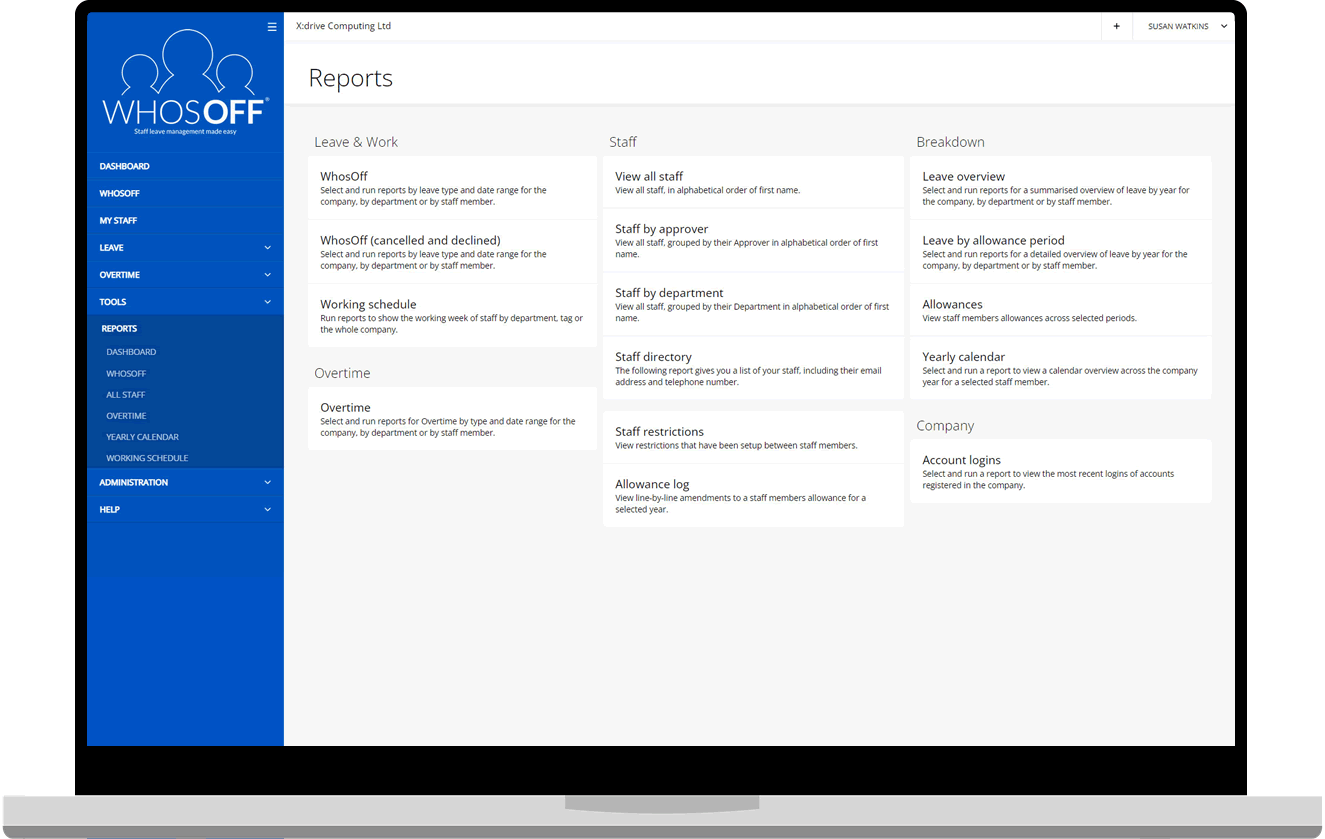
Every report your HR team actually uses
WhosOff's reporting suite covers leave analysis, absence patterns, Bradford Factor scoring, allowance summaries, and staff contact directories - all exportable to CSV or XLSX for further processing
- Leave overview - all staff leave broken down by type and date range
- Bradford Factor - identify absence patterns and manage wellbeing proactively
- Allowance summary - current year and next year balances at a glance
- Staff yearly calendar - month-by-month view per employee
- Limit-based reports - see who's approaching or has exceeded leave limits
- Export any report to .CSV or .XLSX for payroll and HR systems
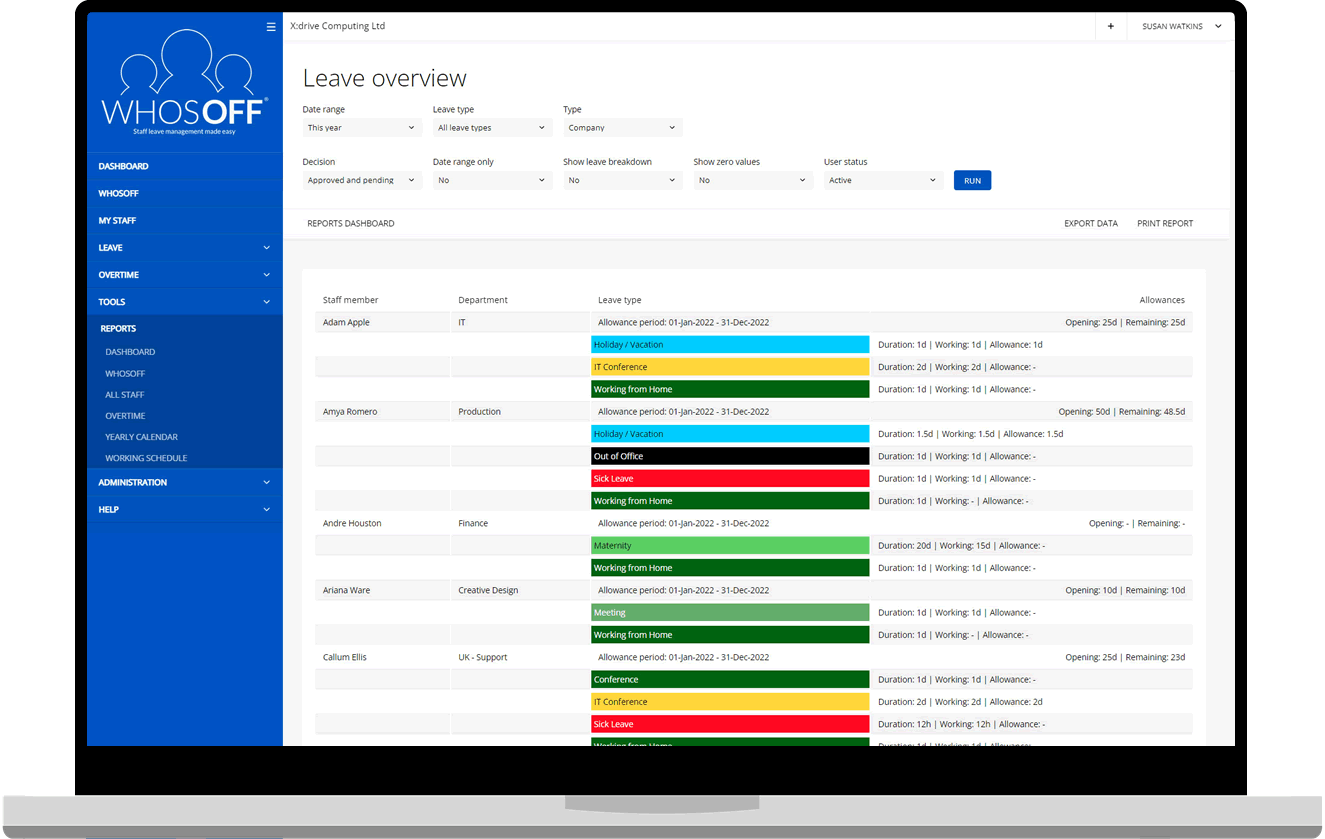
Yearly leave breakdown
A detailed breakdown of a staff member's leave across a chosen year - grouped by leave type with day counts and remaining allowance.
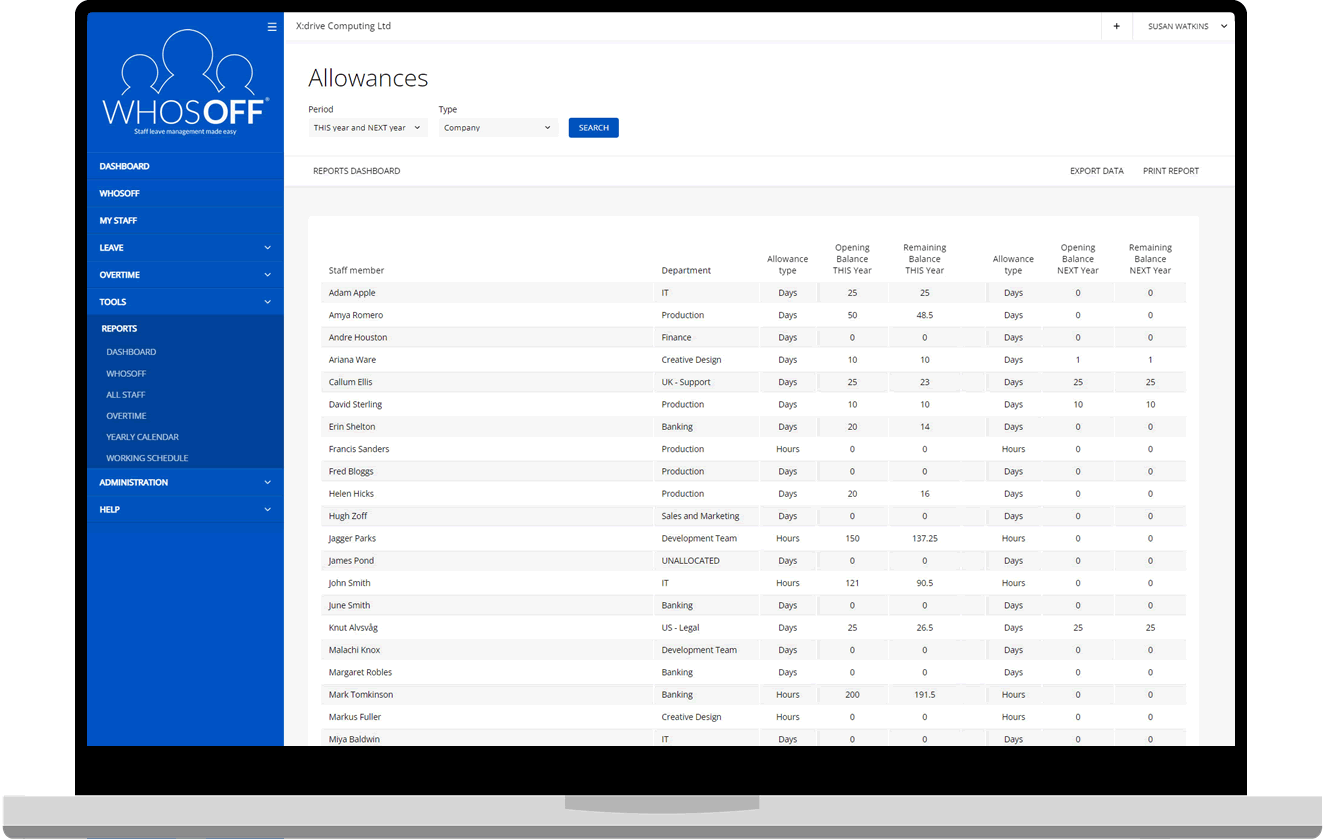
Allowance summary
Quick-access view of current and next-year allowances across your whole team - useful at year-end for planning and payroll reconciliation.
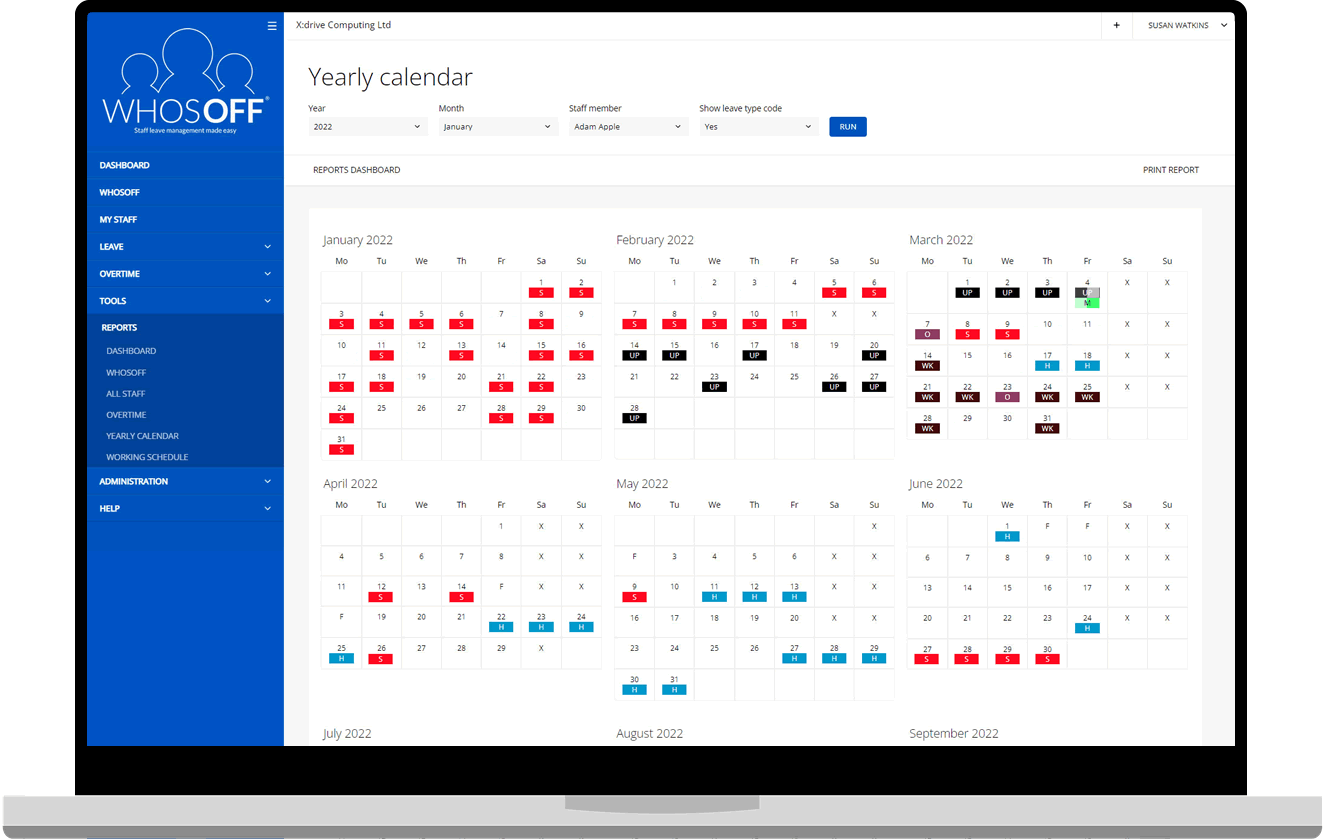
Staff yearly calendar
A month-by-month overview of all leave for an individual staff member across a selected company year - great for appraisals and reviews.
Link with staff records >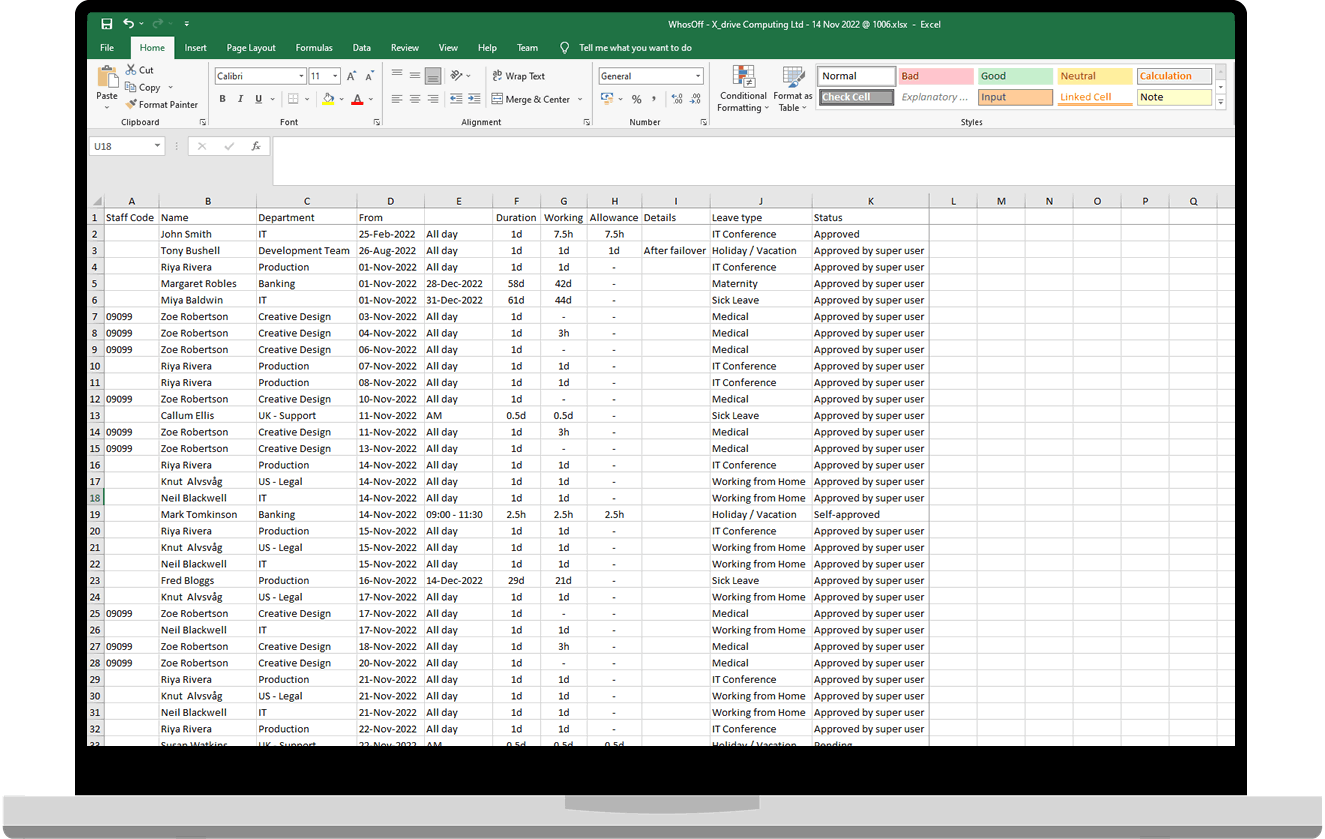
Export to CSV / XLSX
Every major report can be exported in spreadsheet format, ready to drop into your payroll system, HR platform, or a custom analysis in Excel.
See all integrations >The dashboard - your daily command centre
The moment you log in, you know exactly what's happening. Who's off today, what requests are waiting, and what needs your attention - all before you've had your first coffee.
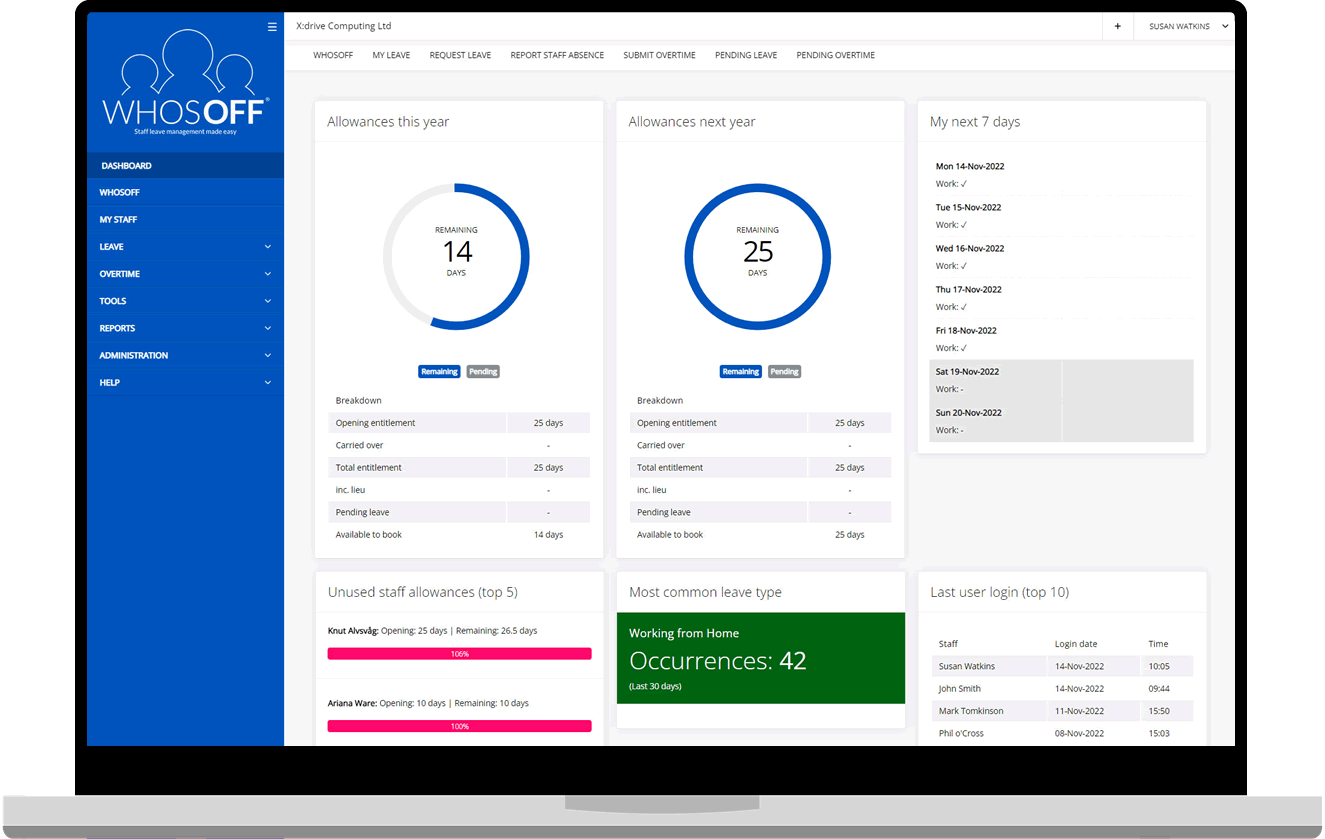
Different views for different roles - always relevant
WhosOff's dashboard adapts to who's looking at it. Super Users and approvers see pending requests, team availability, and alerts. Staff see their own leave balance, upcoming bookings, and their personal seven-day calendar.
- Today's absence overview - who's off and what type of leave they're on
- Pending requests counter with one-click access to the approval queue
- Next 7 days personal calendar for every staff member
- Staff Hub alerts widget - expiring certifications, unsigned documents, lapsed benefits
- Daily digest email option - all alerts and outstanding tasks to your inbox each morning
- Customisable widgets - show what matters most to your team
Staff Hub - people data beyond leave
Staff Hub extends WhosOff from a leave tracker into a central home for your people data - employment records, salary history, training, contracts, policies, staff directory, and emergency contacts.
Everything you know about your people, in one place
Because Staff Hub is built into WhosOff, it's directly connected to leave, overtime, and absence data - no double entry, no switching between platforms. One system. One source of truth.
- Store staff contracts - always accessible, always up to date
- Track certification expiry dates with automated alerts before they lapse
- Require staff to read and accept policies - with deadline tracking and receipts
- Full salary and employment history with effective-from dates on every change
- Role-based permissions - control exactly who can see each type of data
Staff Directory
A searchable directory of all staff contact details with permission-level controls.
Emergency Contacts
Staff manage their own contacts via web or app. HR access is permission-controlled.
Document Storage
Upload contracts, policies, and handbooks - with read and acceptance receipts.
Salary & Employment
Full compensation and role history with an audit trail of every change.
Training Records
Log certifications with expiry dates. Get alerted before anything lapses.
Policy Compliance
Track who has and hasn't acknowledged each published policy or procedure.
Integrations - WhosOff fits into how you aleady work
Connect WhosOff to your calendar, payroll, identity provider, and other business systems. Whether it's a calendar feed subscription or a fully custom API integration, your data flows where you need it.
Your data. Your systems. No silos.
WhosOff is designed to complement your existing tools, not replace them. Calendar feeds keep leave visible in the tools your team already uses every day - and the API means anything is possible for those with custom requirements.
- Calendar feeds configurable per department, region, tag or company level
- SSO support - Azure AD, Okta, Auth0, OneLogin for single sign-on access
- Webhooks deliver real-time leave events to Slack, Zapier, or your own systems
- GDPR-compliant data handling throughout all integrations

Google Calendar
Automatically mirror leave data into Google Calendar. Staff see who's off without logging in to WhosOff.
View integration >

Microsoft Outlook
Subscribe to a calendar feed in Outlook so leave bookings appear alongside meetings - no manual updates.
View integration >

RESTful API
Full access to your WhosOff data via a dedicated API. Build custom integrations with payroll, ERP, or HR systems.
Explore the API >

Webhooks
Trigger real-time events in your own systems when leave is booked, approved, or cancelled - no polling required.
Explore webhooks >
Make WhosOff feel like yours
Getting staff to adopt a new system is easier when it looks familiar. WhosOff supports full custom branding - applied to the web app, mobile apps, and every email your team receives. And it's completely free for all accounts.
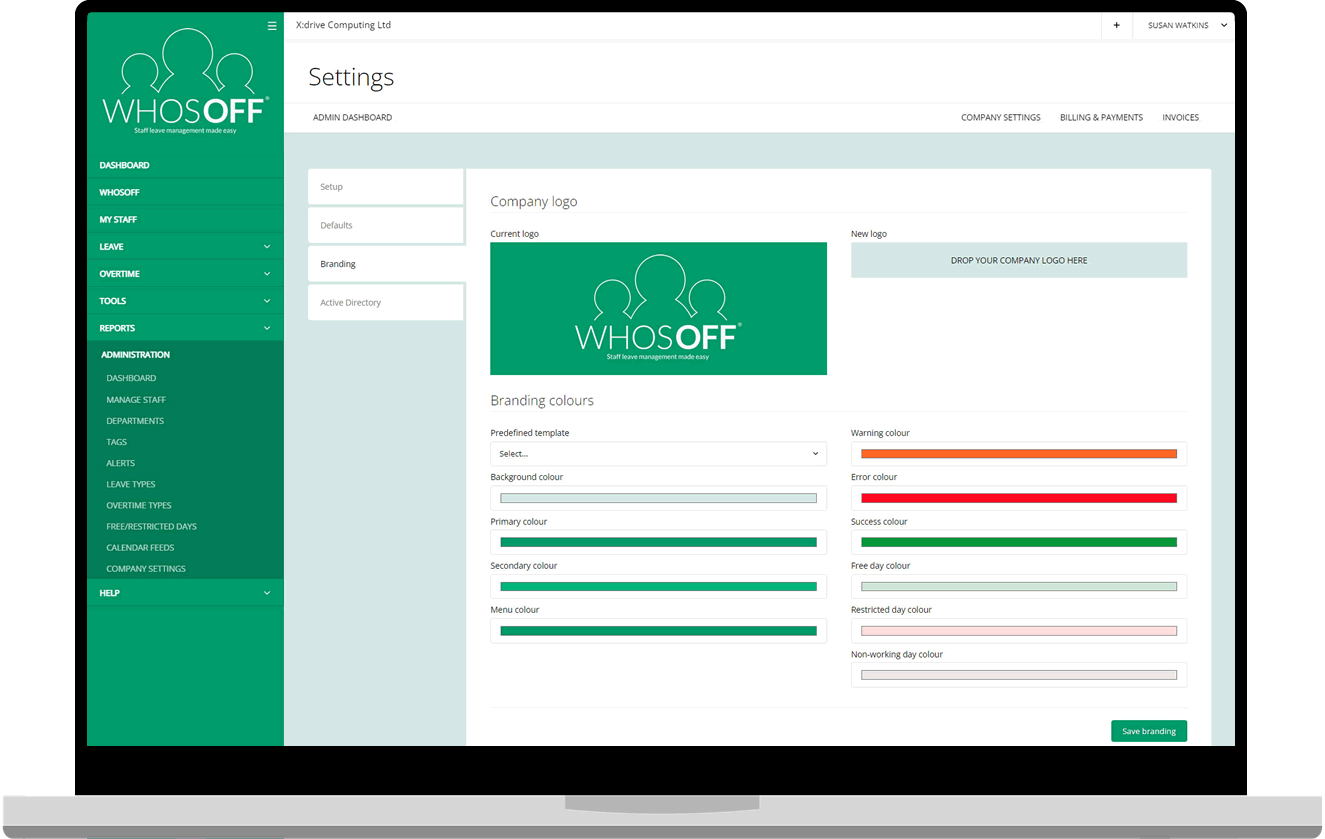
Your logo. Your colours.
Zero cost.
Upload your company logo and brand colours and they'll appear across the WhosOff web platform, the iOS and Android apps, and all system-generated email notifications. It takes minutes to set up and makes a real difference to adoption.
- Custom logo applied to web, mobile, and email communications
- Brand colour applied throughout the interface - feels like an internal product
- Custom branding is free for all WhosOff accounts - no premium tier required
- Works alongside SSO for a seamless, on-brand login experience
Try every feature shown here - free for up to 8 weeks. No credit card, no commitment, no complexity.
Try WhosOff free for up to 8 weeks
Questions? Call +44 (0)1227 812932 or email the team - Mon–Fri, 9am–5:30pm