

















Selective photo of keys being handed over for new property

Manage your agency team's time off with WhosOff

Keep every branch covered, every viewing attended, and every client called back. WhosOff gives estate agents and property managers a smarter way to track holiday, absence, and overtime - all in one place.

Used by property businesses including: Independent estate agents, lettings agencies, property management firms, multi-branch networks, and more.


Start your instant, FREE trial today

The challenge for property agencies

Employee leave management software
for property agents

WhosOff's property agency leave management tool gives your business complete visibility over team availability across every branch. You can see how many days each employee is entitled to, who has already booked time off, and whether a branch will be adequately covered - all before approving any holiday request.

A successful property agency needs more than great properties. It needs the right people available when clients need them; whether that's a Saturday morning valuation, an evening viewing run, or a busy completion day. Managing that across a team of negotiators, lettings staff, and property managers can be genuinely complex. WhosOff makes sure leave management doesn't add to that complexity.
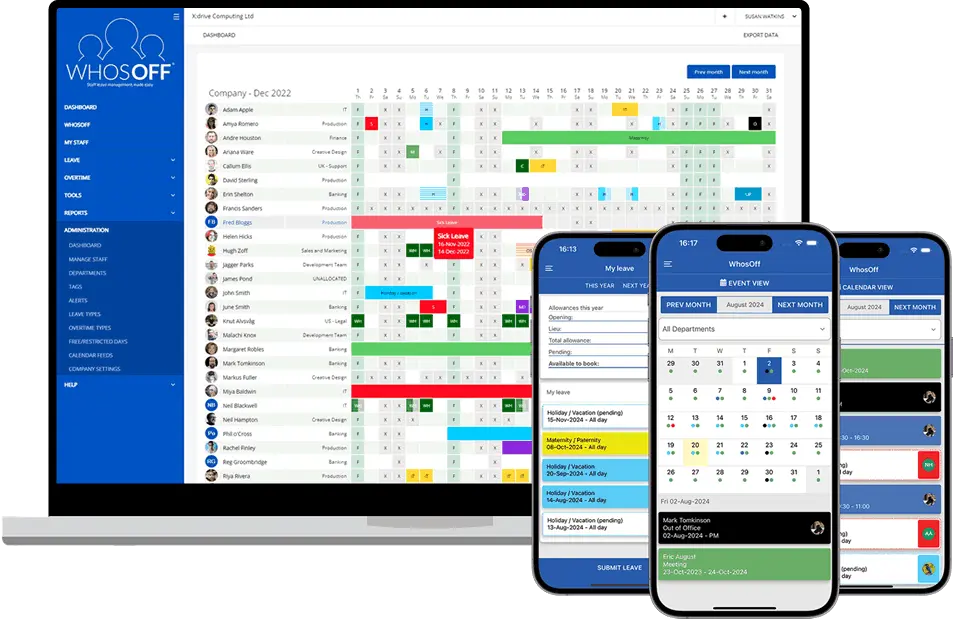

WhosOff, available online and mobile

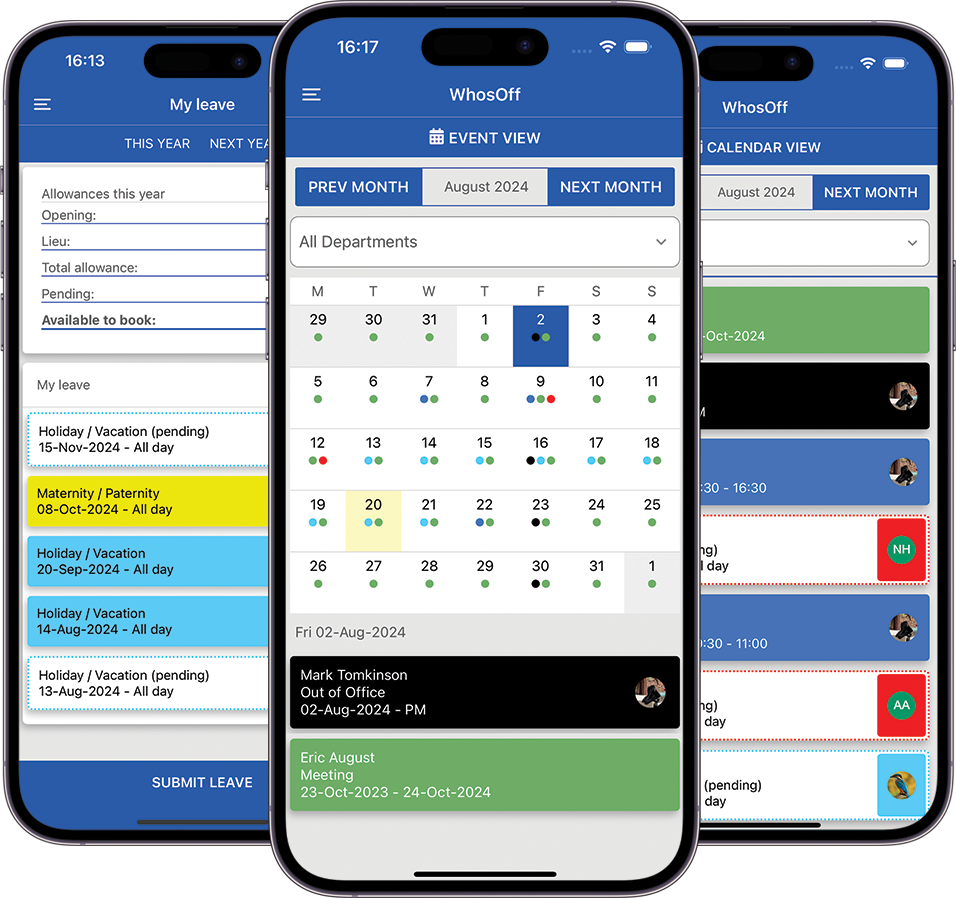
And with the WhosOff mobile app, your agency team can check their own holiday balance and submit requests before booking — wherever they happen to be.

Why property agencies choose WhosOff

The perfect planning tool
for property agents

Estate agency staffing is complex enough without leave management adding to the pressure. WhosOff makes sure it doesn't.

1 Scalability

WhosOff gives you both an at-a-glance overview of all branch holiday bookings and detailed information on each employee's entitlement. Whether you're running one branch or a hundred, you can see at-a-glance who's off and who's available.

2 Peak period restrictions

Restrict holiday requests during the spring and autumn property markets, bank holidays, or any period where full branch cover is critical. You define the rules, WhosOff enforces them automatically, without any manager having to police requests manually.

3 TOIL & overtime tracking

When staff work late for evening viewings or cover busy completion weeks, log those extra hours in WhosOff. Staff accrue TOIL to take at a quieter time, and detailed reports go straight to payroll - eliminating paper timesheets entirely.


4 Multi-branch management

Run all your offices from one account. Filter by branch, team, or role/tag to check availability at any specific location. Branch managers can be set to approve requests for their own team; head office can see the whole network at once.

5 Compliance-ready records

WhosOff maintains a complete, auditable record of all leave taken and approved. Support compliance with the Working Time Regulations 1998 and respond confidently to employment disputes or regulatory enquiries.

6 It's simple, so simple!

WhosOff is very easy to use, so agency staff can be up and running in minutes. And because it's web-based, they can access WhosOff from anywhere via online login or mobile app, whether at the branch, on a viewing, or at home.


Useful features for
easy leave management


concierge

Free first-class support

Get the most from WhosOff with email, phone, webinars, and demos from our UK-based team. Whatever your agency needs, we're here to help - at no extra cost.

mobile_3

Free iOS & Android apps

Access WhosOff 24/7 via the free mobile apps. Negotiators and property managers can submit requests, check balances, approve leave, and view branch availability from their phone - between viewings, on the road, or at home.

data_thresholding

Limit leave in peak periods

Restrict holiday requests during the spring and autumn property markets, over bank holiday weekends, or on any period where full branch staffing is non-negotiable, so you're never caught short when the market is busiest.

more_time

Custom overtime tracking

Create unlimited overtime types: evening viewings, Saturday cover, completion day support, landlord call-outs, and generate detailed reports to streamline payroll and keep a clear record of all additional hours.

files

Central document hub

Store staff contracts, branch HR policies, company handbooks, and compliance documents securely in WhosOff - with optional read-and-agree receipts to confirm every employee has seen them.

security

Enhanced security & SSO

Optional multi-factor authentication and seamless single sign-on integration with Azure AD, Okta, OneLogin, or Auth0 - keeping your team's HR data as secure as your client records.

sprint

Rapid onboarding process

Get every new team member into WhosOff from their first day using the simple, guided onboarding flow - particularly valuable in a sector where hiring can be fast-paced and getting people productive quickly matters.

medical_mask

Leave & absence reporting

Export detailed reports on leave taken, sickness, TOIL balances, and remaining entitlements for any date range and any combination of staff or branches - formatted and ready for your payroll provider or accountant.

event_repeat

Bulk leave bookings

Quickly manage agency-wide office closures, mandatory CPD training days, or branch away-days with fast, effortless bulk scheduling across your whole business or any individual team.

flowsheet

Dedicated API & webhooks

Connect WhosOff to your existing property CRM, practice management software, or HR platform via a dedicated API and webhook support - so leave data flows where it needs to without any manual duplication.

footprint

Digital request & approval trail

Every leave request, approval, amendment, and denial is time-stamped and stored digitally. Maintain a clear audit trail for any HR process, employment matter, or working time compliance requirement.

add_alert

Maximum branch staffing rules

Set the maximum number of staff allowed to be off per branch or department. WhosOff automatically blocks requests that would breach your threshold before they ever reach a manager - no manual policing required.

OVERTIME & TOIL

Built for the reality of property working hours


Estate and letting agencies rarely run a strict nine-to-five. Evening viewings, Saturday open days, and busy completion weeks mean your team regularly works hours beyond their contract. WhosOff's built-in overtime and TOIL module handles all of it — fairly, transparently, and without any paper.

When staff log additional hours, whether for an evening viewing run or a bank holiday cover shift - those hours accrue as TOIL to be taken at a quieter time. Managers see live TOIL balances for every team member, and detailed overtime reports export directly to your payroll provider.

Create unlimited overtime types to match exactly how your agency operates, and track them all alongside annual leave and sickness in one place.


Unlimited overtime types to match your agency's working patterns exactly
1
Single place to track all extra hours, accrued TOIL, and lieu days
0
Paper requests. Everything is logged and auditable in the system
24/7
Mobile access so staff can log overtime/TOIL hours wherever they're working

Manage leave on the move with the WhosOff mobile app

Property teams are constantly on the move. The WhosOff mobile app makes it easy for on-the-go staff to check their holiday allowance, submit annual leave requests, and see whether their application has been approved - wherever they are.

Whether a negotiator is between viewings, a property manager is at a landlord inspection, or a valuer is on their way to an appraisal, leave management takes seconds on their phone - not when they eventually get back to the office.

Branch managers and agency principals can also review and approve holiday requests directly from the app, so nothing sits waiting in an inbox while they're out of the office.


WhosOff available on the iPhone App Store WhosOff available on Android Marketplace

WhosOff is available on iPhone, Blackberry and Android smartphones

Take control of your leave management with an instant, free trial

Discover how WhosOff's absence management software works completely free of charge. Start your no-obligation trial today - no credit card required.

Access to all WhosOff's key features
Free telephone and email support from our team of experts
TOIL, overtime types, and custom leave type support included
Maximum staffing rules and peak-period restrictions ready to configure
No long-term contracts or commitments
Complete the form opposite to start your FREE trial, which will last until Thursday, 25th June 2026

Fancy a demo? Call us on +44 (0)1227 812932, or email our support team. Available Monday to Friday 9am - 5.30pm.


Complete the form to start your FREE trial

By completing the form above, you agree to the Terms and Conditions,
Terms of Use and Privacy Policy


Main image: "A hand holding house keys in a modern interior, symbolizing new home ownership or real estate investment.", by Jakub Zerdzicki [Pexels.com]

FAQs


How does WhosOff help estate agency managers ensure every branch has staff available for viewings and valuations?
WhosOff gives branch managers and agency directors a real-time overview of who is available and who is off across every office, team, and role. Leave requests are submitted and approved digitally, branch calendars update automatically. This removes the need for paper holiday cards, shared spreadsheets, or WhatsApp messages, reducing the risk of missed viewings, delayed valuations, or unattended phone lines.
How does WhosOff track time off in lieu (TOIL) for negotiators and property managers who work extra hours?
WhosOff includes a dedicated overtime and TOIL module. When negotiators, lettings managers, or property managers work additional hours, for example during the busy spring or autumn markets, for evening viewings, or to cover a completion day - those hours can be logged in WhosOff and staff accrue TOIL to be taken at a quieter time. This helps agencies manage extra hours fairly without always incurring additional payroll costs.
Can we manage leave across multiple branch locations from a single WhosOff account?
Yes. WhosOff is built for multi-branch businesses. Agency directors or central HR teams can manage staff leave across all branch locations from a single account, with the ability to filter by branch, department, or role (via tags) to see availability at any specific office. Branch managers can be given approval rights for their own team only, while head office retains full visibility across the entire operation.
Can we restrict holiday requests during the busiest periods of the property market?
Yes. WhosOff allows you to set leave restriction periods across the whole agency, a specific branch, or an individual team. During the peak periods of the property calendar — typically spring (March to May) and autumn (September to October) - you can prevent holiday requests from being submitted. Employees can still view the calendar and plan around restricted windows, and managers retain the ability to override restrictions when exceptional circumstances arise.
Can WhosOff handle different leave entitlements for sales negotiators, lettings consultants, property managers, and support staff?
Yes. WhosOff allows you to configure individual leave allowances for each employee, regardless of role or seniority. Sales negotiators, lettings consultants, property managers, mortgage advisers, branch administrators, and directors can each have separate entitlements, and carry-over rules - all managed within the same account.
Can estate agency staff submit and check holiday requests when they are out on viewings or valuations?
Yes. WhosOff has free iOS and Android apps that allow staff to submit leave requests, check their remaining entitlement, and view the branch calendar from anywhere. For negotiators, valuers, and property managers who spend much of their working day away from the office - mobile access means leave management is handled promptly without needing to wait until they are back at their desk. Managers can approve or decline requests directly from the app too, keeping the process moving at all times.
Can WhosOff track different types of absence specific to property agencies, such as CPD training days and industry events?
Yes. WhosOff supports a wide range of leave types out of the box - including annual leave, sickness absence, compassionate leave, TOIL, and unpaid leave. Property agencies frequently add custom leave types such as Propertymark or ARLA Propertymark CPD days, industry conferences and exhibitions, mortgage adviser study days. All of these can be created, tracked, and reported on within WhosOff, giving your agency a complete picture of where every team member is and why.
How does WhosOff help property agencies comply with UK working time regulations?
WhosOff maintains accurate digital records of all leave taken, leave approved, and remaining entitlements for every member of staff. This supports compliance with the Working Time Regulations 1998, which require workers to receive a minimum of 5.6 weeks of paid annual leave per year. The system provides a clear and auditable trail. This is especially valuable for agencies with higher staff turnover, where maintaining consistent records during transitions is particularly important.
Can WhosOff prevent too many staff from the same branch or team being absent at the same time?
Yes. WhosOff`s policies and restrictions feature lets you set limits on how many people from a specific branch or team can be off simultaneously. For example, you could prevent more than one negotiator and more than one lettings consultant from booking the same period at the same branch. The system will automatically decline requests that would breach these rules, so managers do not need to manually monitor for clashes - it all happens in the background, automatically.
Is WhosOff suitable for small independent estate agents as well as large national property groups?
Yes. WhosOff scales from small independent agencies with a handful of staff across one or two branches, up to large property groups managing hundreds of employees across national networks. The system is priced per employee and can be configured to match the complexity of your operation. Independent agents benefit from its simplicity and low overhead, while larger groups benefit from multi-branch visibility, granular approval hierarchies, and detailed reporting across the whole business.
Can WhosOff produce leave and absence reports for property agency payroll and HR processes?
Yes. WhosOff`s reporting tools allow you to export data on leave taken, sickness, TOIL balances, overtime logged, and remaining entitlements across any time period and any combination of staff. Agency principals and HR managers can use these reports to identify trends, prepare for salary reviews, share accurate payroll data with external accountants, or produce evidence for any employment-related matter. Reports are available on demand and can be exported suitable for payroll providers.

Everyone has questions, and so you should. At WhosOff, we're always willing to answer any questions you have.
If you don't find the answer to your question below, drop us a quick message, or call our support team on +44 (0)1227 812932
Close [X]
Schedule your personalised demo

Let us show you, in 20 minutes, how WhosOff can elevate your leave management process.

Simply enter your email address in the space provided below and one of our team will reach out and setup a personalised platform demonstration.


Book your demonstration now

Manage Cookie Consent

Cookies are used to store and/or access device information. Providing consent to these technologies allows us to process data such as browsing behaviour. Not consenting or removing consent may adversely affect some features and functions.

AdvertisingEnables storage related to advertising, for example, advertising campaign.
AnalyticsEnables storage related to analytics, for example, visit duration.
TargetingSets consent for sending user data to Google for online advertising purposes.
MarketingSets consent for personalized advertising.
Cookie Policy
Manage cookies