most migrations are completed within a single working day
migration support costs — completely free with every account
users already using WhosOff, many migrated from other systems
run WhosOff alongside your existing system before you commit
Moving leave management systems
doesn't have to be painful
Switching any piece of business software can feel daunting - particularly when it holds data your team relies on every day. Leave entitlements, carry-over balances, historical absences, custom leave types, approval chains - none of it can simply be left behind when you move to a new system.
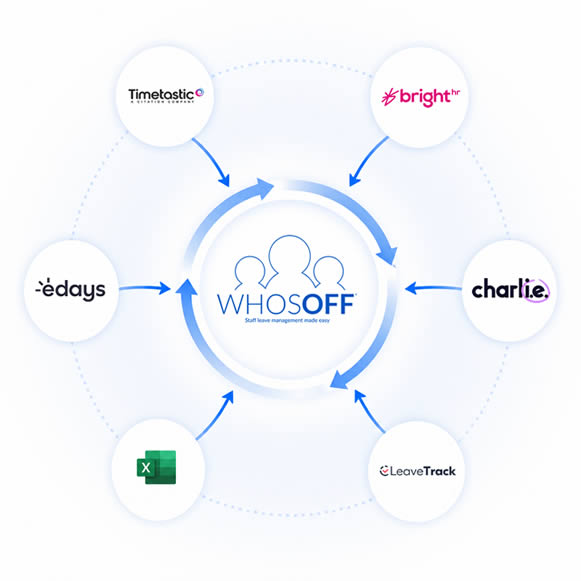
That is exactly why WhosOff's support team treats every migration as a first-class task. Whether you are leaving a dedicated leave management platform such as Timetastic, BrightHR, or e-Days, or moving away from a patchwork of spreadsheets and paper request forms, we will work with you directly to export, format, and import your existing data so that nothing is lost and your team aren't inconvenienced by the transition.
You can start your WhosOff free trial while your existing system is still running - giving you and your team time to test everything, validate your data, and build confidence before you fully switch over. Most businesses complete the migration in a single working day. Leaving you and your team to experience all of the new features of WhosOff released this year.
And if you have questions at any stage: before, during, or after the move - our UK-based team is available by phone and email.
Our team is available Monday to Friday, 9am to 5.30pm.
How we help you
switch to WhosOff
From your first conversation with our support team to your team submitting leave requests in WhosOff, here is exactly what the migration process looks like.
Sign up for a free WhosOff trial - no credit card required. Once you're in, call or email our support team and let us know you're migrating from another system.
Tell us which platform you're moving from, roughly how many staff you have, and what data you need to bring across. We'll take it from there and guide you through the rest of the process step by step.
Day One - 10 minutes
Most leave management platforms, including: Timetastic, BrightHR, CharlieHR, e-Days, and LeaveTrack - allow you to export your staff data and leave records to a CSV or spreadsheet file.
Our support team will advise you on exactly which fields to include, so the file contains everything you need and nothing superfluous.
Typically under 30 minutes
WhosOff uses a straightforward import template with clearly labelled columns: employee name, email address, line manager, department, region, annual leave entitlements, and current balance.
Our support team will help you map your exported data to these fields - and if your current system's export format differs significantly, we'll work through the reformatting with you directly, on a call if that's easiest.
Under 1 hour for most data sets
Upload your formatted file and WhosOff creates all your employee accounts in one action. From there, our team helps you recreate your leave structure in WhosOff - your leave types, carry-over rules, approval settings, maximum staffing limits, and any restriction periods.
We check your configuration against your existing setup to make sure everything matches before you go live.
1–3 hours depending on policy complexity
We recommend running WhosOff alongside your existing system for a short period - no longer than two weeks, so you can validate that all your data has migrated correctly, allow managers to familiarise themselves with the new approval flow, and give employees time to download the mobile app and activate their accounts.
Our team is available throughout this parallel-running period to answer any questions that arise.
A maximum of 1-2 weeks parallel running recommended
Once you're satisfied that everything is working correctly in WhosOff, you switch fully and close your old account. Our team will advise on the right moment to do this and what to do with any residual data in your previous system - for example, whether to download an archive of historical leave records before you cancel.
From this point, WhosOff is your single source of truth for all staff leave and absence.
Clean switch-over, typically within 2 weeks of starting, or just a few days!
Moving from a specific system?
Here's what to expect
Every leave management system stores and exports data slightly differently. Our support team has helped businesses migrate from all of the platforms below. Here's an overview of what the process looks like from each one - and where we've seen businesses gain the most from switching.
Migrating from Timetastic
Good export options - smooth data transfer
Timetastic provides straightforward CSV exports of your staff list and leave records. Your employee names, email addresses, departments, and allowances transfer cleanly into WhosOff's import template with minimal reformatting. Our support team will walk you through what's needed and help you map the fields correctly.
Many businesses moving from Timetastic to WhosOff do so because they need features that Timetastic does not offer - including dedicated phone and live chat support, overtime and TOIL tracking, personnel records, document storage, and more granular leave policy configuration.
- WhosOff includes free telephone support - Timetastic does not
- WhosOff provides a guided setup wizard - Timetastic does not
- WhosOff includes overtime and TOIL management - Timetastic does not
- WhosOff includes personnel records and document storage
Migrating from BrightHR
Leave module data exports cleanly
BrightHR is a broad HR platform, and many businesses use only a fraction of its features - particularly the leave management module. When switching to WhosOff, you can export your BrightHR leave and employee data to CSV. Our support team will help you configure WhosOff to replicate your existing leave structure.
Businesses moving from BrightHR to WhosOff typically find WhosOff more focused and more cost-effective for teams whose primary need is managing holiday and absence - without paying for HR features they rarely use.
- WhosOff is typically more cost-effective for leave management only
- WhosOff's interface is simpler and faster for day-to-day leave tasks
- WhosOff includes dedicated phone support alongside email
- WhosOff's TOIL and overtime tools are more configurable
Migrating from CharlieHR
People data and leave history are portable
CharlieHR is another broad HR platform with a leave management component. Exporting your people data and leave records from CharlieHR is possible via its reporting and export functions. Our support team will guide you through the import process and help you configure WhosOff to match your existing leave allowances and team structure.
Businesses migrating from CharlieHR to WhosOff often do so because they want more granular control over leave structure - particularly maximum staffing limits, multi-manager approval options, and restriction period management - which WhosOff provides as standard.
- WhosOff offers more detailed leave structure configuration
- Maximumor Minimum staffing limits per team/department - not available in CharlieHR
- WhosOff includes free telephone support as standard
- No per-module pricing - all leave features in one plan
Migrating from e-Days
Detailed exports available — our team maps the fields
e-Days is a more complex leave and absence management platform, and its data exports can be detailed. Our support team has experience knowing WhosOff's import structure and will help you through any differences in how the two systems categorise leave types, approval statuses, and absence records.
Businesses moving from e-Days to WhosOff often find the transition reduces cost and administrative overhead while retaining the leave management depth they need. WhosOff provides comparable structure configuration at a significantly lower price point, with free support included.
- WhosOff is typically significantly more affordable than e-Days
- WhosOff includes free phone and email support as standard
- Comparable leave structure depth - restriction periods, leave limits, TOIL
- Simpler interface - faster for daily leave management tasks
Migrating from LeaveTrack
Simple data structure — fast migration
LeaveTrack has a relatively simple data structure that maps cleanly to WhosOff's import template. Staff records, leave types, and entitlement data can typically be exported and reformatted quickly. Our support team will help you confirm your export is complete and assist with any configuration differences between the two systems.
Businesses moving from LeaveTrack to WhosOff frequently do so to access features that LeaveTrack does not offer - particularly overtime and TOIL management, personnel records, document storage with compliance tracking, and the free mobile apps for iOS and Android.
- WhosOff's mobile apps let staff manage leave from anywhere
- WhosOff includes overtime, TOIL, and payroll reporting
- Personnel records and document hub - not available in LeaveTrack
- Free telephone and email support as standard
Migrating from spreadsheets, paper forms, or no system at all
The most common starting point — and one of the most rewarding transitions
Many businesses come to WhosOff not from a dedicated leave management platform but from a cobbled-together process - a shared Google Sheet or Excel workbook, paper holiday request cards, a WhatsApp group, or simply a manager keeping track in their head. These situations often produce the most significant improvements when WhosOff is introduced.
Migrating from a spreadsheet is straightforward. WhosOff's import template uses columns that map directly to the information most businesses already hold - employee name, email address, annual entitlement, and current balance. Our support team can help you reformat your existing spreadsheet to fit the template in a single call, and your entire team can be live in WhosOff within a day.
If you are moving from a paper-based process with no digital records, we will help you set up your team's entitlements and opening balances manually, using whatever records you currently hold. This is often the fastest type of migration - there is no export to wrestle with, just a clean, guided setup.
- Eliminate the risk of double-bookings, lost requests, and disputed entitlements
- Give every employee visibility of their own balance and the team calendar
- Automate approval notifications - no more chasing managers by email
- Produce accurate absence reports for payroll in seconds, not hours
What businesses gain when they
move to WhosOff
Real phone & email support
Many competing systems offer email-only or ticket-based support. WhosOff includes free UK phone and email support for every account — before, during, and after your migration — with a team available Monday to Friday, 9am to 5.30pm.
More leave policy depth at a lower price
WhosOff offers maximum staffing limits, peak-period restrictions, multi-manager approval options, and custom leave types - features that are either absent or locked behind higher-tier plans in competing systems - as standard.
Overtime & TOIL tracking built in
WhosOff includes a dedicated overtime and TOIL module - not available in Timetastic, LeaveTrack, or many other competing platforms - allowing you to log additional hours, accrue lieu time, and export TOIL data directly to payroll.
Free iOS & Android apps for every user
Every WhosOff user - not just managers, gets free access to the dedicated iOS and Android apps. Submit requests, check balances, and view team availability from anywhere, at any time.
Personnel records & document storage
WhosOff's Staff Hub goes beyond leave management - storing employment contracts, HR policies, and personnel data in one place, with read-and-agree receipts for compliance purposes. This replaces the need for a separate HR document system for many businesses.
No long contracts, clear pricing
WhosOff is priced per employee, with no long-term contracts, no setup fees, and no migration charge. You can start a free trial, run it alongside your existing system, and only commit when you are fully satisfied - with pricing visible to everyone upfront without having to speak to sales.
WhosOff vs the alternatives - at a glance
How WhosOff compares on the features businesses ask about most when considering a switch.
| Feature | WhosOff | Timetastic | BrightHR | CharlieHR | e-Days | LeaveTrack |
| Free telephone support | ✓ included | X Email only | ✓ | X Email only | ✓ | X Email only |
| Guided setup wizard | ✓ included | X | ✓ | ✓ | ✓ | X |
| Free demo / webinar | ✓ included | X | ✓ | ✓ | ✓ | X |
| Free iOS & Android apps | ✓ included | ✓ | ✓ | ✓ | ✓ | ✓ |
| Overtime & TOIL management | ✓ included | X | ✓ | X | ✓ | X |
| Maximum staffing limits | ✓ included | X | X | X | ✓ | X |
| Personnel records & document hub | ✓ included | X | ✓ | ✓ | ✓ | X |
| Sickness absence reporting | ✓ included | X | ✓ | ✓ | ✓ | ✓ |
| Bulk staff import | ✓ included | ✓ | ✓ | ✓ | ✓ | ✓ |
| Single Sign-on (SSO) | ✓ included | X | ✓ | ✓ | ✓ | X |
| Free migration support | ✓ included | X | X | X | X | X |
| No long-term contract required | ✓ Month to month | ✓ | X Annual | X Annual | X Annual | ✓ |
Feature availability correct at time of publication. Check individual providers for the latest information. ✓ = included as standard, X = not available or not included in standard pricing.
Start your free trial & let us help you migrate
Sign up for a free WhosOff trial - no credit card required. Once you're in, our team will work with you to export your existing data and import it into WhosOff. Most businesses are fully migrated and live within a single working day.
Your migration support package includes: Free phone and email support throughout the migrationHelp exporting data from your existing system
Assistance formatting and importing your staff data
Policy configuration support — leave types, rules, approval chains
Parallel-running period so you can validate before fully switching
No migration fee, no consultancy charge, no minimum contract
Your FREE trial lasts until Friday, 25th September 2026
Want to talk it through first? Call us on +44 (0)1227 812932, or email our support team. Available Monday to Friday 9am - 5.30pm.
By completing the form above, you agree to the Terms and Conditions,
Terms of Use and Privacy Policy