
















Selective Focus Photography Of Food On Table

Leave management for law firms & legal teams

Keep your practice covered, your clients served, and your compliance intact. WhosOff gives legal professionals a smarter way to manage holiday, absence, and time off — from sole practitioners to national firms.

Trusted by Hardmans Law, Law firms across the UK, Barristers' chamber, legal support teams and more.


Start your instant, FREE trial today

The challenge for legal practices

Leave management software
for law firms

Legal practices operate under unique pressure. Client deadlines, court dates, and regulatory obligations don't pause because a solicitor is on holiday. Yet managing leave manually, through spreadsheets, email chains, or paper requests creates risk, wastes practice management time, and leaves gaps in coverage that can damage client relationships.

WhosOff gives law firms, chambers, and in-house legal teams a complete, real-time picture of who is available and who is off — across every team, department, and office. Leave requests are submitted and approved digitally, calendars update automatically, and managers can set rules to ensure critical roles are always covered.
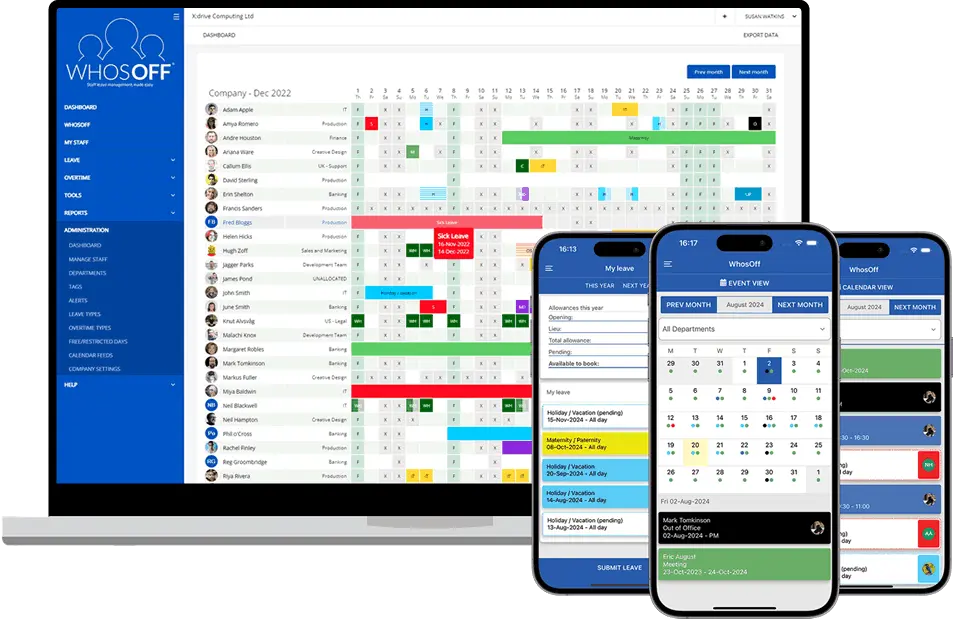

WhosOff, available online and mobile

Whether you are a boutique firm of ten or a national practice of several hundred, WhosOff scales to fit your structure and your HR policies.

The perfect leave planning tool
for legal practices

Staffing a law firm is complex. WhosOff makes sure holiday management doesn't add more complication to your practice.

1 Practice-wide visibility

See exactly who is available across every department: litigation, corporate, family, conveyancing, and beyond, before approving any request. Never again risk a hearing date with no-one covering a file.

2 Configurable leave policies

Set different leave entitlements for partners, associates, paralegals, and support staff in the same account. Carry-over rules and approval workflows can all be tailored to your practice's HR policy.

3 Block restricted periods

Prevent holiday requests during court terms, completion weeks, or high-volume filing periods. You define the rules and WhosOff enforces them automatically, so no request slips through during your busiest periods.


4 Multi-office management

Running offices across multiple towns or cities? Manage all locations from one account. Filter by office, practice group, or seniority level. Local managers can be set to approve requests for their own team only.

5 Compliance-ready records

WhosOff maintains a complete, auditable record of all leave taken and approved. Support compliance with the Working Time Regulations 1998 and respond confidently to employment disputes or regulatory enquiries.

6 Simple from day one

WhosOff is designed for non-technical users. Busy partners and practice managers are up and running in minutes with no training programmes or IT projects required. Free onboarding support is included for every firm.


Everything a legal practice needs
for easy leave management


calendar_month

Real-time team calendar

A live view of who is in, who is off, and who is pending across every team and office - updated the moment a request is approved or declined.

security

Enhanced security & SSO

Multi-factor authentication plus seamless single sign-on with Azure AD, Okta, OneLogin, and Auth0 - as used across the legal sector's IT estates.

add_alert

Minimum staffing thresholds

Define the maximum number of fee-earners required per department or practice area. WhosOff automatically blocks requests that would leave coverage below your threshold.

files

Central document hub

Store staff contracts, CPD records, HR policies, and important documents securely in WhosOff - with optional read-and-agree receipts for compliance purposes.

wb_sunny

Custom leave types

Track annual leave, sickness, TOIL, compassionate leave, CPD training days, court attendance, secondments, Bar course study leave, and any other type your firm requires.

medical_mask

Absence reporting

Export detailed reports on leave taken, sickness trends, TOIL balances, and remaining entitlements for any period - ready to share with payroll, HR, or the partnership.

approval_delegation

Role-based approvals

Partners approve requests for their team. Office managers see their site. HR has oversight across the whole practice. Permissions are pre-configured to match your structure.

mobile_3

Free iOS & Android apps

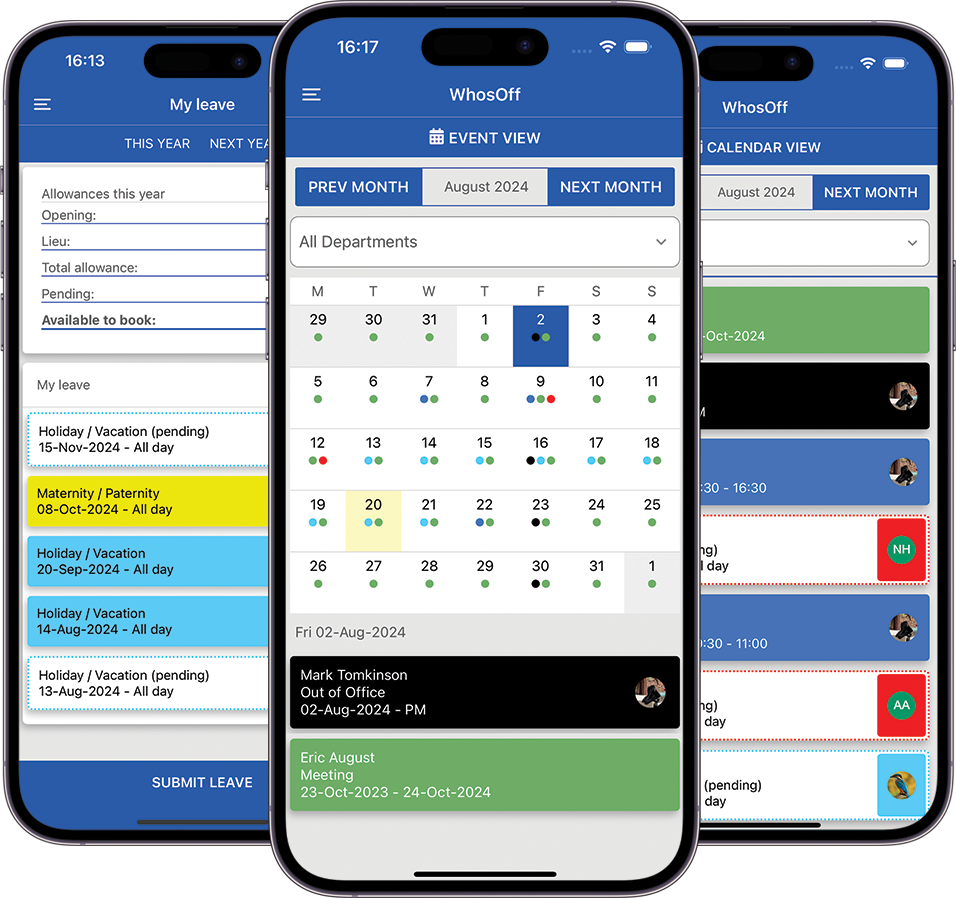
Solicitors and barristers can submit and approve leave requests, check entitlements, and view team availability from their phones - whether in court, at a client site, or working from home.

concierge

Free first-class support

Email, phone, webinars, and demos — WhosOff's UK-based support team is available to help every firm get the most from the platform, at no extra cost.

flowsheet

Integrations & webhooks

Connect WhosOff to your existing practice management systems, calendar tools, or HR software via a dedicated API and webhook support for seamless data flow.

footprint

Digital request & approval trail

Every request, approval, and amendment is time-stamped and stored. Maintain a clear audit trail for HR processes, employment matters, and regulatory requirements.

sprint

Rapid onboarding

Most law firms are fully set up within a day, with staff submitting their first leave request almost immediately. No lengthy implementation projects or IT resource required.

Manage leave on the move with the WhosOff mobile app

Lawyers are rarely at their desks. The WhosOff mobile app means that leave requests, approvals, and team visibility are always at hand; whether you are in court, at a client's offices, or working from home.

Fee-earners can check their holiday entitlement, submit requests, and see whether they've been approved. Partners and managers can review and approve requests on the go, so nothing sits waiting in an inbox.


WhosOff available on the iPhone App Store WhosOff available on Android Marketplace

WhosOff is available on iPhone, Blackberry and Android smartphones

Take control of your leave management with an instant, free trial

Discover how WhosOff works for your legal practice, completely free of charge. Start your no-obligation trial today — no credit card required.

Access to all WhosOff's key features
Free telephone and email support from our team
Configure leave workflows to match your practice
No long-term contracts or commitments
Trial lasts until Thursday, 25th June 2026

Questions first? Call us on +44 (0)1227 812932, or book a personalised demo.


Complete the form to start your FREE trial

By completing the form above, you agree to the Terms and Conditions,
Terms of Use and Privacy Policy


Main image: "Colleagues working together in contemporary office setting, counting money and discussing projects", by Pavel Danilyuk [Pexels.com]

FAQs


How does WhosOff help law firms manage solicitor and legal executives leave without disrupting client work?
WhosOff gives legal practice managers a real-time view of who is available across every team and office. Leave requests are submitted and approved digitally, team calendars update automatically. Managers can define maximum staffing limits, so that no department is left without appropriate seniority. This removes the need for paper requests or shared spreadsheets, reducing the risk of costly coverage gaps on matters and court deadlines.
Can WhosOff handle the different leave entitlements for partners, associates, paralegals, and support staff within the same account?
Yes. WhosOff allows you to configure leave allowances for each employee, regardless of their seniority or employment type. Partners, associates, paralegals, legal secretaries, and business support staff can each have separate entitlements, and carry-over rules, all managed from the same account. You can also apply different leave limits to different departments, or individuals, which is particularly useful for firms operating across multiple jurisdictions with varying statutory entitlements.
How does WhosOff help legal teams comply with UK working time regulations and statutory leave obligations?
WhosOff maintains accurate digital records of all leave taken, leave approved, and remaining entitlements for every employee. This supports compliance with the Working Time Regulations 1998, which require a minimum of 5.6 weeks of paid annual leave per year. The system provides an auditable trail of all requests, approvals, and amendments. Reports can be exported at any time and shared with HR, payroll, or legal counsel as required.
Can WhosOff prevent too many legal executives from a single practice group being absent at the same time?
Yes. WhosOff`s policies and restrictions feature lets you set limits on how many people from a specific team or practice group can be absent simultaneously. For example, you could prevent more than one commercial property solicitor and more than one litigation associate from booking the same dates. The system will automatically flag or decline requests that would breach these rules before a manager even sees them, keeping your staffing levels safe without manual oversight.
Is WhosOff suitable for barristers' chambers as well as solicitor firms?
Yes. WhosOff is flexible enough to accommodate the structure of a chambers, including the management of clerks, junior barristers, silks, and legal executies. Leave types, entitlements, and approval workflows can all be configured to match the specific employment arrangements and HR policies of a chambers. Because WhosOff is cloud-based, barristers and clerks can submit and review requests from anywhere - whether in court, at a conference, or working remotely.
Can we block out leave during key court terms, filing deadlines, or high-intensity transaction periods?
Yes. WhosOff allows practice managers to set leave restriction periods across the whole firm, a specific department, or individual teams. This means you can prevent holiday requests from being submitted during court terms, completion weeks on major transactions, or regulatory filing periods. Employees can still view the calendar and plan around restricted dates, and managers retain the ability to override restrictions in exceptional circumstances.
How does WhosOff track different types of absence for legal staff, such as court attendance, training, and CPD days?
WhosOff supports a wide range of leave types out of the box - including annual leave, sickness absence, compassionate leave, and unpaid leave. Legal businesses often add custom types such as CPD training days, secondment periods, court or tribunal attendance, Bar course study leave, or SRA-required training. All of these can be created and tracked in one place, giving your firm a complete picture of staff availability and time away from the office.
Can legal staff submit and check leave requests when they are in court or working remotely?
Yes. WhosOff has free iOS and Android apps that allow staff to submit leave requests, check their remaining entitlement, and view the team calendar from anywhere. For solicitors, barristers, and legal executives who frequently work away from the office, whether at court, client sites, or home - mobile access ensures that leave management is handled promptly, without delays caused by staff being away from their desks.
Can we manage leave across multiple office locations from a single WhosOff account?
Yes. WhosOff supports multi-office legal businesses, allowing central HR or practice management teams to manage staff leave across all locations from one account. You can filter by office, department, or practice group to view availability at a specific site, and local office managers or senior partners can be given approval rights for their own teams only. This is particularly useful for regional firms, national practices, and firms with both domestic and international offices.
How quickly can a law firm or legal practice get set up on WhosOff?
WhosOff is designed for rapid onboarding. Most firms are up and running within a day, with staff able to submit their first leave request almost immediately. The WhosOff team provides free telephone and email support throughout setup, and the intuitive interface requires minimal training - an important consideration for busy legal professionals. A free trial is available with no credit card required, giving your firm time to configure the system and test it fully before committing.
Can WhosOff produce absence and leave reports for our legal practice's HR or payroll processes?
Yes. WhosOff`s reporting tools allow you to export detailed data on leave taken, sickness, remaining entitlements, and TOIL balances across any time period and any combination of staff, teams, or departments. Practice managers and HR teams can use these reports to identify absence trends, prepare for salary reviews, or share accurate data with external payroll providers. Reports are available at any time to be exported on demand.
Is WhosOff secure enough for a law firm that handles confidential client data?
Yes. WhosOff takes data security seriously. The platform is certified under the Cyber Essentials scheme. Optional multi-factor authentication is available for all user accounts, and WhosOff supports seamless single sign-on integration with Azure AD, Okta, OneLogin, and Auth0 - commonly used within legal sector IT environments. WhosOff processes only HR and leave management data, not client or matter information, keeping its data footprint narrow and manageable.

Everyone has questions, and so you should. At WhosOff, we're always willing to answer any questions you have.
If you don't find the answer to your question below, drop us a quick message, or call our support team on +44 (0)1227 812932
Close [X]
Schedule your personalised demo

Let us show you, in 20 minutes, how WhosOff can elevate your leave management process.

Simply enter your email address in the space provided below and one of our team will reach out and setup a personalised platform demonstration.


Book your demonstration now

Manage Cookie Consent

Cookies are used to store and/or access device information. Providing consent to these technologies allows us to process data such as browsing behaviour. Not consenting or removing consent may adversely affect some features and functions.

AdvertisingEnables storage related to advertising, for example, advertising campaign.
AnalyticsEnables storage related to analytics, for example, visit duration.
TargetingSets consent for sending user data to Google for online advertising purposes.
MarketingSets consent for personalized advertising.
Cookie Policy
Manage cookies