
2020 is proving to be an unprecedented year in terms of remote working. More staff than ever are requesting flexible working opportunities, and international healthcare concerns have created an environment in which it may be safer and more effective to work from home – at least for the time being.

Beyond personal wellbeing, there are many benefits to employees working from home; from ensuring staff aren’t frazzled from the morning commute, to creating a quiet, productive working atmosphere.
However, managing a remote workforce can be challenging, and businesses need the right tools in place to ensure that your team is working together harmoniously, even when people aren’t sitting face to face.
How to coordinate availability when staff are working from home
Keeping track of who’s in the office is hard enough, but when that office becomes virtual, it’s even more difficult. Without being able to physically see who is at their desk, you can’t easily tell which team members are available to answer client queries or participate in discussions.
It’s especially challenging to manage a remote workforce when you have staff on different contracted hours, or who only work part time. Colleagues may send emails, not knowing whether someone is off that day or just simply hasn’t had time to respond.
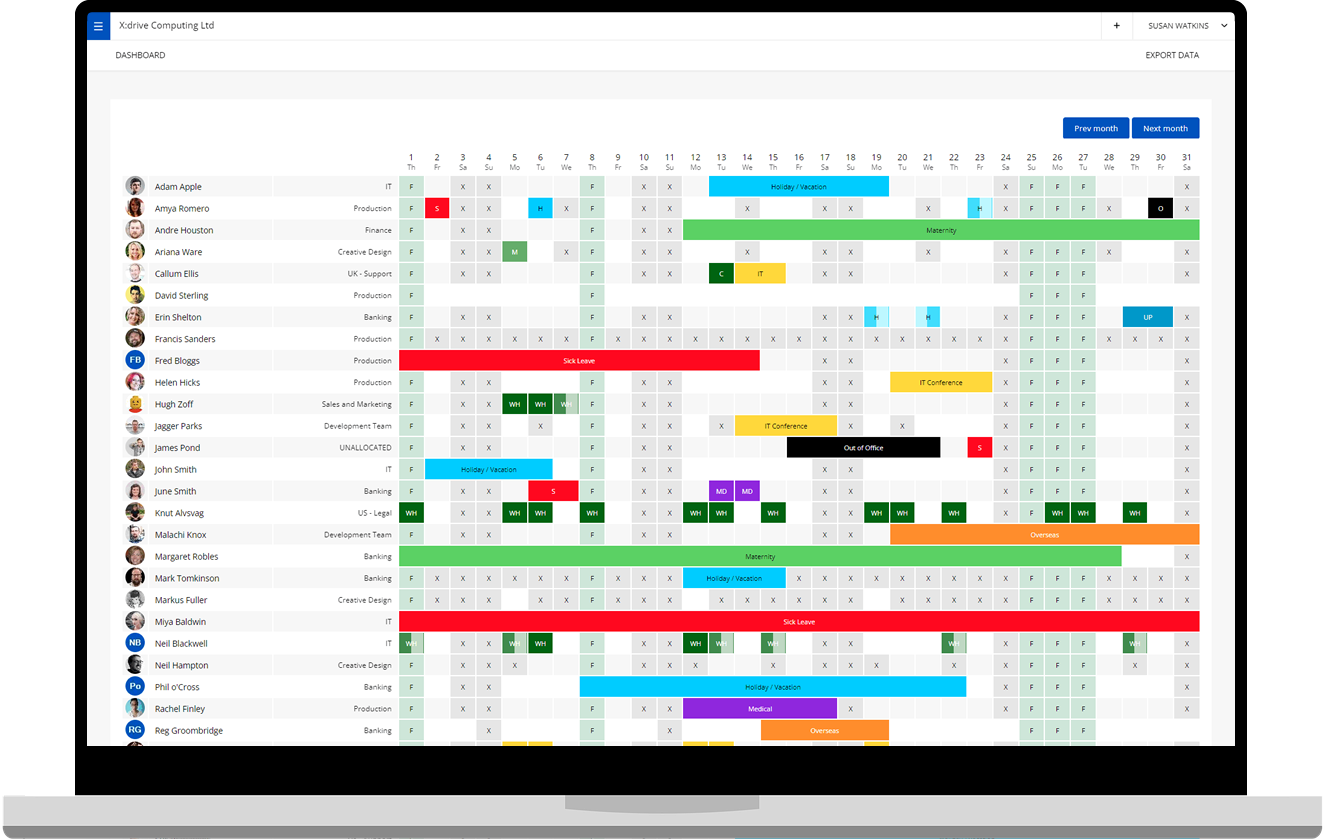
Online leave management software is the most effective way to co-ordinate staff schedules, so you know exactly who’s available to work at any point in time. Far from being just an online holiday planner, market-leading platforms like WhosOff enable you to coordinate the movements of your entire workforce, in all circumstances.
Recording more than just holiday bookings
There are many reasons why someone is or isn’t available to work, and these reasons don’t change just because people are working from home. Staff can still choose to book annual leave or need to call in sick, and it’s even harder for colleagues to stay up-to-date with other people’s schedules if they aren’t sharing an office space.
Leave management platforms like WhosOff centralise all staff availability, so everyone within your business can see who is working, who is on leave, who is off sick, and who has a prior appointment in their diary.
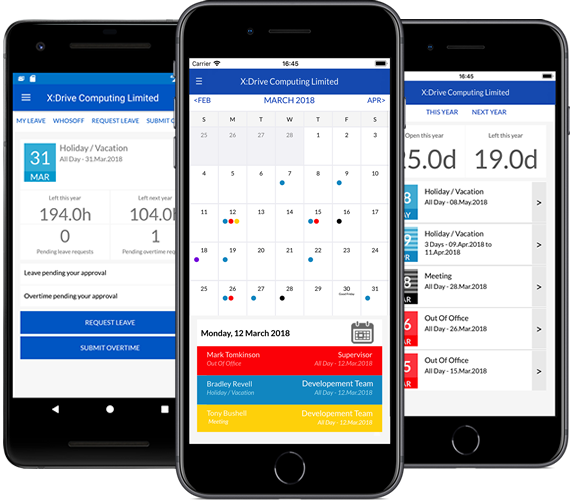
General staff members can be offered limited or read-only versions of the software, allowing them to view the holiday calendar and check their own entitlements, without having additional system access. Managerial and HR staff, meanwhile, can be given the ability to review and approve requests online, from any location with an internet connection.
In addition to tracking time off, encouraging teams to log all their movements on a central calendar can help to coordinate availability for internal catch-ups and client calls; just as someone might put an external meeting in their diary, employees can block out time where they are already booked out with work commitments such as video conferences.


Cutting down on admin and email traffic
One of the biggest challenges that businesses face with the rise of remote working is managing an increasing number of digital communications. If staff aren’t face to face then email or instant messaging is the best way to interact, and it’s easy for admin requests like holiday bookings or personal appointments to get lost in an inbox – especially if there’s no formal system for logging time off.
Online holiday planners like WhosOff cut down on email requests and follow-ups by notifying approvers when a new request comes in, so managerial staff can deal with queries quickly and effectively. It’s also possible to customise the chain of command depending on the type of request being made; for example, annual leave requests require approval, but staff can instantly update their own records to show they are booked out all afternoon for a client call.
Creating permanent change in the way we work
While we hope that remote working as a necessity is a temporary measure, the events of 2020 are likely to have a longer lasting impact on how people work, and where they work from. Therefore, companies need to seriously consider how they are going to manage staff movements effectively going forwards, when many more people are working from home.
To help businesses coordinate their teams remotely, we’re offering a free WhosOff trial, so you can see how the right software makes it easy to help staff integrate when they aren’t in the same office.
Start your free WhosOff trial today or explore WhosOff’s features.
Photos by Spencer Selover of Pexels.com


Similar articles
06.NOV.2026
Still managing holidays with a spreadsheet, a shared Outlook calendar or a pile of emails? You’re not alone, but there’s a better way. We’ve compared 14 of the most popular leave management tools for 2026, from simple holiday planners to full HR platforms. For each one we cover features, pricing and who it suits best, so you can find the right fit for your team without sitting through a dozen demos.
04.NOV.2026
Not all leave management software does the same job. Some tools stop at basic holiday booking; others add staffing restrictions, sickness tracking, overtime management, and reporting that actually saves time instead of creating more admin. Here’s a complete UK guide to the ten features that genuinely matter - and how to work out which ones your business actually needs.
30.SEP.2026
Most businesses don't set out to buy leave management software - they start with a spreadsheet, or a shared Outlook calendar, and it works fine for a while. Then the balances stop adding up, two people get approved for the same week, and nobody's sure which file is actually current. Here's an honest, feature-by-feature comparison of spreadsheets, Outlook calendars, and dedicated leave management software - including exactly where each one starts to fall apart.
22.SEP.2026
Who's in, who's off, and when are they back? It sounds like a simple question - until sickness, holiday clashes, and a spreadsheet nobody's updated since last week make it anything but. Here's a full UK guide to what absence management software actually does, how it differs from leave management, and the rules worth knowing before you build (or fix) your process.