


















Leave management software
for law firms
Legal practices operate under unique pressure. Client deadlines, court dates, and regulatory obligations don't pause because a solicitor is on holiday. Yet managing leave manually, through spreadsheets, email chains, or paper requests creates risk, wastes practice management time, and leaves gaps in coverage that can damage client relationships.
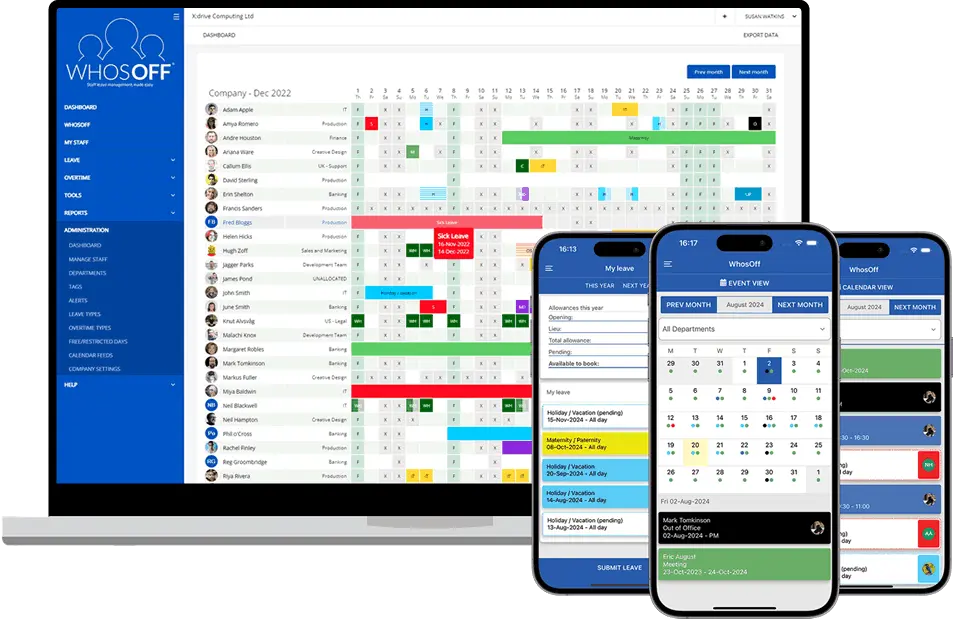
WhosOff gives law firms, chambers, and in-house legal teams a complete, real-time picture of who is available and who is off — across every team, department, and office. Leave requests are submitted and approved digitally, calendars update automatically, and managers can set rules to ensure critical roles are always covered.
Whether you are a boutique firm of ten or a national practice of several hundred, WhosOff scales to fit your structure and your HR policies.
The perfect leave planning tool
for legal practices
Staffing a law firm is complex. WhosOff makes sure holiday management doesn't add more complication to your practice.
See exactly who is available across every department: litigation, corporate, family, conveyancing, and beyond, before approving any request. Never again risk a hearing date with no-one covering a file.
Set different leave entitlements for partners, associates, paralegals, and support staff in the same account. Carry-over rules and approval workflows can all be tailored to your practice's HR policy.
Prevent holiday requests during court terms, completion weeks, or high-volume filing periods. You define the rules and WhosOff enforces them automatically, so no request slips through during your busiest periods.
Running offices across multiple towns or cities? Manage all locations from one account. Filter by office, practice group, or seniority level. Local managers can be set to approve requests for their own team only.
WhosOff maintains a complete, auditable record of all leave taken and approved. Support compliance with the Working Time Regulations 1998 and respond confidently to employment disputes or regulatory enquiries.
WhosOff is designed for non-technical users. Busy partners and practice managers are up and running in minutes with no training programmes or IT projects required. Free onboarding support is included for every firm.
Everything a legal practice needs
for easy leave management
Real-time team calendar
A live view of who is in, who is off, and who is pending across every team and office - updated the moment a request is approved or declined.
Enhanced security & SSO
Multi-factor authentication plus seamless single sign-on with Azure AD, Okta, OneLogin, and Auth0 - as used across the legal sector's IT estates.
Minimum staffing thresholds
Define the maximum number of fee-earners required per department or practice area. WhosOff automatically blocks requests that would leave coverage below your threshold.
Central document hub
Store staff contracts, CPD records, HR policies, and important documents securely in WhosOff - with optional read-and-agree receipts for compliance purposes.
Custom leave types
Track annual leave, sickness, TOIL, compassionate leave, CPD training days, court attendance, secondments, Bar course study leave, and any other type your firm requires.
Absence reporting
Export detailed reports on leave taken, sickness trends, TOIL balances, and remaining entitlements for any period - ready to share with payroll, HR, or the partnership.
Role-based approvals
Partners approve requests for their team. Office managers see their site. HR has oversight across the whole practice. Permissions are pre-configured to match your structure.
Free iOS & Android apps
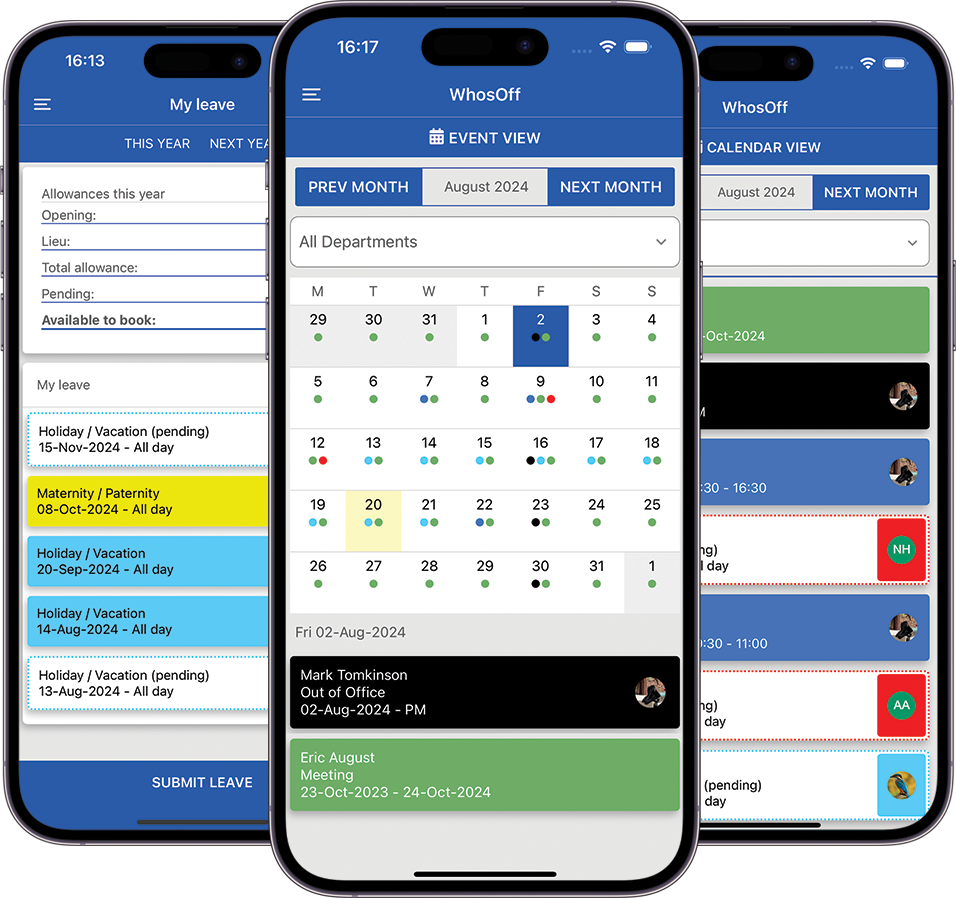
Solicitors and barristers can submit and approve leave requests, check entitlements, and view team availability from their phones - whether in court, at a client site, or working from home.
Free first-class support
Email, phone, webinars, and demos — WhosOff's UK-based support team is available to help every firm get the most from the platform, at no extra cost.
Integrations & webhooks
Connect WhosOff to your existing practice management systems, calendar tools, or HR software via a dedicated API and webhook support for seamless data flow.
Digital request & approval trail
Every request, approval, and amendment is time-stamped and stored. Maintain a clear audit trail for HR processes, employment matters, and regulatory requirements.
Rapid onboarding
Most law firms are fully set up within a day, with staff submitting their first leave request almost immediately. No lengthy implementation projects or IT resource required.
Manage leave on the move with the WhosOff mobile app
Lawyers are rarely at their desks. The WhosOff mobile app means that leave requests, approvals, and team visibility are always at hand; whether you are in court, at a client's offices, or working from home.
Fee-earners can check their holiday entitlement, submit requests, and see whether they've been approved. Partners and managers can review and approve requests on the go, so nothing sits waiting in an inbox.


Take control of your leave management with an instant, free trial
Discover how WhosOff works for your legal practice, completely free of charge. Start your no-obligation trial today — no credit card required.
Access to all WhosOff's key featuresFree telephone and email support from our team
Configure leave workflows to match your practice
No long-term contracts or commitments
Questions first? Call us on +44 (0)1227 812932, or book a personalised demo.
By completing the form above, you agree to the Terms and Conditions,
Terms of Use and Privacy Policy