Follow the instructions below to be able to upload a profile picture, or remove an existing one, into your WhosOff profile. These profile pictures are then made visible on the WhosOff calendar.
Instructions
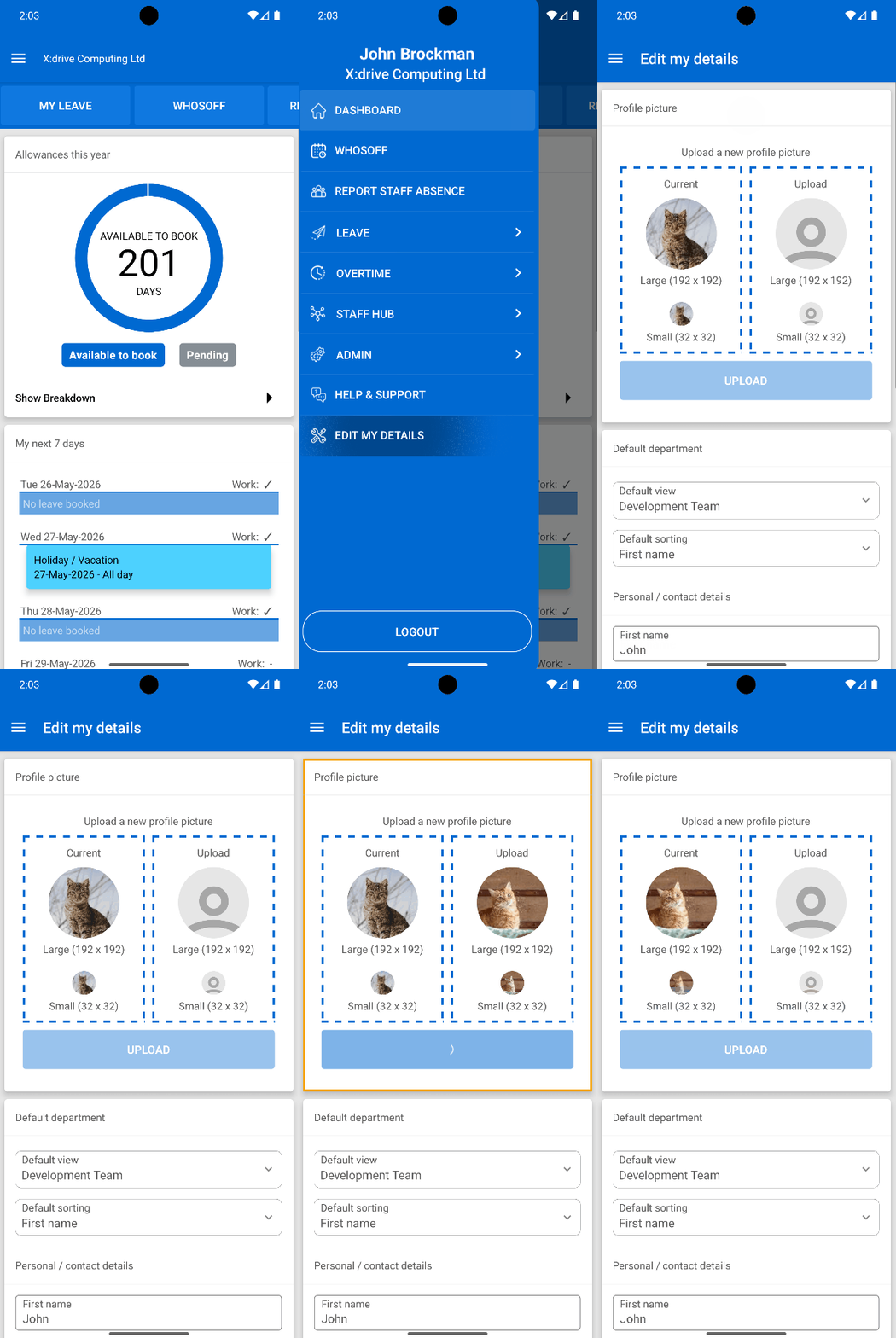
- Ensure you are logged into your account
- Tap on the Menu Toggle icon
- From the menu, tap on Edit My Details
- From the resulting page, at the top of the screen, you will see the Profile Picture section
- Tap on the silhouette within the Upload section
- You will then be able to select the required photo from your phone's storage
- Tap on the Upload button
You won't need to tap on Save Details in order for these changes to take effect
Visual Overview
PLATFORMS
AndroidIOS
Mobile
CATEGORIES
Getting StartedPHRASES
profile picture, profile, upload picture


Similar articles
How to upload profile pictures
Instructions on how to easily upload a profile picture within your WhosOff account