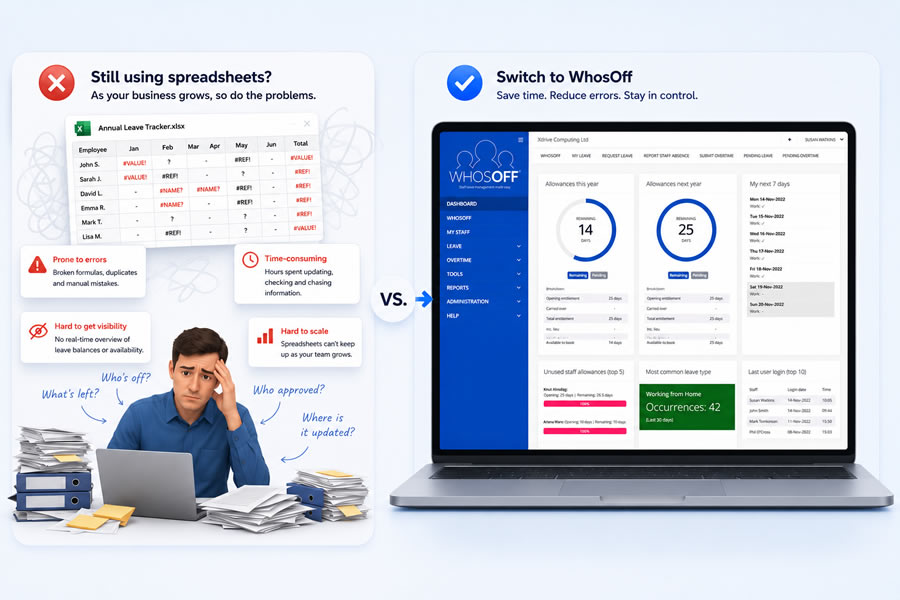
Managing employee leave shouldn't be one of the most time-consuming tasks in your business. Yet for many organisations, annual leave requests, sickness tracking, and absence reporting are still handled through spreadsheets, emails, and paper forms.
The right leave management software can save hours of admin work, give managers better visibility of who's off, and make sure everyone follows the same process. With so many options available, though, picking the right one takes a bit of thought.
In this guide, we break down what to look for, what to watch out for, and how to find a solution that fits the way your organisation actually works.
Why Leave Management Software Matters
As businesses grow, tracking employee leave gets harder. Managers need to see who is working and when, employees want a simple way to request time off, and HR teams need accurate records for compliance and reporting.
It's not just a hunch, either - one recent cost analysis put the price of manual, spreadsheet-based leave tracking for a 50-employee UK business at roughly £11,600 to £20,000 a year, once lost admin hours are properly accounted for. That's a lot of money to spend on something a dedicated system can do automatically.
A dedicated leave management system helps by:
- Automating leave requests and approvals
- Providing a central holiday calendar
- Reducing scheduling conflicts
- Improving record accuracy
- Giving employees self-service access
- Saving managers and HR teams valuable time
This is exactly the gap WhosOff was built to fill - a straightforward, affordable leave tracker that takes the admin out of managing staff time off.
What Features Should You Look For?
When comparing systems, focus on the features that will actually affect your day-to-day operations.
Shared Team Calendar
A clear company-wide calendar lets managers and employees see who's off without having to ask around. It reduces clashes and makes workforce planning much easier.
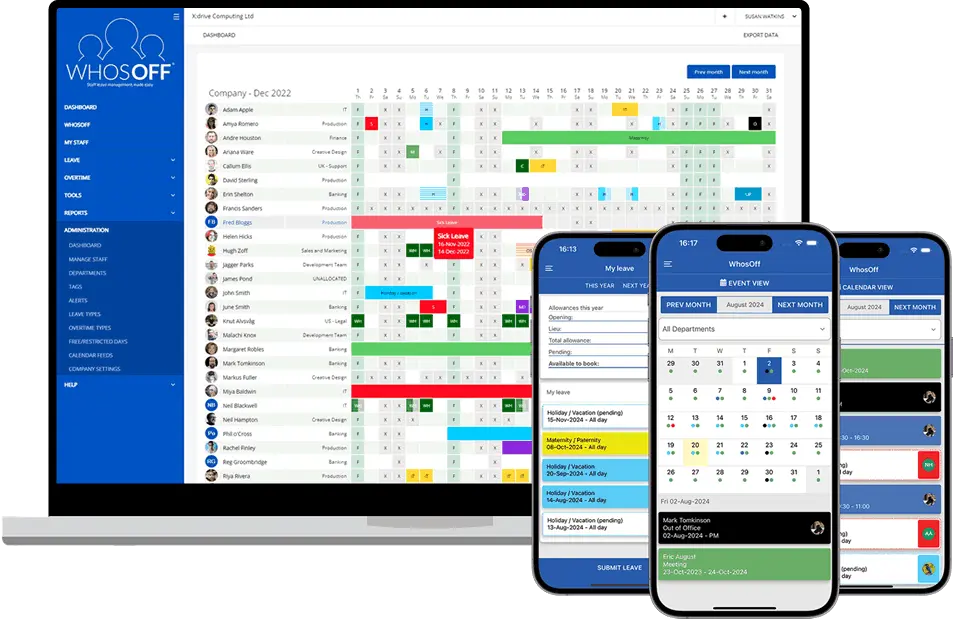
WhosOff's live team calendar does exactly this - every request, approval, and absence updates in real time, so managers never have to chase an answer to "who's actually in this week?"
Customisable Leave Types
Every business is different. Look for software that lets you create and manage different leave categories, such as annual leave, sick leave, compassionate leave, maternity and paternity leave, time off in lieu (TOIL), and unpaid leave. WhosOff supports unlimited custom leave and overtime types, so the system reflects your actual policy rather than forcing you to adapt to it.
Approval Workflows
Automated approval processes ensure requests go to the right manager and are tracked from submission through to approval, with a clear record of who approved what and when - useful for both day-to-day management and audit purposes.
Reporting and Analytics
Good reporting helps you spot absence trends, monitor leave balances, and plan resources more effectively. WhosOff's absence and sickness reporting exports payroll-ready data for any date range or department, cutting out manual reconciliation at month-end.
Integrations
The best systems work alongside the tools you already use, such as payroll software, HR platforms, Microsoft 365, Google Workspace, or communication tools. WhosOff connects with Microsoft Teams, Slack, Google Calendar, Outlook, Zapier, and major SSO providers, so leave data slots into your existing workflow instead of living in its own silo.
Mobile Access
Employees increasingly expect to manage leave from their phones. Mobile-friendly software makes it easy to submit requests and check balances on the go.
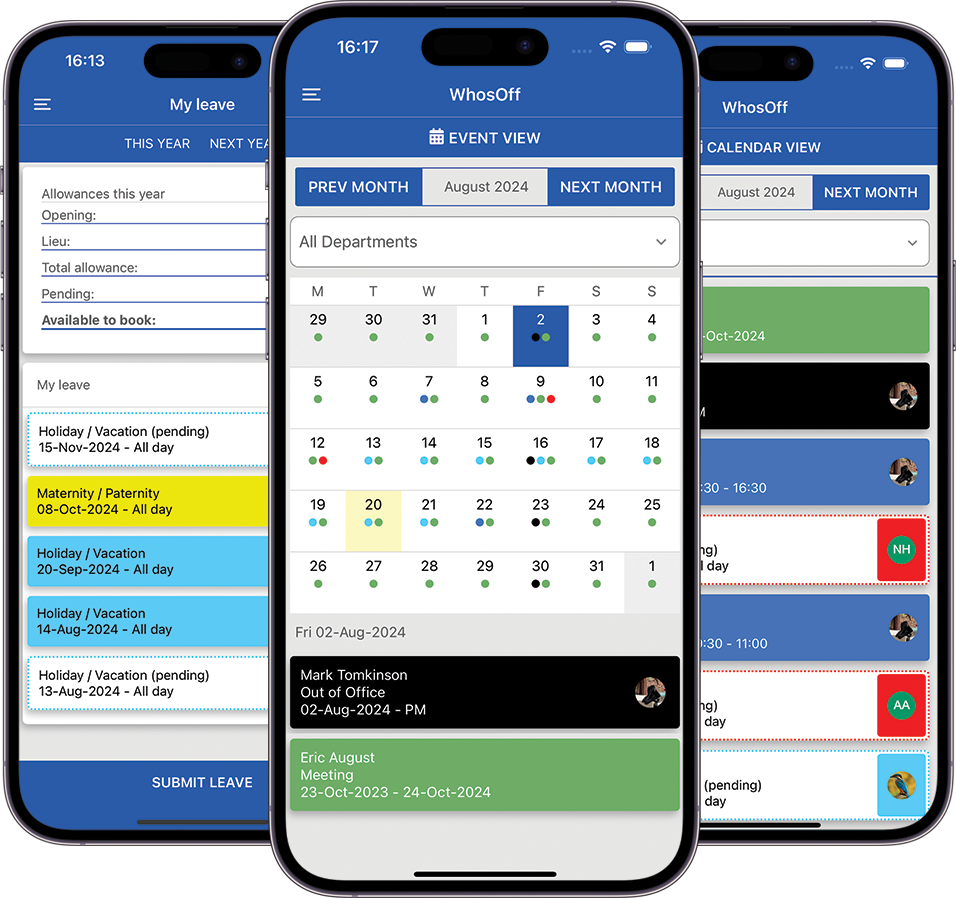
WhosOff's iOS and Android apps are free for every user on the account, so mobile access never becomes a paid add-on.
What Are the Downsides?
Not every leave management solution delivers the same experience, and most of the problems come from picking the wrong tool rather than any flaw with the category itself.
Clunky setup is a common issue. Some systems require extensive configuration and training before they become useful. If it takes weeks to get running, that's time you don't have.
Bundled HR platforms. Many HR platforms include leave management as part of a much larger suite. Smaller businesses often end up paying for modules they'll never touch — a common buying mistake covered in more detail in our comparison of HR software vs leave management software.
Rigid workflows. Certain systems also force you into predefined workflows that don't match how your business actually manages leave, so check how flexible the configuration is before you commit.
Pricing surprises. Pricing is worth examining carefully too. Some providers charge per employee or per module, so what looks affordable now can become expensive as you grow. This mirrors a wider trend the CIPD has flagged in its research on HR technology adoption - that cost predictability, not just feature count, is one of the biggest factors in long-term satisfaction with HR tools.
How to Evaluate Your Options
Ease of Use
If employees and managers find the software hard to use, adoption will suffer. Look for an interface that requires minimal training. If you need to explain it, it probably isn't the right fit.
Scalability
Your needs today may look different in two years. Choose software that can grow with your business without becoming expensive to maintain - check how WhosOff's pricing scales as you add headcount before you commit to anything.
Customer Support
Reliable support matters, especially during setup and when something goes wrong at an inconvenient time. WhosOff includes UK-based human support by phone, email, and live demo for every customer, from day one of the free trial — no support tiers or chatbot queues.
Security and Compliance
Employee leave records contain sensitive data. Make sure the provider follows appropriate security standards and relevant data protection regulations - WhosOff publishes its security and technical information openly, including its Cyber Essentials certification.
Value for Money
The cheapest option isn't always good value. Factor in the time saved, the reduction in admin errors, and how much easier the process becomes for everyone involved.
What Is the Best Leave Management Software?
It depends on your team's size, sector, and the way you manage leave.
Some businesses need a comprehensive HR suite. Others just want a straightforward way to manage holidays and absences without taking on unnecessary complexity.
WhosOff is built for businesses that want simple, affordable leave tracking without a full HR platform behind it. It covers online leave requests and approvals, shared team calendars, custom leave types, detailed reporting, mobile access, and integrations with popular workplace tools — all backed by two decades of experience and over 2,500 businesses already using it.
If you want to see how it stacks up against specific competitors, our comparison pages cover WhosOff vs Timetastic, WhosOff vs e-Days, and WhosOff vs BrightHR in detail.
Questions to Ask Before You Buy Leave Management Software
- How much time do we currently spend managing leave?
- Do employees find the current process frustrating?
- Can managers easily see who is off at any given time?
- Will the software support our leave policies?
- Is pricing sustainable as we grow?
- Will employees actually use it?
The answers will help you narrow things down quickly and avoid paying for something that doesn't fit.
Ready to see it for yourself? Start a free trial - no credit card required - or book a 20-minute personalised demo with our UK-based team.
Frequently Asked Questions
What features should I look for in leave management software?
Is leave management software expensive?
How long does it take to set up leave management software?
Do employees need training to use leave management software?
Can leave management software integrate with payroll?


Similar articles
30.SEP.2026
Most businesses don't set out to buy leave management software - they start with a spreadsheet, or a shared Outlook calendar, and it works fine for a while. Then the balances stop adding up, two people get approved for the same week, and nobody's sure which file is actually current. Here's an honest, feature-by-feature comparison of spreadsheets, Outlook calendars, and dedicated leave management software - including exactly where each one starts to fall apart.
22.SEP.2026
Who's in, who's off, and when are they back? It sounds like a simple question - until sickness, holiday clashes, and a spreadsheet nobody's updated since last week make it anything but. Here's a full UK guide to what absence management software actually does, how it differs from leave management, and the rules worth knowing before you build (or fix) your process.
07.SEP.2026
A spreadsheet is fine when there are five of you. It's less fine when requests are arriving by email, WhatsApp, and sticky note, and nobody's quite sure who's actually off next week. Here's a practical look at why leave admin hits small businesses harder than most, and how to know when it's time for something better than a shared spreadsheet.
24.AUG.2026
Leave management looks simple on paper - until three people request the same week off, your busiest month collides with a holiday rush, and someone resigns with ten days still owed. These situations aren't exceptions; they're what HR actually deals with every week. Here's a practical look at the most common leave scenarios, and how the right process (and the right software) stops each one from becoming a headache.