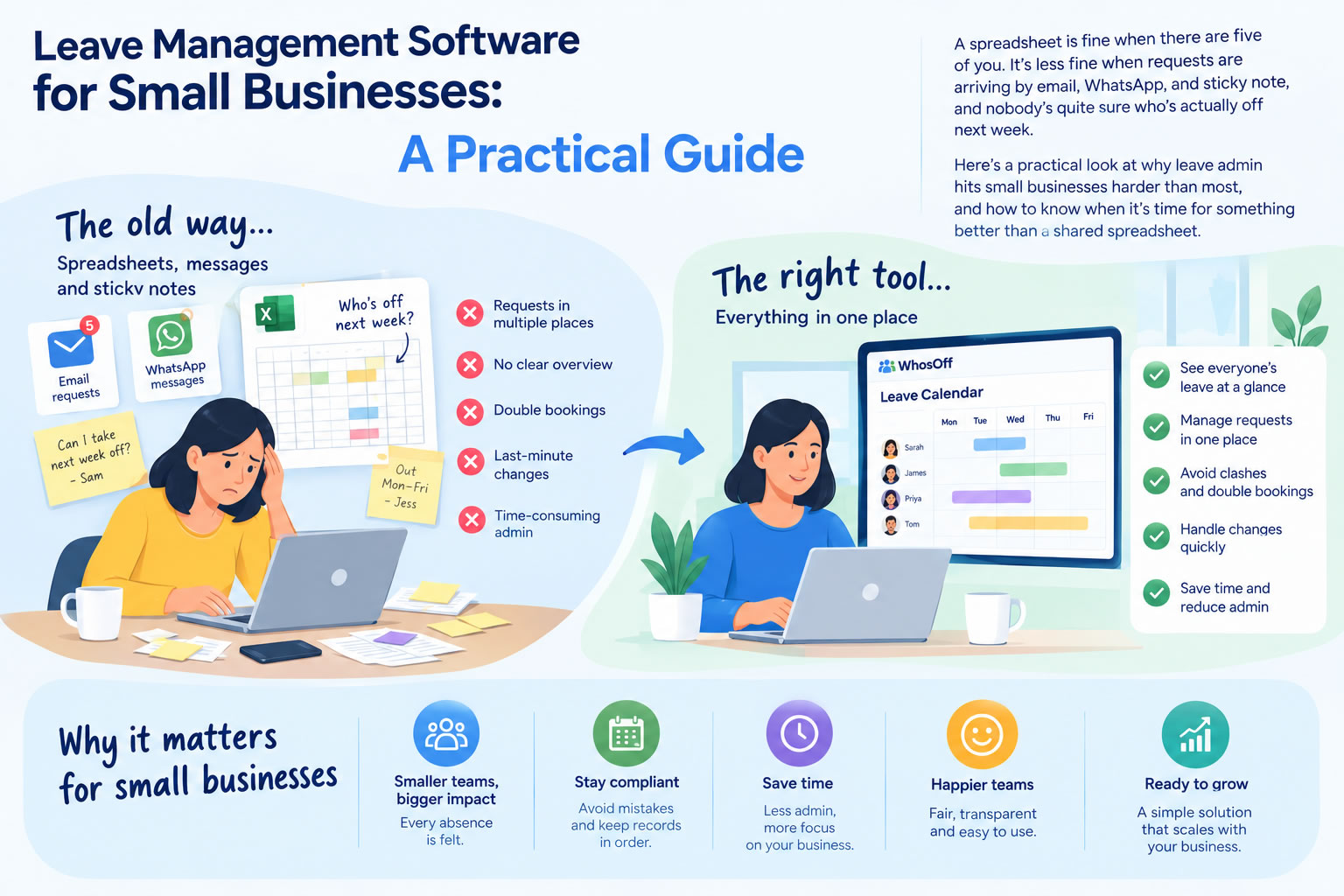
Running a small business means most admin tasks land on whoever has a spare moment. Leave management is usually one of them.
A spreadsheet works fine when you have five employees. Someone submits a request by email, a manager updates the sheet, and everyone vaguely knows who's off when. It's not elegant, but it gets the job done.
The problem is it tends to fall apart quietly. Holiday balances drift out of date. Requests get buried in inboxes. Two people book the same week and nobody notices until it's too late. By the time the manual process becomes a real problem, it's usually been a minor problem for a while.
Why Small Businesses Feel It More
Large organisations have dedicated HR teams to absorb the admin. In a small business, leave management typically falls to a manager, an office administrator, or the owner - someone who already has a full-time job to do.
The time cost is easy to underestimate. A recent American Express SME Business Barometer survey found UK small business owners spend an average of 11 hours a week on admin and finance-related tasks - nearly twice as long as they spend on sales and growth activity. Updating spreadsheets, fielding questions about holiday balances, cross-checking who's already booked off before approving a new request: none of it is complicated, but it adds up. That time doesn't come from nowhere.
There's also the visibility problem. Without a shared system, managers are often working from incomplete information. They approve leave not knowing that someone else booked the same week last month. Scheduling gaps only become apparent when it's too late to do much about them.
What Leave Management Software Actually Does
At its core, leave management software replaces the spreadsheet-and-email process with something self-contained. Employees submit requests online, managers get notified and approve or decline in a couple of clicks, balances update automatically, and a shared calendar gives everyone the same view of who's off.
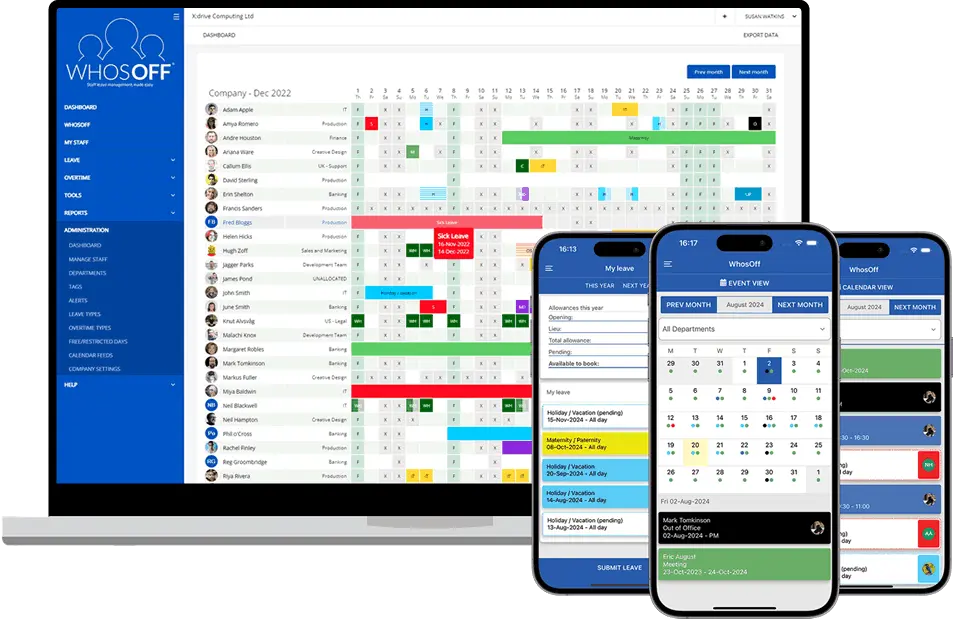
The practical effect for small businesses is that the routine work largely disappears. Employees check their own balances rather than asking HR, using WhosOff's online leave requests. Managers can see team availability before making a decision. Nobody has to reconcile a spreadsheet at the end of the month.
The features that matter most for smaller teams are usually the simple ones:
- An easy, self-service request and approval process
- A shared team calendar everyone can check at a glance
- Accurate leave calculations
- Mobile access, so managers aren't tied to a desk to handle approvals
- Reporting, since understanding absence patterns is much harder when your only data source is a spreadsheet
What to Look For (and What to Avoid)
Many HR platforms include leave management as one module among dozens. For a small business that just needs to track holidays and absence, that usually means paying for a lot of features you'll never touch and dealing with a setup process that's sized for a much larger organisation - a trade-off we cover in more detail in our HR software vs leave management software comparison.
Dedicated leave software tends to be faster to implement, easier to learn, and cheaper, because it's focused on doing one thing well rather than covering every possible HR function.
When comparing options, the questions worth asking are practical ones:
- Can employees figure it out without training?
- Can the software handle your specific leave policies, or will you need to compromise on how you do things?
- Does it work on mobile?
- Is pricing straightforward, and does it stay reasonable as you hire more people?
The best system isn't the one with the most features. It's the one your team will actually use consistently from the first week.
Signs the Spreadsheet Isn't Working Anymore
Most small businesses recognise the tipping point in hindsight. The signs are usually there before it becomes a real issue:
- Employees regularly asking how much holiday they have left
- Requests arriving through multiple channels - email, WhatsApp, in person
- Managers unsure who's off without checking several places
- Scheduling conflicts that keep catching people off guard
If any of that sounds familiar, the admin overhead of manual tracking has probably already outgrown what the process can handle cleanly. It's a pattern reflected in wider research too - ACAS's guidance on managing absence consistently points to clear, consistently-applied processes as the biggest factor separating businesses that manage leave well from those that don't, regardless of size.
Why Small Businesses Use WhosOff
WhosOff is built specifically for businesses that want leave management handled properly without taking on a full HR platform. Implementation is quick, employees can get up and running without training, and the pricing scales in a straightforward way as the team grows.
It covers everything most small businesses need:
- Online leave requests and approvals
- Shared team calendars
- Accurate allowance tracking
- Flexible, customisable leave policies
- Mobile access for employees and managers
- Clear reporting
...without the overhead of features aimed at enterprise HR teams. Over 2,500 businesses already use WhosOff to manage exactly this.
For small businesses spending more time than they should on leave admin, it tends to pay for itself fairly quickly.
Curious what it would save you? Start a free trial - no credit card required - or book a 20-minute demo and we'll show you around.
Frequently Asked Questions
Is leave management software worth it for a small business?
How is leave management software different from a spreadsheet?
Do small businesses need a full HR platform for leave management?
How long does it take to set up leave management software for a small team?
What are the signs a small business has outgrown manual leave tracking?


Similar articles
30.SEP.2026
Most businesses don't set out to buy leave management software - they start with a spreadsheet, or a shared Outlook calendar, and it works fine for a while. Then the balances stop adding up, two people get approved for the same week, and nobody's sure which file is actually current. Here's an honest, feature-by-feature comparison of spreadsheets, Outlook calendars, and dedicated leave management software - including exactly where each one starts to fall apart.
22.SEP.2026
Who's in, who's off, and when are they back? It sounds like a simple question - until sickness, holiday clashes, and a spreadsheet nobody's updated since last week make it anything but. Here's a full UK guide to what absence management software actually does, how it differs from leave management, and the rules worth knowing before you build (or fix) your process.
24.AUG.2026
Leave management looks simple on paper - until three people request the same week off, your busiest month collides with a holiday rush, and someone resigns with ten days still owed. These situations aren't exceptions; they're what HR actually deals with every week. Here's a practical look at the most common leave scenarios, and how the right process (and the right software) stops each one from becoming a headache.
03.AUG.2026
Office-based leave management is easy - until your team isn't all in one office. Add remote workers, multiple sites, or a genuinely hybrid schedule, and "who's actually off this week?" stops being a simple question. Here's what to look for in leave management software built for distributed teams, and how to stop spreadsheets from quietly falling out of sync.