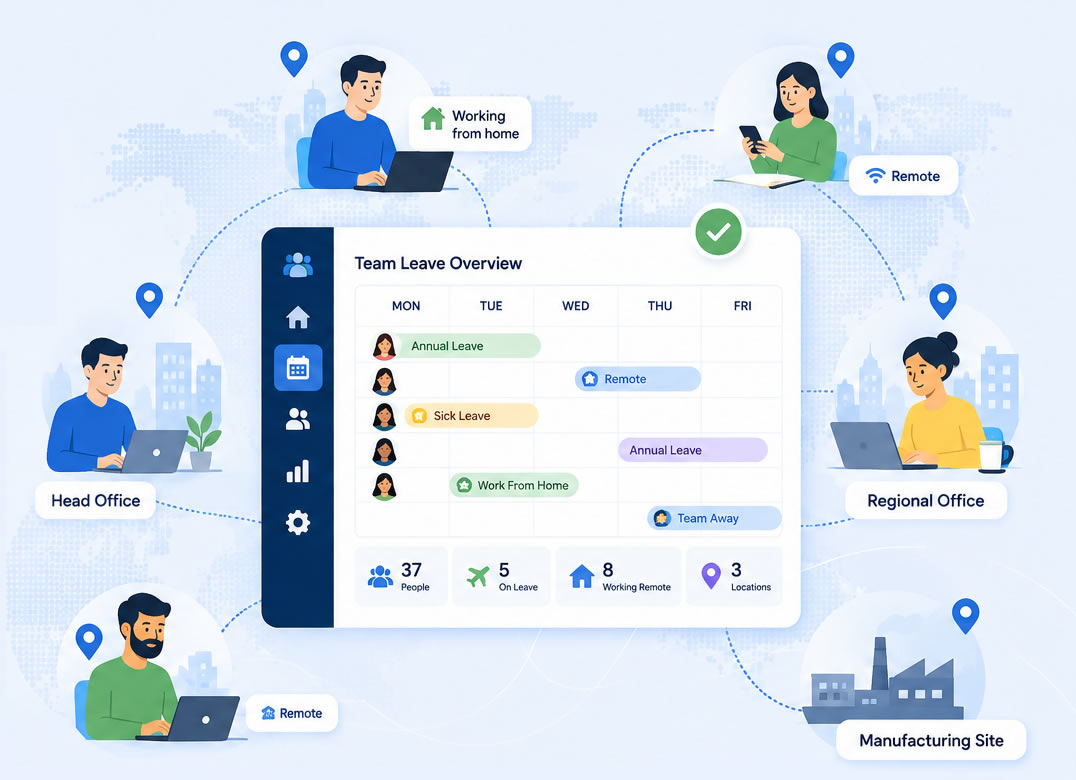
Managing annual leave is relatively simple when everyone works in the same building and reports to the same manager. Once your workforce is spread across multiple sites, regions, or working from home, it gets complicated fast.
Managers struggle to see who's actually available. Employees submit requests through different processes depending on who their manager is. HR ends up consolidating information from several spreadsheets that are never quite in sync, and when scheduling conflicts slip through, they tend to land at the worst possible time.
It's not a niche problem, either. According to the Office for National Statistics, around 14% of UK workers are fully remote and a further 26% work hybrid - meaning roughly four in ten employees are no longer sitting in the same office every day. For most businesses, "everyone's in the building" stopped being a safe assumption a while ago.
Dedicated leave management software fixes this, not by adding more processes, but by giving everyone access to the same up-to-date information from wherever they work.
One System, Multiple Locations
Good leave management software lets you mirror the way your business actually operates. You're not forced to treat your whole workforce as a single flat team.
Whether you're running multiple office locations, regional branches, warehouses, retail stores, or field-based teams, you can organise employees accordingly, with each area having its own approvers, leave rules, working patterns, and public holidays where those differ by region.
HR still gets a single view across the whole organisation. Managers only see what's relevant to their team, and employees deal with a process that matches how their part of the business works, not a one-size-fits-all setup that doesn't quite fit anyone.
Without this kind of centralisation, inconsistencies creep in quickly. Different managers apply leave policies differently. Senior leaders can't get a clear picture of staffing levels across sites. Manual tracking leads to duplicate bookings and miscalculated balances. The admin time alone becomes a problem.
This is precisely what WhosOff's Staff Hub and department-level configuration are built to solve - letting you set up separate teams, sites, or regions within a single account, each running to its own rules.
What Remote Teams Specifically Need
Remote working adds its own layer of complexity. Managers can't walk past a desk to check who's around, and employees expect to be able to manage workplace admin from their phones.
Cloud-based software is the baseline requirement. Anything that requires logging into a desktop system in a specific office isn't going to work for a distributed team. Beyond that, a few features make a real difference in practice:
Mobile Access
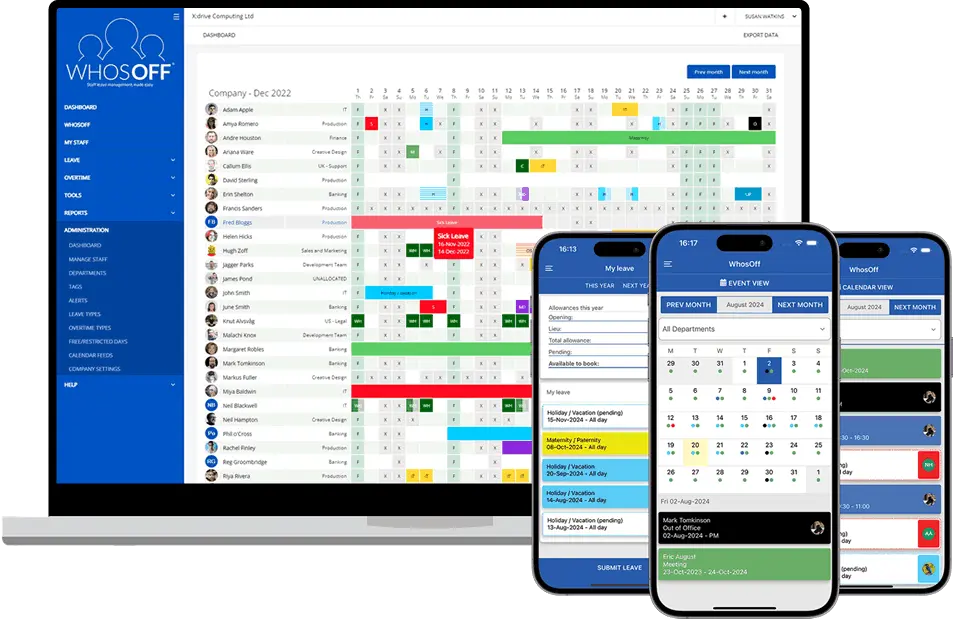
Employees should be able to request leave, check balances, and track approvals without needing to sit at a computer. Managers should be able to approve or decline requests from wherever they are. WhosOff's free iOS and Android apps cover both, at no extra cost per user.
Automatic Notifications
Requests shouldn't sit waiting for approval because a manager missed an email. Automatic notifications, by email or in-app, keep things moving without requiring manual chasing.
Calendar Integrations
Connections with Microsoft Outlook, Microsoft 365, or Google Calendar mean leave shows up where people already manage their time, rather than requiring them to check a separate system. WhosOff integrates with Outlook, Google Calendar, Microsoft Teams, and Slack out of the box.
Self-Service Access
Remote employees should be able to see their leave balance, pending requests, and team availability without emailing HR. If they have to ask, the system isn't doing its job.
Shared Team Calendars
When teams rarely work from the same location, visibility matters. A shared calendar means anyone can check who's available before booking a meeting, committing to a project timeline, or approving another absence. WhosOff's live team calendar updates in real time as requests are approved, so it's never out of date.
The Hybrid Planning Problem
Hybrid working creates a planning challenge that didn't exist when most teams were office-based. Managers now need to balance annual leave alongside remote working days, office attendance requirements, and business travel - often across a team where everyone's schedule looks different.
A leave management system that surfaces all of this in one place takes a lot of the guesswork out of weekly planning. Instead of piecing together information from multiple sources, managers can see what they need and make decisions accordingly.
What Managers Actually Need to See
Approving a leave request without understanding the wider impact is one of the more frustrating parts of managing a distributed team. Who else is already off that week? Is there enough cover at that location? Will this leave a critical project short-handed?
A good system makes those questions easy to answer before the decision is made, not after. With WhosOff's team availability view, managers can check who else has leave booked in the same period and approve or decline with the full picture in front of them - not after the fact.
The HR Overhead
For HR teams managing leave across multiple sites, the administration can quickly become disproportionate to the actual task. Chasing approvals, reconciling spreadsheets, recalculating balances when policies change, or generating reports for different departments all take time that could be spent elsewhere.
Automated leave tracking, consistent policy application, and organisation-wide reporting cut that overhead significantly. WhosOff's payroll-ready reporting generates data for any date range or department on demand, so nobody's reconstructing figures from old spreadsheets at month-end.
The records are also there when they're needed, for compliance purposes, disputes, or audit trails, without anyone having to dig through email threads or old spreadsheets to reconstruct them.
Choosing Software That Fits Distributed Teams
Not every leave management system is built with multi-location or remote businesses in mind. When comparing options, the practical questions matter:
- Can you set up separate departments with different approvers?
- Can you apply different leave rules to different locations?
- Does it work properly on mobile?
- Does it integrate with the calendar tools your teams already use?
The simpler it is for employees to use from day one, the more likely it is to actually stick - a point our guide to choosing leave management software covers in more depth if you're still comparing providers.
WhosOff is built for exactly this kind of setup. Businesses manage multiple departments, locations, and teams in a single account, each with its own approval process and leave policies. Employees get a straightforward self-service experience. Managers get instant visibility of team availability. HR gets oversight across the whole organisation without the manual work.
Manual leave tracking doesn't scale with a distributed workforce. The right software means it doesn't have to.
Ready to see how it fits your setup? Start a free trial - no credit card required - or book a 20-minute demo with our UK-based team to walk through multi-location configuration for your business.
Frequently Asked Questions
Can leave management software handle multiple offices or locations?
Is leave management software suitable for fully remote teams?
What features matter most for hybrid working?
Can different locations have different leave policies?
How does leave management software help HR teams overseeing multiple sites?


Similar articles
30.SEP.2026
Most businesses don't set out to buy leave management software - they start with a spreadsheet, or a shared Outlook calendar, and it works fine for a while. Then the balances stop adding up, two people get approved for the same week, and nobody's sure which file is actually current. Here's an honest, feature-by-feature comparison of spreadsheets, Outlook calendars, and dedicated leave management software - including exactly where each one starts to fall apart.
22.SEP.2026
Who's in, who's off, and when are they back? It sounds like a simple question - until sickness, holiday clashes, and a spreadsheet nobody's updated since last week make it anything but. Here's a full UK guide to what absence management software actually does, how it differs from leave management, and the rules worth knowing before you build (or fix) your process.
07.SEP.2026
A spreadsheet is fine when there are five of you. It's less fine when requests are arriving by email, WhatsApp, and sticky note, and nobody's quite sure who's actually off next week. Here's a practical look at why leave admin hits small businesses harder than most, and how to know when it's time for something better than a shared spreadsheet.
24.AUG.2026
Leave management looks simple on paper - until three people request the same week off, your busiest month collides with a holiday rush, and someone resigns with ten days still owed. These situations aren't exceptions; they're what HR actually deals with every week. Here's a practical look at the most common leave scenarios, and how the right process (and the right software) stops each one from becoming a headache.