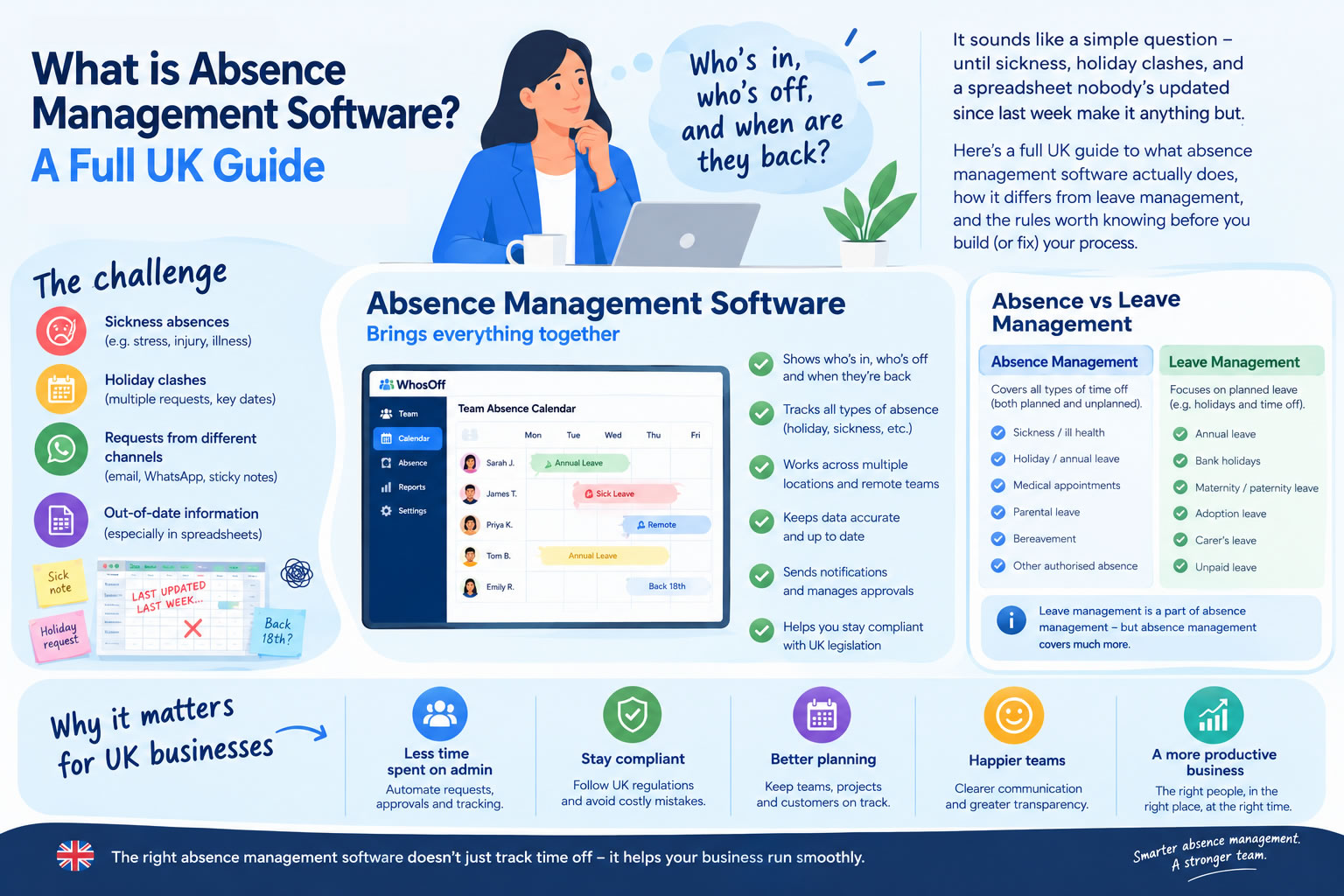
Keeping track of who's in, who's off and when they're coming back sounds simple enough on paper.
Then someone calls in sick on a Monday morning. Two people want the same week off in August. A member of the team needs compassionate leave with no notice. Someone else works three days a week, and the holiday spreadsheet hasn't been touched since last Tuesday.
Suddenly it isn't simple at all.
For a small team, a spreadsheet, a shared calendar or a string of emails might hold up for a while. As headcount grows, though, keeping an accurate record of absence gets harder to do by hand, and more costly to get wrong.
What is absence management software?
Absence management software is a system for recording, managing and monitoring employee absence in one place, rather than across a dozen different ones.
Instead of holiday requests sitting in one inbox, sickness in a spreadsheet and everything else scattered across email threads, an absence management system pulls it all together. Depending on the software, that can include:
- Annual leave
- Sick leave
- Maternity and paternity leave
- Compassionate leave
- Unpaid leave
- Time off in lieu (TOIL)
- Medical appointments
- Training days
- Other custom types of absence
Employees request leave themselves. Managers approve or decline it, and can see how it affects the wider team before they say yes.
What you end up with is one record of who's actually available, instead of an answer you have to piece together from three different places.
Is absence management software the same as leave management software?
You'll see the two terms used interchangeably, and most of the time that's fine. There's a slight distinction if you want one, though.
Leave management software tends to be associated with planned time off, particularly annual leave. Absence management is the broader term, covering planned and unplanned absence alike, so it stretches to cover an employee calling in sick on a Monday as easily as a two-week summer holiday booked months in advance.
Modern systems such as WhosOff handle both under one roof. Rather than running separate tools for holiday and sickness, you see every type of absence in the same platform, which gives managers a much clearer picture of who's actually around.
How does absence management software work?
The basic idea is a single, reliable place for absence information.
Say an employee wants a week off in August. Instead of emailing their manager, waiting for a reply and hoping someone remembers to update the spreadsheet, they submit the request through the system. Their manager checks who else is already off, then approves or declines it.
Once it's approved, the employee's remaining allowance updates and the leave shows up on the team calendar. Sickness gets logged the same way, along with anything else that counts as absence.
Managers and HR end up with an accurate, current view of who's available, without maintaining several records by hand. It sounds like a small change. Multiply it across a workforce of a few hundred people, though, and it removes a genuinely large amount of repetitive admin.
What does absence management software actually do?
Platforms vary, but there's a core set of things a decent system should handle.
Keeps absence records in one place. This is the part that matters most. When absence information lives across emails, spreadsheets, paper forms and individual calendars, there's rarely a single, confident answer to "who's off today?" Centralising it gives you one source of truth: managers can see availability, HR has an accurate record, and employees don't have to ask around to find out whether their leave went through.
Manages annual leave allowances. Keeping holiday balances right by hand gets complicated fast. People join and leave mid-year. Some work part-time. Contractual allowances differ from person to person, and leave sometimes gets carried over or calculated in hours rather than days. Software can track individual allowances and adjust remaining entitlement automatically when leave is booked, which matters in the UK given that almost every worker is legally entitled to 5.6 weeks of paid statutory holiday a year, with the calculation changing depending on their working pattern.
Handles leave requests and approvals. A structured process cuts out most of the chasing that comes with annual leave. Employees submit requests, the right manager approves or declines, and there's a clear record of what was asked for, when, and what happened next. It also puts an end to conversations that start with "didn't I email you about Friday?"
Tracks sickness absence. Absence management isn't only about holidays. Recording sickness consistently helps a business see how absence is actually affecting the workforce, rather than looking at each sick day in isolation. Patterns become visible: repeated short-term absences, a spike in one department. That's not the same as assuming every pattern points to a problem, and sickness data needs to be handled with appropriate privacy controls. But without consistent records, it's hard to know what's going on at all.
Shows who's available. Knowing an employee has enough holiday left is only half of the decision. You also need to know what happens if you say yes. Is the department already short-staffed that week? Is someone with a skill nobody else has already away? A shared calendar gives managers that context before they approve anything, which matters even more for remote or hybrid teams, or businesses spread across several sites.
Provides absence reporting. Once the data is being recorded consistently, it's actually usable. Reports can cover total sickness absence, absence by team, remaining leave, usage patterns, absence frequency, or periods where staffing runs thin. None of that needs to be rebuilt from scratch in a spreadsheet every time someone asks for it. It's already there.
Why do UK businesses use absence management software?
Time is the obvious answer. The benefits run a bit deeper than replacing a spreadsheet, though.
Less HR administration. Consider everything involved in managing leave by hand: receiving the request, checking the allowance, checking the calendar, replying, updating the spreadsheet, updating the other calendar, then answering the same "how much holiday do I have left?" question a few weeks later. None of it is difficult on its own. The problem is doing it hundreds or thousands of times a year. Automate the repetitive parts and HR gets time back for work that actually needs a person's judgement.
Fewer mistakes. A spreadsheet is only as accurate as the last person who remembered to update it. Formulas break. Duplicate versions appear. Numbers get typed in wrong. With a central system, an approved request updates the record on its own, which cuts down both the manual entry and the chances of something slipping through.
Better workforce planning. Absence doesn't stay contained to HR. It hits workloads, deadlines, customer service and the colleagues left covering. Better visibility means a manager can see that three people are already off that week and make an informed call on a fourth request, rather than finding out about the staffing gap after the fact.
A better experience for employees. People can check their own balance, track the status of a request and book leave without hunting down a spreadsheet or chasing their manager. Everyone working from the same system also means leave gets handled more consistently, rather than depending on who happens to be asking.
What are the UK rules around employee absence?
Software doesn't replace a proper absence policy, and it definitely doesn't replace employment law. It does make applying your policy consistently a lot easier.
On annual leave: almost all UK workers are entitled to 5.6 weeks of paid holiday a year. For someone working a standard five-day week, that works out to 28 days, and employers are allowed to count bank holidays within that figure. The calculation gets more involved for irregular-hours and part-year workers, so it's worth checking your process reflects the current rules rather than assuming last year's method still applies.
Sickness has its own record-keeping requirements. As a rule, an employer can only ask for a fit note once someone has been off sick for more than seven consecutive days.
There's a data protection angle too. Information about an employee's health counts as special category personal data under UK data protection law, so businesses need a proper basis for collecting it, tight control over who can see it, and clear policies on how it gets used.
Software can help you keep accurate records. The policy behind it still has to be sound.
What should you look for in absence management software?
There's plenty of HR software out there, and the biggest platform on the market isn't automatically the right one. For most organisations, the best absence management system is the one people will actually use without being told to.
Easy employee self-service. Staff should be able to check their leave and put in a request without needing HR to do it for them. If booking a day off needs training, the system is more complicated than it needs to be.
A clear team calendar. Managers need to see who's off at a glance. It's a basic requirement, but it's also one of the features teams end up using constantly.
Flexible absence types. Annual leave and sickness only get you so far. The system should stretch to whatever types of absence your business actually deals with, whether that's TOIL, compassionate leave, training days or something specific to how you operate.
Customisable approval rules. Not every organisation signs off leave the same way. Some requests need one manager's approval; others go through several stages. The software should adapt to your process, not the other way round.
Reporting. You shouldn't have to rebuild your absence records in Excel every time someone wants a report. Look for a platform that surfaces useful absence and leave data without much effort.
Mobile access. People don't only think about booking a holiday while sitting at their desk. Being able to check an allowance or submit a request from a phone matters a lot for remote, field-based and multi-location teams.
Calendar integrations. If your team lives in Outlook or Google Calendar already, syncing absence data into those tools makes adoption a lot easier. People can see who's away without having to open yet another system.
Security and access controls. Absence information can be sensitive, especially where sickness is concerned. Understand how the provider protects your data, and whether you can control who sees what.
Spreadsheet vs absence management software
For a very small business, a spreadsheet looks like the obvious answer. It's familiar, it's free, and it takes five minutes to set up.
The trouble tends to show up later. As the team grows, so does the spreadsheet: more formulas, colour coding, extra tabs, a separate sickness log, rules that only make sense to whoever built them. Then someone saves another version. Or forgets to update it. Or leaves the company, and nobody can work out the formula they wrote three years ago.
Dedicated software removes most of that dependency on someone remembering to keep it maintained.
A spreadsheet can record absence, no question. Whether it's still the right way to manage the process once you've outgrown it is a different question entirely.
When should a business consider absence management software?
There's no headcount at which a business suddenly needs a dedicated system. It's more useful to watch for signs that the current process is starting to strain.
You're probably ready to switch if:
- Managers regularly chase or miss leave requests
- Employees aren't sure how much holiday they have left
- More than one version of the holiday spreadsheet exists somewhere
- HR spends real time manually updating allowances
- Sickness gets recorded inconsistently, or not at all
- Teams end up short-staffed because of overlapping leave nobody caught
- Reporting on absence means hours of manual work
- Remote or multi-site working has made availability hard to see
If several of those sound familiar, the spreadsheet isn't really the problem. You've just outgrown it.
How can WhosOff help with absence management?
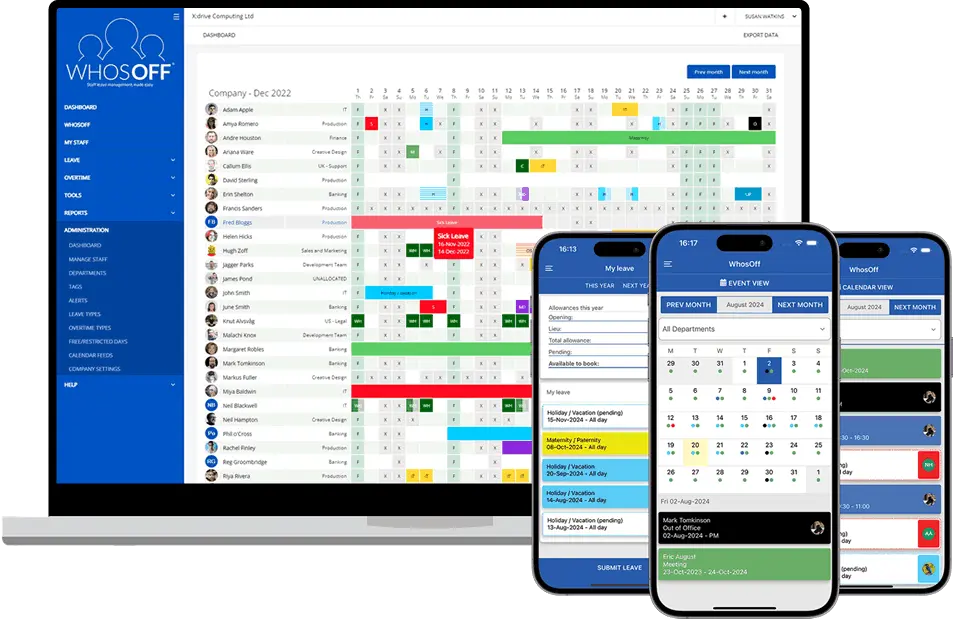
WhosOff is built specifically for managing employee leave and absence, rather than being one small module bolted onto a much larger HR system. It gives businesses a straightforward way to see who's working and who isn't.
Annual leave, sickness, compassionate leave, TOIL and other absence types all live in the same system. Employees check their own allowances and submit requests directly; managers get the visibility to make an informed call on each one.
WhosOff also includes:
- A shared team calendar
- Employee self-service
- Configurable leave types
- Leave allowances
- Approval workflows
- Absence and leave reporting
- Bradford Factor scoring
- Mobile apps
- Google Calendar and Outlook integration
- Rules and restrictions around leave
Less time spent administering absence, more time spent running the business it's actually affecting.
Summary - Make absence management one less thing to worry about
Employee absence isn't going away. People take holidays, people get sick, and plans change with no warning.
The real challenge isn't stopping people from being away. It's making sure their absence doesn't turn into unnecessary admin, confusion, or a staffing gap nobody saw coming. A good system gives everyone a clearer picture: employees know what leave they've got, managers know who's off, HR has records it can trust, and the business can plan around absence instead of scrambling to react to it.
🚀 Want to see how WhosOff can help your business?
If your current setup is spreadsheets, emails, paper forms and a fair bit of hoping for the best, WhosOff gives you one place to manage absences, annual leave, sickness and everything else that keeps people out of the office. Start a free trial and see what it's like to run absence properly.
👉 Start your FREE WhosOff Trial Book a 20-min Demo


Similar articles
06.NOV.2026
Still managing holidays with a spreadsheet, a shared Outlook calendar or a pile of emails? You’re not alone, but there’s a better way. We’ve compared 14 of the most popular leave management tools for 2026, from simple holiday planners to full HR platforms. For each one we cover features, pricing and who it suits best, so you can find the right fit for your team without sitting through a dozen demos.
04.NOV.2026
Not all leave management software does the same job. Some tools stop at basic holiday booking; others add staffing restrictions, sickness tracking, overtime management, and reporting that actually saves time instead of creating more admin. Here’s a complete UK guide to the ten features that genuinely matter - and how to work out which ones your business actually needs.
30.SEP.2026
Most businesses don't set out to buy leave management software - they start with a spreadsheet, or a shared Outlook calendar, and it works fine for a while. Then the balances stop adding up, two people get approved for the same week, and nobody's sure which file is actually current. Here's an honest, feature-by-feature comparison of spreadsheets, Outlook calendars, and dedicated leave management software - including exactly where each one starts to fall apart.
07.SEP.2026
A spreadsheet is fine when there are five of you. It's less fine when requests are arriving by email, WhatsApp, and sticky note, and nobody's quite sure who's actually off next week. Here's a practical look at why leave admin hits small businesses harder than most, and how to know when it's time for something better than a shared spreadsheet.