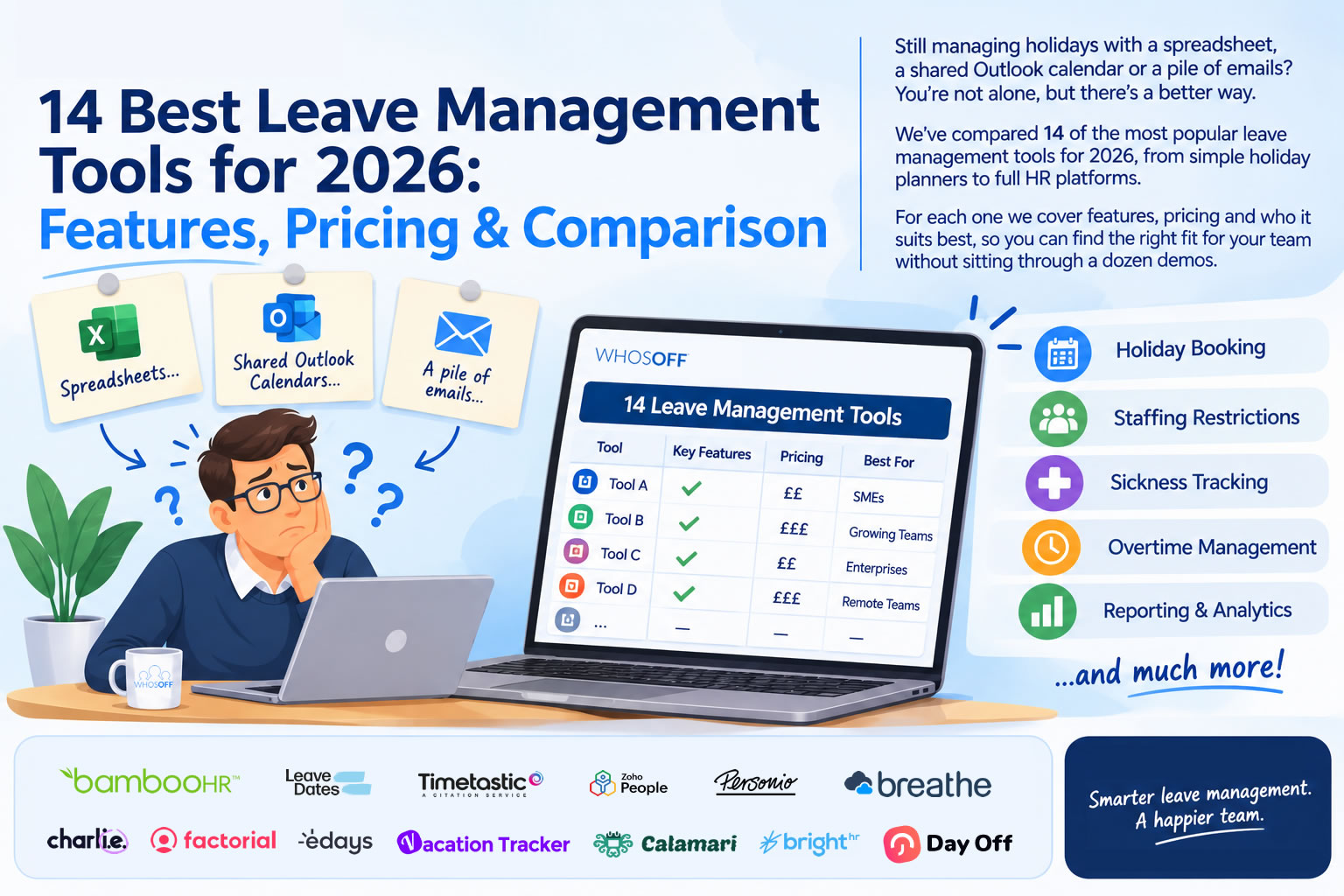
Leave management software is a tool that lets employees request time off online, routes each request to the right manager for approval, and keeps holiday balances, sickness records and a shared team calendar up to date automatically. It replaces the paper forms, email chains and spreadsheets that most businesses start with, and that most businesses eventually outgrow.
The right tool depends on who you are. A ten-person agency mainly wants a clear calendar and a quick approve button. A multi-site retailer needs different approvers per branch, rules that stop half the shop floor booking the same week, and sickness reporting it can actually act on. A growing company might want leave as one module inside a wider HR system. If you are still weighing up whether you need dedicated software at all, our guide to leave management software vs Outlook shared calendars and spreadsheets is a good place to start.
Below, we compare 14 of the most popular leave management tools available to UK and international teams in 2026: dedicated leave planners, chat-first trackers that live inside Slack and Microsoft Teams, and full HR platforms that include absence management. We make WhosOff, so we've put it first, but we've tried to give every tool a fair write-up, including who it suits better than us.
A note on pricing: figures below are as published by each vendor or reported by review sites such as Capterra in November 2026. They exclude VAT, are quoted in the currency each vendor uses, and change often, so always check the vendor's own pricing page before you buy.
Leave management tools compared at a glance
| Tool | Best for | Starting price | Pricing model | Free plan / trial | Slack / Teams |
| WhosOff | UK SMEs and multi-site teams wanting leave, overtime and TOIL in one place | £1.35/user/month | Per user, rolling monthly | Trial up to 8 weeks, no card | Both |
| Timetastic | Small teams wanting a simple wallchart | £1.20/user/month | Per user | Free trial | Both (Teams on Pro) |
| Leave Dates | Budget-conscious teams | £0.75/user/month | Per user, tiered | 30-day trial | Slack |
| BrightHR | Small businesses wanting HR advice bundled in | £16.67/employee/month | Per employee, minimum applies | Demo | No |
| Breathe | SMEs wanting a low-cost all-round HR system | £24/month per business | Flat rate by headcount band | 14-day trial | Limited |
| CharlieHR | UK start-ups and small teams | £5/month (1–4 people) | Headcount brackets | 7-day trial | Slack |
| Calamari | Teams that need leave plus clock-in/out | ~$2/employee/month | Per employee, per module | 14-day trial | Both |
| Vacation Tracker | Teams that live in Slack, Teams or Google Workspace | Free; paid from $2/user/month | Per user, monthly minimum | Free plan + 14-day trial | Both |
| Day Off | Very small teams wanting a free, mobile-first app | Free; paid from $2/user/month | Per user | Free up to 10 users | Both |
| edays | Mid-size and global organisations | Per employee, per year (quote) | Annual licence + implementation | Free trial | Via integrations |
| Zoho People | Businesses already using Zoho | Free; paid from $1.50/user/month | Per user, tiered | Free plan (5 users) + trial | Notifications only |
| Factorial | Growing European companies wanting all-in-one HR | ~$8/user/month | Per user, custom quote | Demo | Slack |
| Personio | Mid-market companies needing a full HRIS | Quote only | Per employee | Demo / trial | Limited |
| BambooHR | US-led SMEs wanting a mature HR suite | Quote only | Per employee | Free trial | Slack |
1. WhosOff
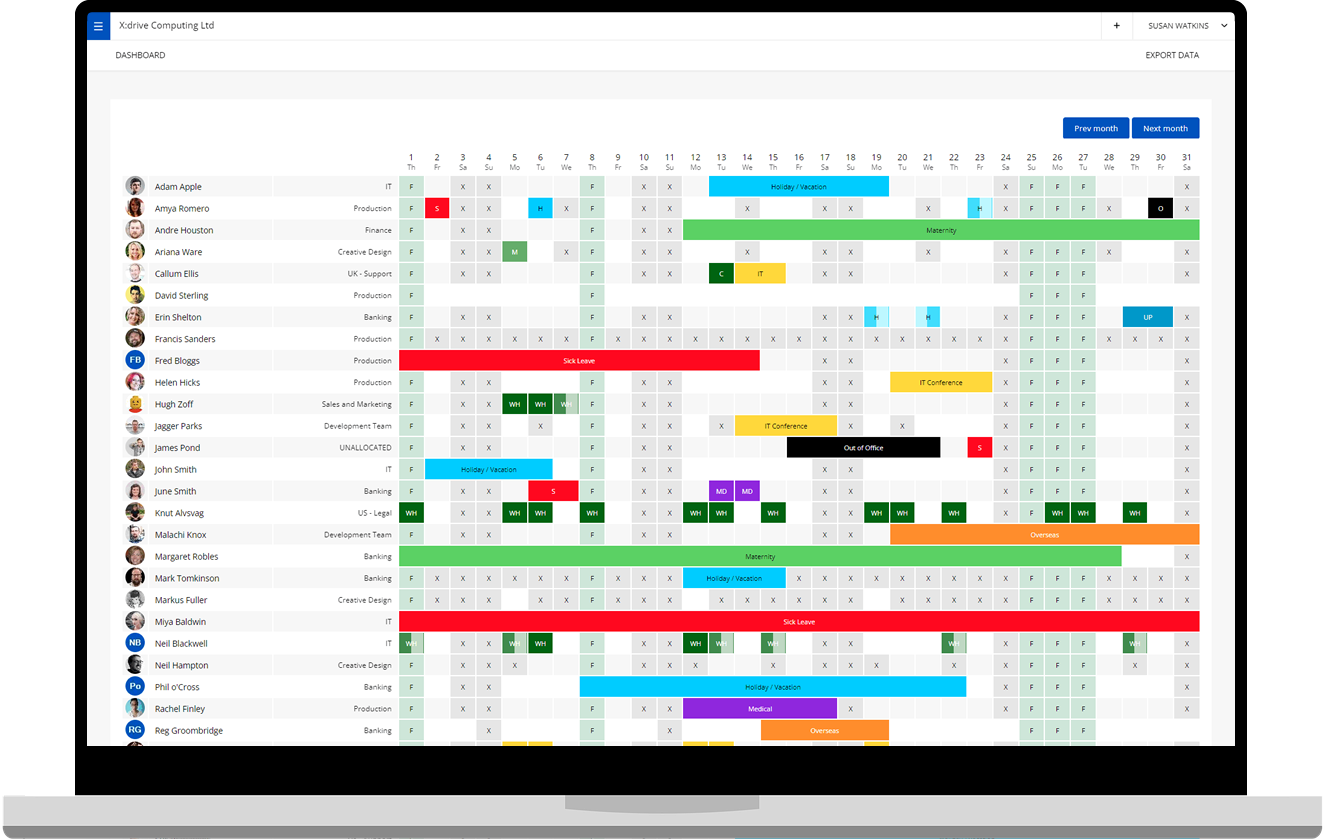
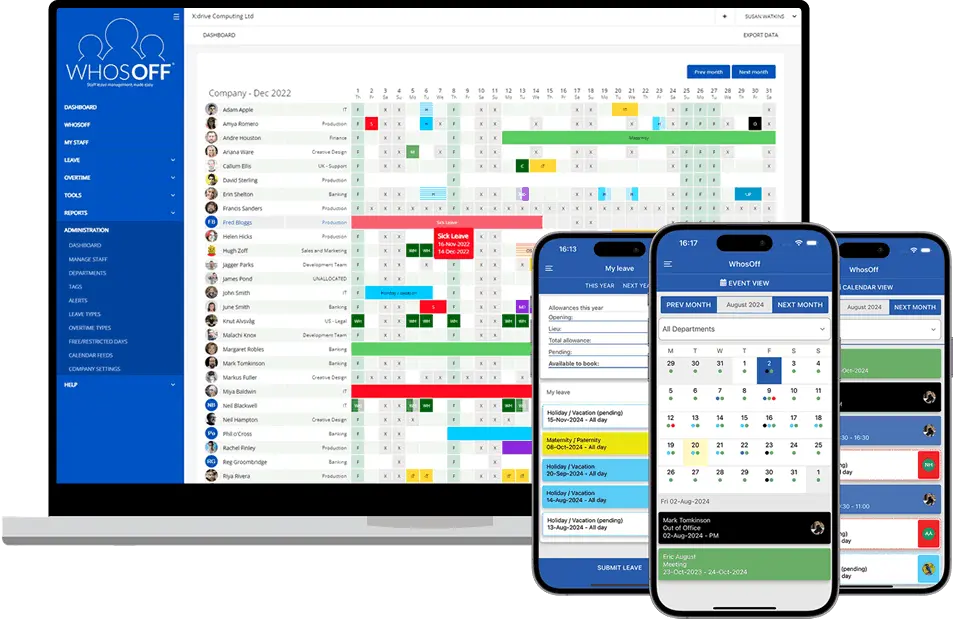
WhosOff is a dedicated online leave planner that has been helping UK businesses manage staff holidays since 2005, and today more than 2,500 companies use it. It's built for organisations that have outgrown a spreadsheet but don't want to buy, configure and pay for a full HR suite just to handle time off.
Staff request leave on the web or the free iOS and Android apps. Each team, department or individual can have its own primary and back-up approvers, if you need them, and some leave types can skip approval altogether. Once approved, the leave appears on a shared calendar automatically, and booking rules can stop too many people in the same team being away at once.
Where WhosOff goes further than most simple leave trackers is everything around the holiday request. You can create unlimited overtime types and track TOIL balances automatically, record sickness and other absence for reporting, and store contracts, policies and personnel records in the Staff Hub, with read-and-agree receipts so you know who has seen your updated holiday policy.
Key features:
- Online and mobile leave requests with one-click approval and email notifications
- Multiple approvers per staff member
- Leave tracked in days or hours, with custom leave types including holiday, sickness, TOIL, parental leave and training
- Overtime and automatic TOIL balances
- Absence, sickness and entitlement reports exportable to Excel and payroll
- Integrations with Microsoft Teams, Slack, Google Calendar, Outlook and Zapier, plus SSO with Google Workspace, Okta, OneLogin and Microsoft Azure
- A dedicated API and webhooks for connecting to HR and payroll systems
- Cyber Essentials and ISO 27001 certified (see our security page)
Pricing: from £1.35 per user per month on a rolling monthly contract, with no set-up or cancellation fees and discounts for larger teams. See WhosOff pricing. There's a free trial of up to 8 weeks with every feature unlocked and no credit card required, and UK-based support is included at no extra cost.
Best for: UK small and medium-sized businesses, multi-site teams in sectors like hospitality, retail and education, and anyone who needs overtime and TOIL tracked alongside holiday.
2. Timetastic
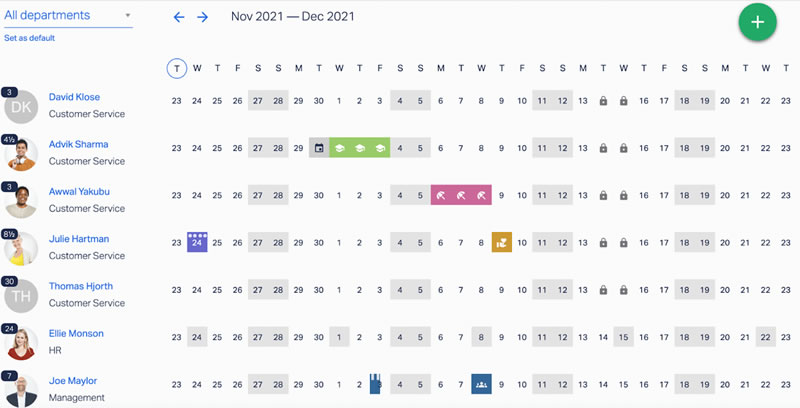
Timetastic is a Manchester-based leave planner that's well known for its friendly, colourful wallchart. Staff book time off in a couple of clicks, managers approve from email or the mobile app, and everyone can see who's away by department. It covers holiday, sickness, appointments and custom leave types, with public holidays for 250+ countries.
Pricing: £1.20 per user per month on the standard plan and £2.00 on Pro, which adds absence insights and the Microsoft Teams integration. Charities, B Corps and NHS Trusts can get 50% off.
Best for: small teams who mainly want a clear visual calendar. If you need overtime, TOIL or document storage in the same tool, compare the two in our WhosOff vs Timetastic comparison.
3. Leave Dates
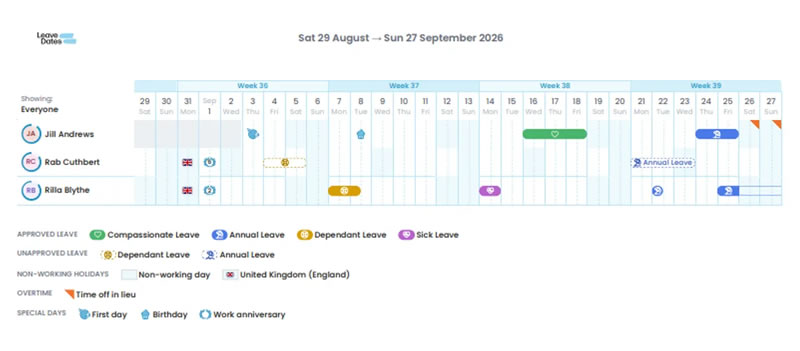
Leave Dates, made by UK company Norton Five, is one of the lowest-cost leave trackers on the market. It offers a shared wall chart, a personal year chart, custom allowances, carry-over of unused leave and bank holidays for 150+ countries, on web and mobile. Higher tiers add overlap warnings, handover notes and multi-person requests, and it connects to Slack, Outlook, Google Calendar and Zapier.
Pricing: from £0.75 per user per month on Starter (annual billing), with Essentials at £1.50 and Plus at £1.88. There's a 30-day free trial with no card required.
Best for: cost-conscious teams with straightforward holiday rules.
4. BrightHR
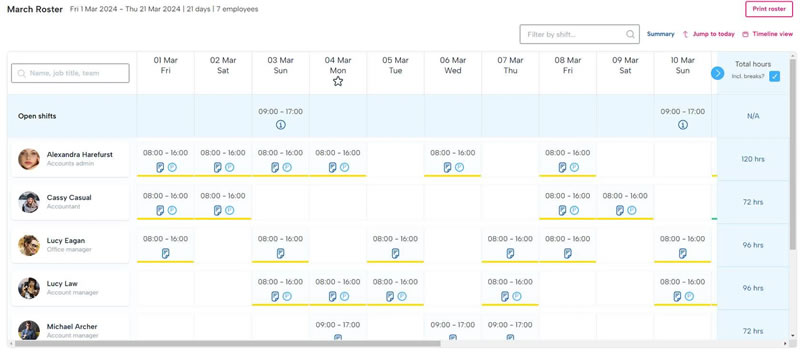
BrightHR is a broad HR platform for small businesses, used by more than 100,000 businesses in the UK and Ireland. Its holiday planner and absence management sit alongside shift rotas, performance management, document storage and, on higher tiers, employment law and health and safety advice lines.
Pricing: the Core HR software plan is published from £16.67 per employee per month with a minimum headcount. Enhanced HR support and Full HR, Health & Safety support with EAP tiers cost more.
Best for: small businesses that want HR advice bundled with software. If leave is the main problem you're solving, a dedicated tool will usually cost far less. See WhosOff vs BrightHR.
5. Breathe
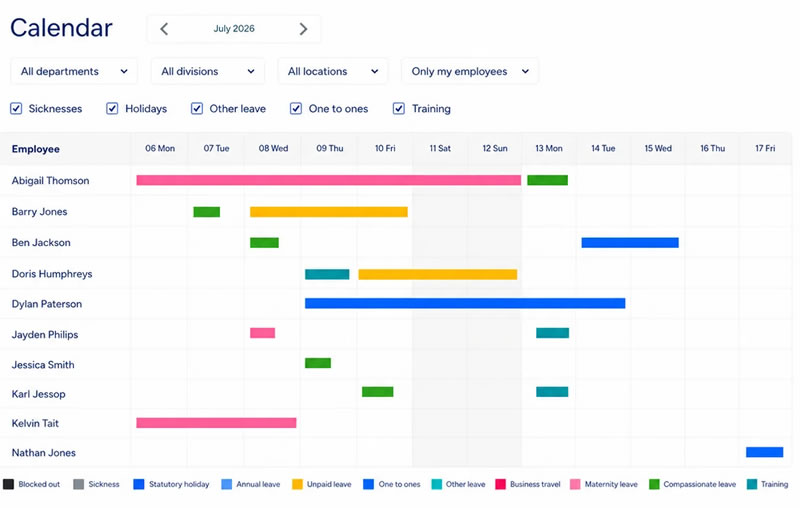
Breathe is UK HR software for SMEs that covers employee records, holiday and absence, documents, performance and reporting. Add-ons include rotas, time and attendance, expenses, recruitment and learning. It's designed for businesses without an in-house HR specialist.
Pricing: unusually, Breathe charges per business rather than per person, with plans starting from £24 a month and stepping up by headcount band. Annual billing saves roughly 10–15%, UK charities get 50% off, and there's a 14-day free trial.
Best for: SMEs that want a low-cost, all-round HR system and are happy with standard leave workflows.
6. CharlieHR
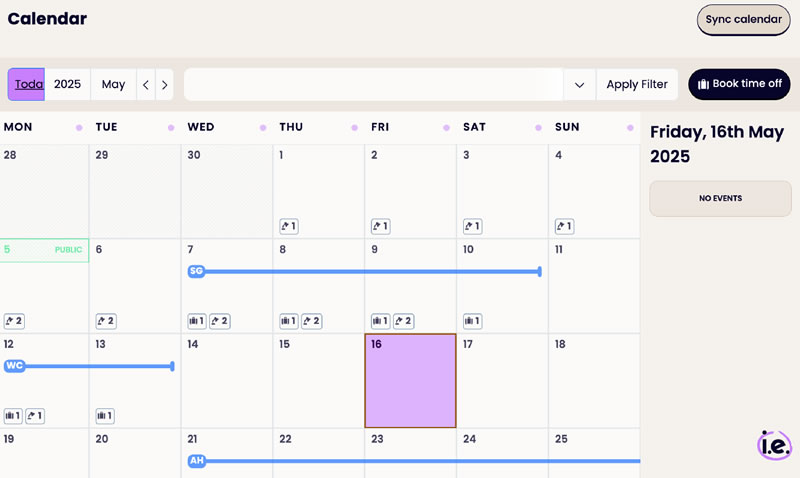
CharlieHR is London-built HR software aimed at start-ups and small teams. Time-off management, with automatic allowance calculations and overlap checks, sits alongside onboarding, employee records, performance reviews and engagement surveys, all in a clean, modern interface.
Pricing: priced by headcount bracket rather than per seat, from £5 a month for teams of 1–4, with each bracket a step up. Recruitment and HR advice are paid add-ons. There's a 7-day free trial.
Best for: small, fast-growing UK companies that want light-touch HR. Bear in mind that crossing into a new headcount bracket can raise the bill sharply. See WhosOff vs CharlieHR.
7. Calamari
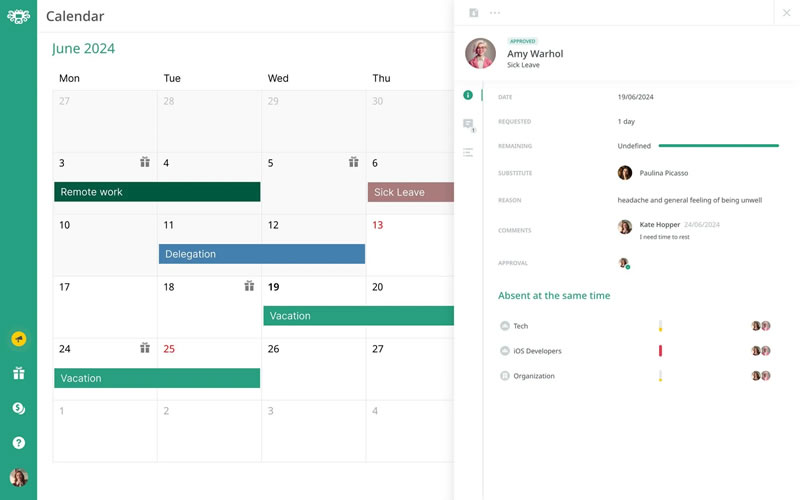
Calamari is a modular HR platform from Poland, with separate modules for leave management, clock-in/clock-out time and attendance, and core HR. The leave module supports entitlement and accrual rules, approval flows and a shared absence calendar, and it integrates with Slack, Microsoft Teams, Google Workspace and Jira.
Pricing: modules are priced per employee per month, with Leave Management from around $2 per employee and a minimum monthly fee. A 14-day free trial is available.
Best for: teams that need leave and clock-in/out attendance tracking from the same vendor.
8. Vacation Tracker
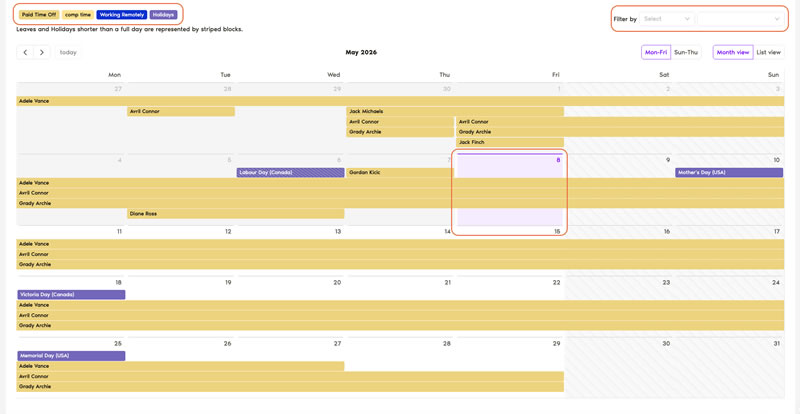
Vacation Tracker is a chat-first leave tool. Employees request time off, check balances and see who's out without leaving Slack, Microsoft Teams or Google Workspace, and there are iOS and Android apps too. It supports location-specific leave policies, accruals and payroll exports.
Pricing: a free plan covers basic requests and approvals. Core costs $2 per user per month (with a $50 monthly minimum) and Complete costs $4 per user per month (with a $100 minimum). There's a 14-day free trial.
Best for: remote and tech teams whose whole working day happens in a chat app.
9. Day Off
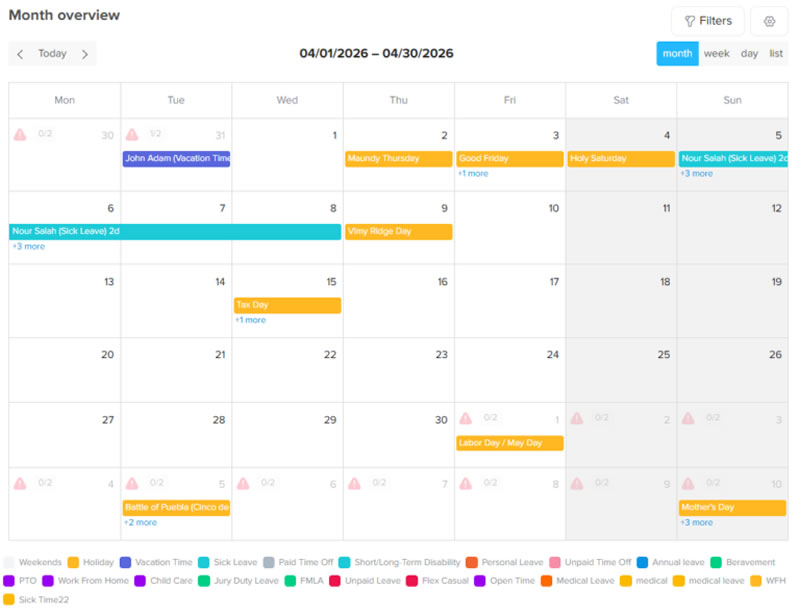
Day Off started life as a mobile app and is still one of the simplest ways to track time off on a phone. It covers custom leave types, a calendar view, one-step approvals and employee balances, and connects to Google Calendar, Outlook, Slack and Microsoft Teams.
Pricing: free for up to 10 users. Pro costs $2 per user per month (with a $20 minimum) and adds unlimited teams, locations, multiple approvers and hourly leave. Pro + Time Tracker costs $3 per user.
Best for: micro-businesses that want something free and simple. Larger teams may miss features like TOIL and substitute approvers.
10. edays
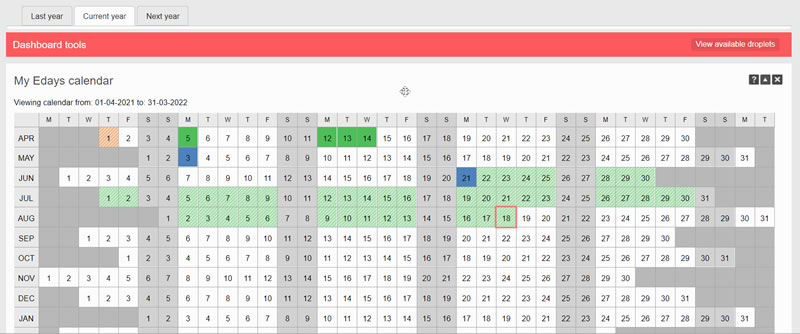
edays is a Nottingham-based absence management platform aimed mainly at organisations with 50 or more employees, including multinationals. It handles complex, country-specific entitlement rules in 25 languages, along with absence trigger alerts, automated reports for HR, time tracking and integrations with HR and payroll systems such as ADP and Workday.
Pricing: sold as an annual licence per employee, with a one-off implementation fee in the first year. You'll need a quote.
Best for: mid-size and global organisations with complex absence policies and a formal procurement process. See WhosOff vs edays.
11. Zoho People
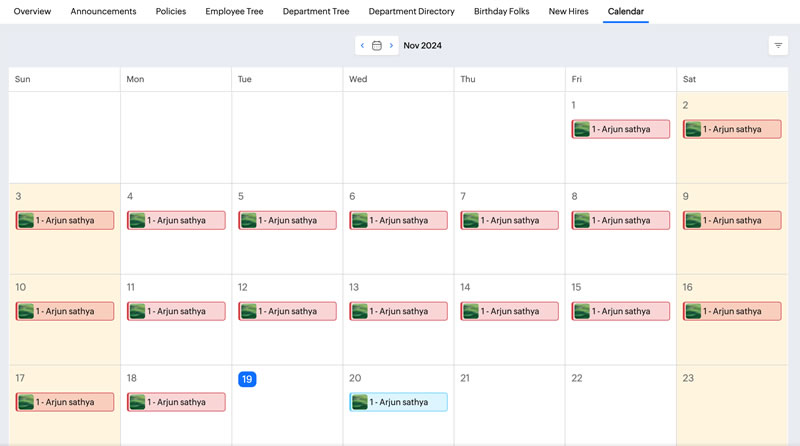
Zoho People is the HR app within the wider Zoho suite. Its Essential HR plan includes time-off management, onboarding, an employee database and document management. Higher tiers add attendance, timesheets, rosters, performance and learning.
Pricing: a free plan covers up to 5 employees. Paid plans run from $1.50 per user per month (Essential HR) to $4.50 (Enterprise), with People Plus bundles costing more. Prices vary by region, and annual billing is cheaper.
Best for: businesses already invested in Zoho CRM, Books or Payroll. Teams that only need leave may find the setup heavy.
12. Factorial
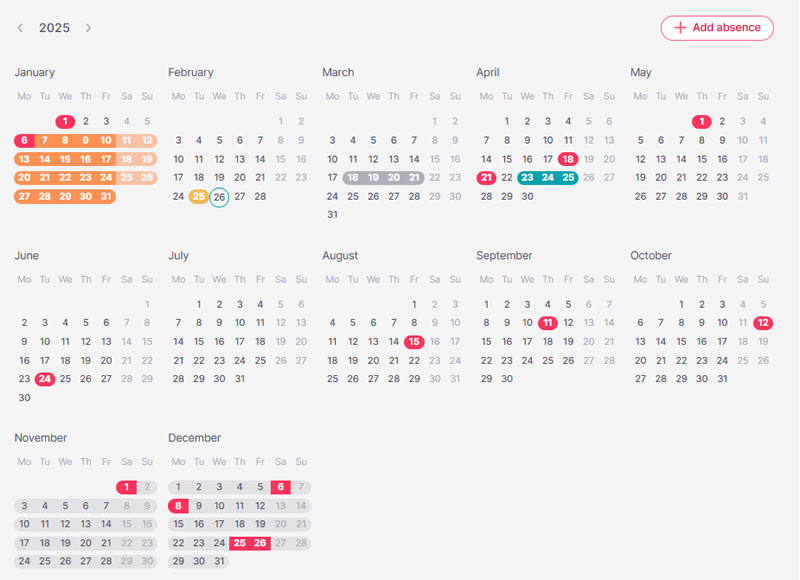
Factorial is a Barcelona-based all-in-one HR platform. Time-off and absence management are core features, alongside time tracking, shift planning, document management with e-signatures, onboarding, performance reviews, payroll preparation and an applicant tracking system.
Pricing: from around $8 per user per month for the core platform. Most companies receive a custom quote depending on the modules they choose.
Best for: growing European companies that want to consolidate several HR tools into one.
13. Personio
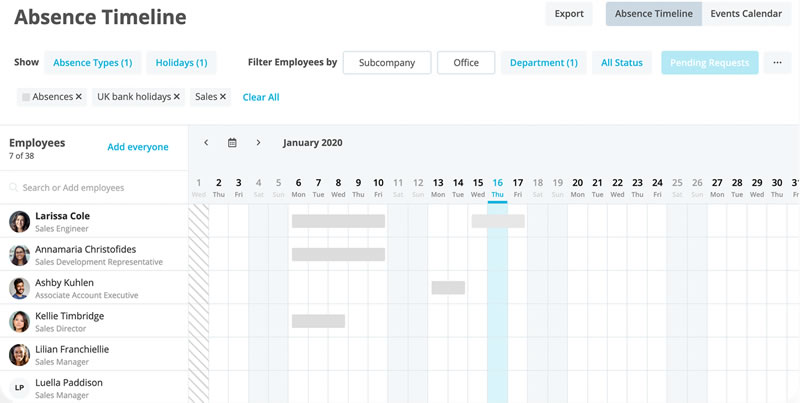
Personio is a European HRIS for mid-market companies, typically those with 50 to 500 employees. Absence management, including an international absence engine for multi-country policies, sits within a platform that also covers recruiting, onboarding, performance, preliminary payroll and analytics, with integrations to UK payroll tools such as Xero and Sage.
Pricing: quote-based, per employee per month. Personio doesn't publish rates.
Best for: scaling companies that need a full HR system of record. If you only need leave, read HR software vs leave management software before committing.
14. BambooHR
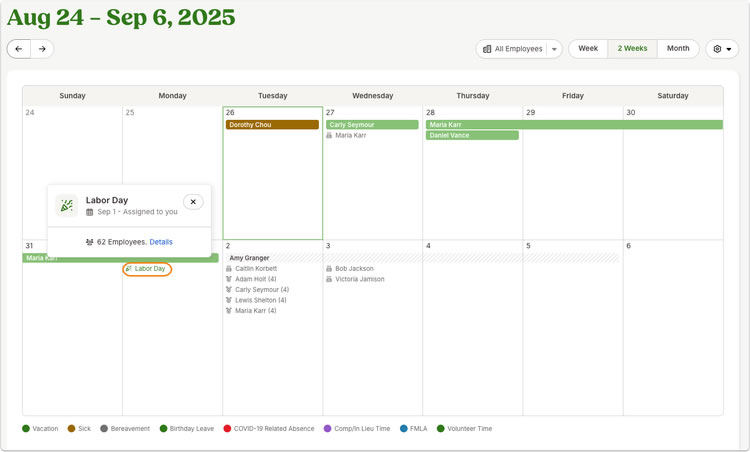
BambooHR is a long-established US HR platform for small and medium-sized businesses. Time-off tracking, with accrual policies, a "Who's Out" calendar and mobile requests, is part of a suite that includes an employee database, applicant tracking, onboarding, performance and (in the US) payroll and benefits.
Pricing: quote-based and charged per employee. UK quotes typically land well above dedicated leave tools.
Best for: US-headquartered or US-led SMEs that want a mature, widely integrated HR suite.
How to choose the right leave management tool
Most of the tools above will handle a basic holiday request. The differences show up in the details, so before you shortlist, write down answers to these questions. (We go deeper in how to choose the best leave management software for your business.)
- Do you need leave management or a full HR system? HR suites like BrightHR, Personio and BambooHR do much more, but you pay for all of it per employee. Dedicated tools like WhosOff, Timetastic and Leave Dates do one job well, for a fraction of the cost.
- How complex are your approval chains? Different approvers per site, back-up approvers for when a manager is off, and multi-level sign-off are where simpler tools start to struggle.
- Do you track more than holiday? Sickness, overtime, TOIL, training and parental leave all affect who is available. Check whether each can be tracked in days and hours, especially for part-time and shift workers.
- Are your entitlements calculated correctly? UK workers are entitled to 5.6 weeks' paid holiday a year (see GOV.UK's holiday entitlement guidance), and pro-rating for part-timers and starters is where spreadsheets usually go wrong. Our holiday entitlement calculator is a quick sanity check.
- Where does your team work? Chat-first tools suit desk-based remote teams. Frontline and multi-site teams usually need a mobile app and a calendar that managers can check at a glance. See our guide to leave management for remote and multi-location teams.
- How will you get data out? Look for payroll exports, an API or webhooks, and integrations with the calendars your team already uses.
- What will it cost in two years? Model your price at today's headcount and at your planned headcount. Watch for monthly minimums, headcount brackets, implementation fees and annual lock-ins.
For an independent view of how buyers rate these products, review sites such as Capterra's leave management category are worth a look. Acas publishes free, impartial guidance on holiday, sickness and leave rules to help you set your policy.
How to start managing leave online
The best way to choose is to test two or three tools with real data rather than relying on feature lists. Pick a short trial period, then:
- Set up one real team with its actual allowances, working patterns and approvers.
- Run your awkward cases through it: a part-timer who works three days, a mid-year starter, someone carrying over leave, a half-day sickness, and an overtime-for-TOIL swap.
- Ask a manager and an employee to use it on their phones for a week, and ask them what they thought.
- Pull the reports you'll actually need, such as sickness for return-to-work meetings or entitlement for payroll, and check they're right.
If the trial saves your managers time and your team actually uses it, the software will pay for itself quickly. We've done the sums in is leave management software worth it?
🚀 Try WhosOff free for up to 8 weeks
Every feature unlocked, no credit card, no set-up fees and UK-based support from day one. Start your free trial, take the tour or book a demo.
👉 Start your FREE WhosOff Trial Book a 20-min Demo
Frequently asked questions
What is leave management software?
What is the best leave management software for small businesses in the UK?
How much does leave management software cost?
Is a spreadsheet or shared Outlook calendar good enough for tracking leave?
What is the difference between leave management software and HR software?
Can leave management software track sickness, overtime and TOIL?
Is there free leave management software?
Sources: Capterra – Timetastic, Capterra – Leave Dates, Breathe pricing,SaaSRat – BrightHR,Toolradar – CharlieHR,Capterra – Vacation Tracker, GetApp – Day Off, Capterra – Zoho People, Capterra – Factorial, Capterra – Personio, Software Advice – edays, Tekpon – Calamari


Similar articles
04.NOV.2026
Not all leave management software does the same job. Some tools stop at basic holiday booking; others add staffing restrictions, sickness tracking, overtime management, and reporting that actually saves time instead of creating more admin. Here’s a complete UK guide to the ten features that genuinely matter - and how to work out which ones your business actually needs.
30.SEP.2026
Most businesses don't set out to buy leave management software - they start with a spreadsheet, or a shared Outlook calendar, and it works fine for a while. Then the balances stop adding up, two people get approved for the same week, and nobody's sure which file is actually current. Here's an honest, feature-by-feature comparison of spreadsheets, Outlook calendars, and dedicated leave management software - including exactly where each one starts to fall apart.
22.SEP.2026
Who's in, who's off, and when are they back? It sounds like a simple question - until sickness, holiday clashes, and a spreadsheet nobody's updated since last week make it anything but. Here's a full UK guide to what absence management software actually does, how it differs from leave management, and the rules worth knowing before you build (or fix) your process.
07.SEP.2026
A spreadsheet is fine when there are five of you. It's less fine when requests are arriving by email, WhatsApp, and sticky note, and nobody's quite sure who's actually off next week. Here's a practical look at why leave admin hits small businesses harder than most, and how to know when it's time for something better than a shared spreadsheet.