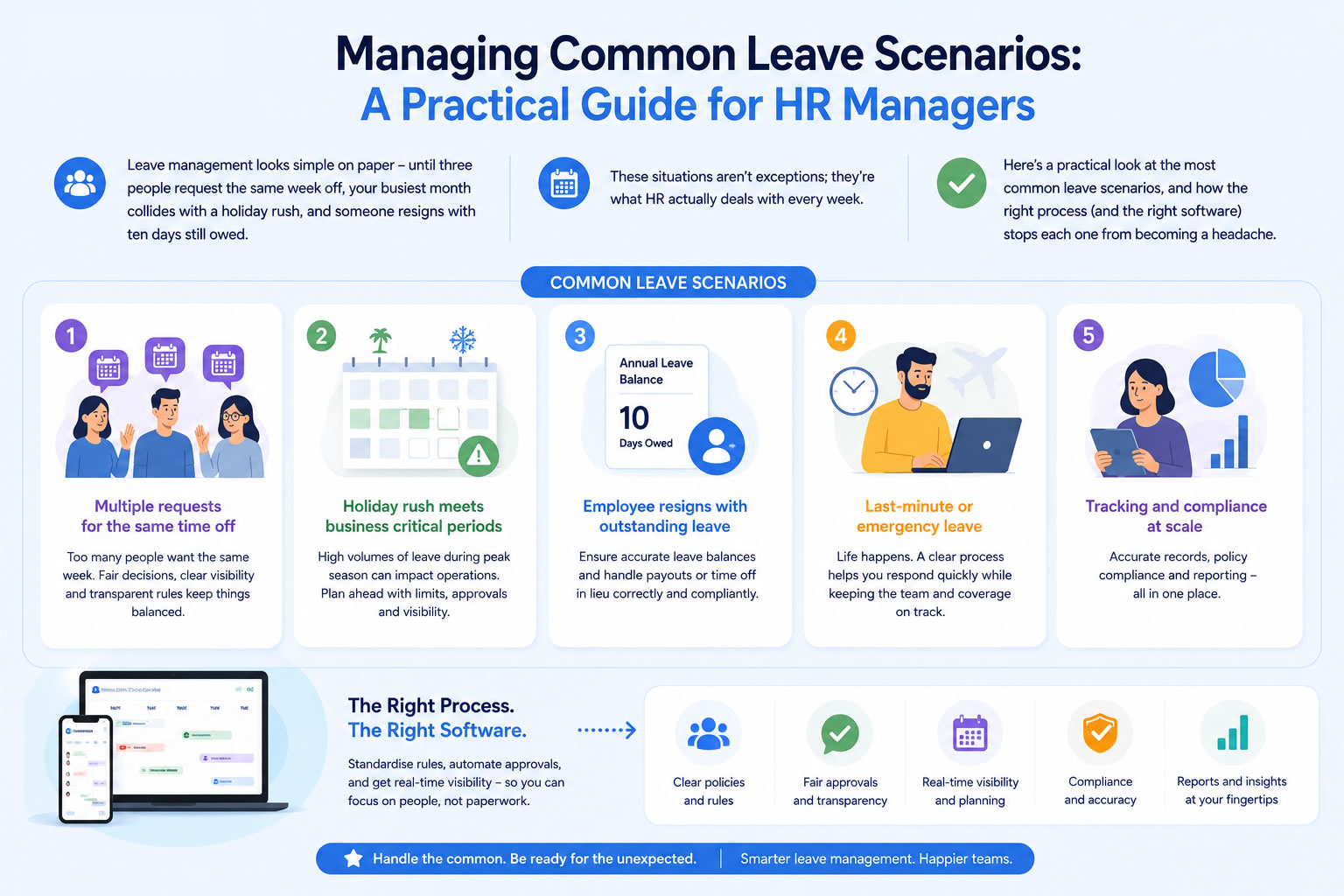
Managing employee leave sounds straightforward, until real life gets in the way.
Multiple employees want the same week off. Peak periods leave departments short-staffed. Someone resigns halfway through the year with holiday still to take. What seemed like a simple process becomes a constant balancing act between keeping employees happy and keeping the business running.
These aren't edge cases. They're the normal day-to-day of HR management. A clear leave policy, a consistent approval process, and the right software make each of them much easier to handle.
Staffing Coverage During Busy Periods
Every business has high-demand periods - Christmas for retailers, tax season for accountants, end-of-quarter crunches for many office teams. Approving too much leave at the wrong time can cause real operational problems, and turning down requests last-minute is worse than setting expectations early.
A few things help here. Blackout dates are the most direct approach: if there are periods when leave simply can't be accommodated, communicate them well in advance so employees can plan around them. Most people understand the business rationale if they're told early enough.
Beyond blackouts, many businesses set a limit on how many people from the same team can be off at the same time. This avoids managers having to make awkward judgement calls on every individual request - the rule does the work instead.
A shared leave calendar ties it together. When managers can see at a glance who's already booked off, they can make faster, better-informed decisions before approving another request, rather than discovering a gap after the fact. WhosOff supports both blackout dates and simultaneous absence limits directly, alongside a real-time team calendar that flags conflicts automatically.
When Multiple Employees Want the Same Dates
School holidays, Christmas, and popular summer weeks reliably produce clashes. Several employees will want the same dates, and not everyone can have them.
The most important thing is having a consistent rule and applying it. Most businesses go with first-come, first-served - it's straightforward and hard to argue with. Others factor in things like business need, departmental coverage, or whether someone had priority the previous year. Either approach works; inconsistency is what causes resentment.
Making availability visible helps managers have better conversations too. If someone can see their request conflicts with two colleagues who booked first, it's easier to discuss alternatives such as nearby dates, splitting the period, or deferring to next year. The conversation is harder when the manager has to explain a decision that looks arbitrary because they're working from memory.
It's also worth knowing where you stand legally if a request has to be refused. ACAS guidance confirms an employer can refuse or cancel a holiday request, but must give notice at least equal to the amount of leave requested, and should have a good business reason for doing so. Having a documented, consistently-applied policy makes these conversations far easier to justify if they're ever challenged.
Encouraging employees to book well in advance reduces the problem significantly. A reminder at the start of the year, when annual leave allowances reset, can prompt people to lock in key dates before popular windows fill up - something that's easy to automate with WhosOff's leave request notifications.
When an Employee Leaves the Company
Departures create a small but important HR task: closing off the leaver's records correctly while preserving the history you'll need later.
A clean offboarding process covers a few things, including removing the employee's access to self-service tools, recording the leaving date, and calculating any outstanding leave entitlement, whether that's holiday owed or days to be deducted from a final payment. In WhosOff, marking someone as a leaver handles the access side automatically while keeping their leave history archived in the Staff Hub and available whenever it's needed.
That historical record matters more than it might seem. Payroll queries, audits, and occasional employment disputes can come up months after someone has left, and having an accurate record of their leave is much easier than reconstructing it from emails and spreadsheets.
Other Situations That Come Up Regularly
Last-minute requests. Unavoidable. The best a manager can do is make a quick, informed decision, which is much easier when team availability is visible in real time rather than buried in a spreadsheet.
Sickness absence. Worth tracking separately from annual leave. Combined data obscures patterns; separate records give you a clearer picture of where absence is higher than it should be and whether it warrants a conversation. WhosOff's absence and sickness reporting keeps the two entirely distinct.
Different policies for different teams. Entitlements often vary by department, country, or contract type. Flexible software lets you configure those rules once rather than managing them manually for every request - see WhosOff's customisable leave types for how this works in practice.
Hybrid and remote teams. Shared calendars become more valuable, not less, when people work in different places. Managers need visibility of who's off regardless of where employees are normally based - a topic we cover in more depth in our guide to leave management for remote and multi-location teams.
Why Software Changes the Calculation
Manual leave management - spreadsheets, email chains, and individual manager calendars - works until it doesn't, and then it becomes a genuine time sink. Allowances don't calculate themselves, approvals get missed, and no one has a complete view of who's actually available.
Dedicated software handles the mechanics: automated allowance tracking, approval workflows, shared calendars, configurable policies, and reporting. The practical effect is that managers spend less time chasing information and more time actually managing.
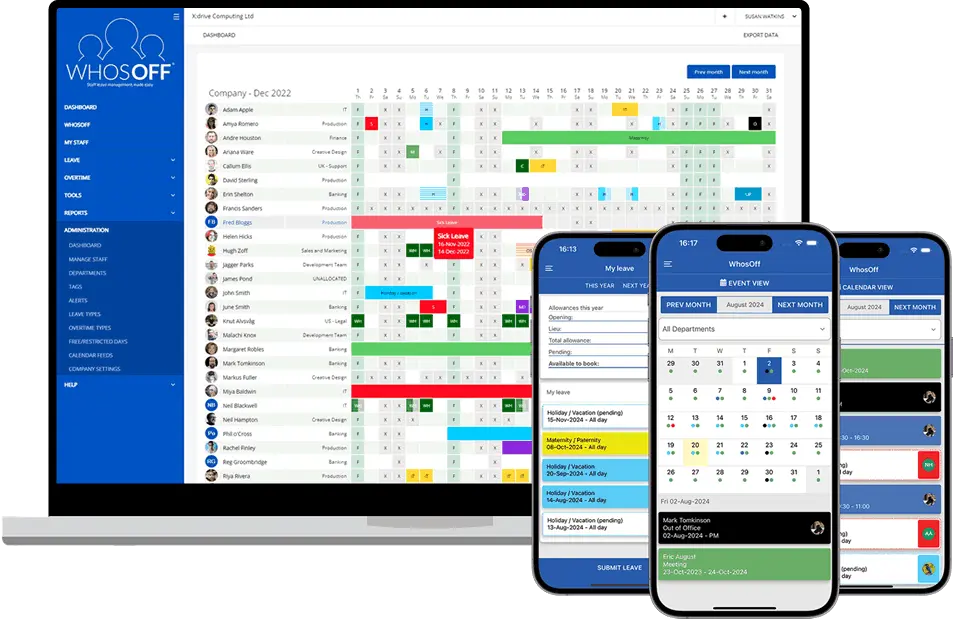
WhosOff is built specifically for this - not as a feature buried inside a large HR suite, but as a focused tool for leave management. Blackout dates, simultaneous absence limits, leaver offboarding, flexible leave rules, and real-time team calendars are all there without needing to configure a system designed to do twenty other things.
The challenges don't go away. But with the right process behind them, most of them stop being problems.
Want to see how it handles your own tricky scenarios? Start a free trial - no credit card required - or book a 20-minute demo and we'll walk through your specific policies with you.


Similar articles
30.SEP.2026
Most businesses don't set out to buy leave management software - they start with a spreadsheet, or a shared Outlook calendar, and it works fine for a while. Then the balances stop adding up, two people get approved for the same week, and nobody's sure which file is actually current. Here's an honest, feature-by-feature comparison of spreadsheets, Outlook calendars, and dedicated leave management software - including exactly where each one starts to fall apart.
22.SEP.2026
Who's in, who's off, and when are they back? It sounds like a simple question - until sickness, holiday clashes, and a spreadsheet nobody's updated since last week make it anything but. Here's a full UK guide to what absence management software actually does, how it differs from leave management, and the rules worth knowing before you build (or fix) your process.
07.SEP.2026
A spreadsheet is fine when there are five of you. It's less fine when requests are arriving by email, WhatsApp, and sticky note, and nobody's quite sure who's actually off next week. Here's a practical look at why leave admin hits small businesses harder than most, and how to know when it's time for something better than a shared spreadsheet.
03.AUG.2026
Office-based leave management is easy - until your team isn't all in one office. Add remote workers, multiple sites, or a genuinely hybrid schedule, and "who's actually off this week?" stops being a simple question. Here's what to look for in leave management software built for distributed teams, and how to stop spreadsheets from quietly falling out of sync.