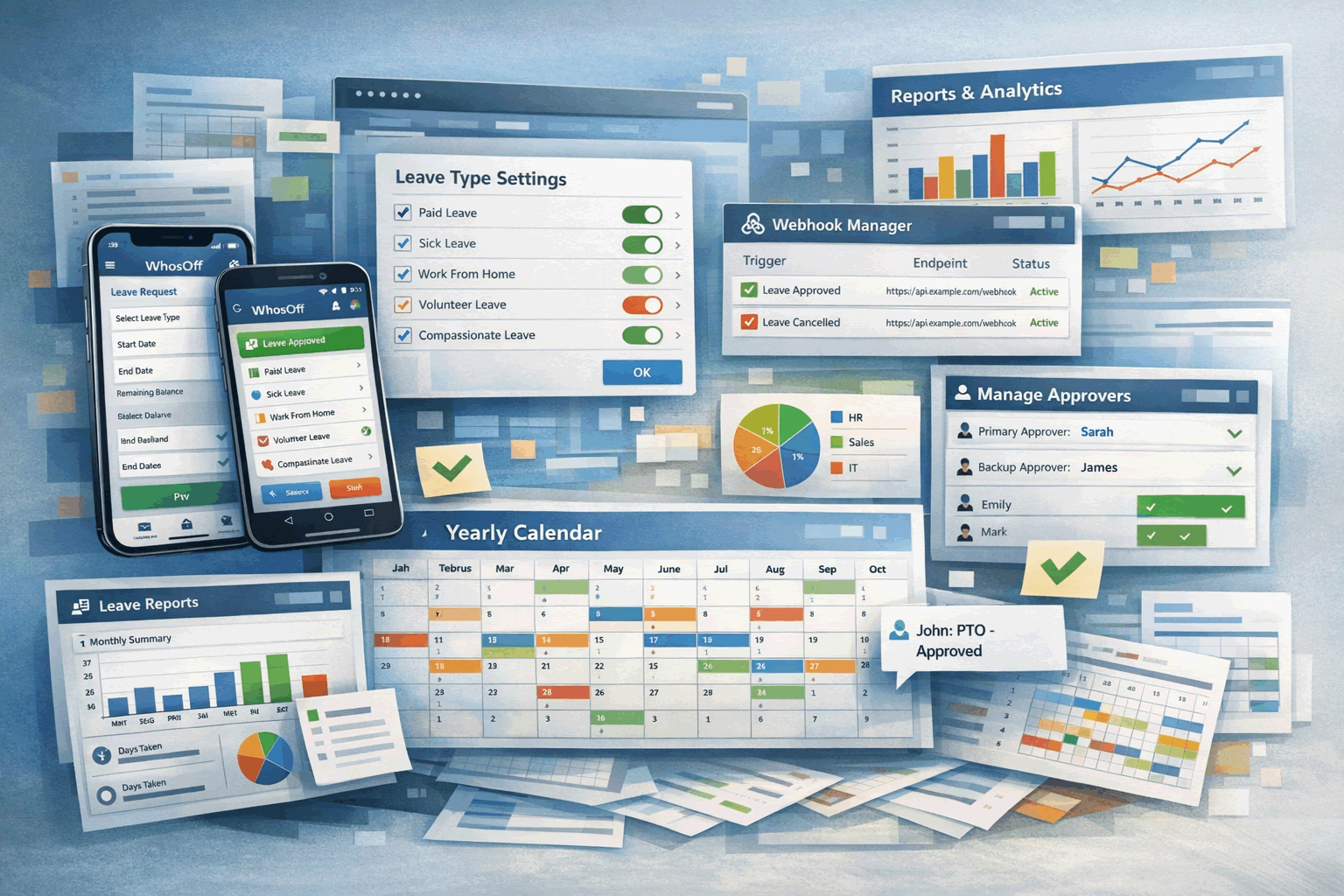
From Webhooks to multi-approvers and visual calendar re-writes, the team at WhosOff have been busy preparing the new platform updates available on all customer accounts.
Managing leave gets complicated fast when your tools can't keep up with how your organisation actually works. Multi-level approvals, cross-year bookings, reporting that covers everyone - these aren't edge cases, they're everyday realities for HR teams and managers.
The latest WhosOff platform updates tackle these challenges directly, bringing a rebuilt visual yearly calendar for individuals, 2nd and 3rd approver options, clearer cross-year booking displays, expanded reporting, minimum duration settings for leave types, and a new webhook service for connecting to external systems.
What's new in the latest WhosOff release
The latest WhosOff platform updates bring a handful of changes that directly address common pain points in leave management. You'll find a personal yearly calendar that's been rebuilt for visual identification for your year at-a-glance, multi-level approval workflows with 2nd and 3rd approver options for leave and overtime, clearer cross-year booking displays, expanded reporting for all staff and yearly allowances, optional minimum duration settings on leave types, and a new webhook service for connecting WhosOff to other systems.
So what does all of that actually mean for your day-to-day? In short, less waiting, fewer manual workarounds, and more control over how leave flows through your organisation. Whether you're an HR manager juggling requests from multiple departments or a team leader trying to see who's available next month, the updates are designed to cut down on admin time — which can be reduced by up to 60% through HR automation — and give you better visibility.
Let's walk through each one.
How the calendar transforms your yearly overview
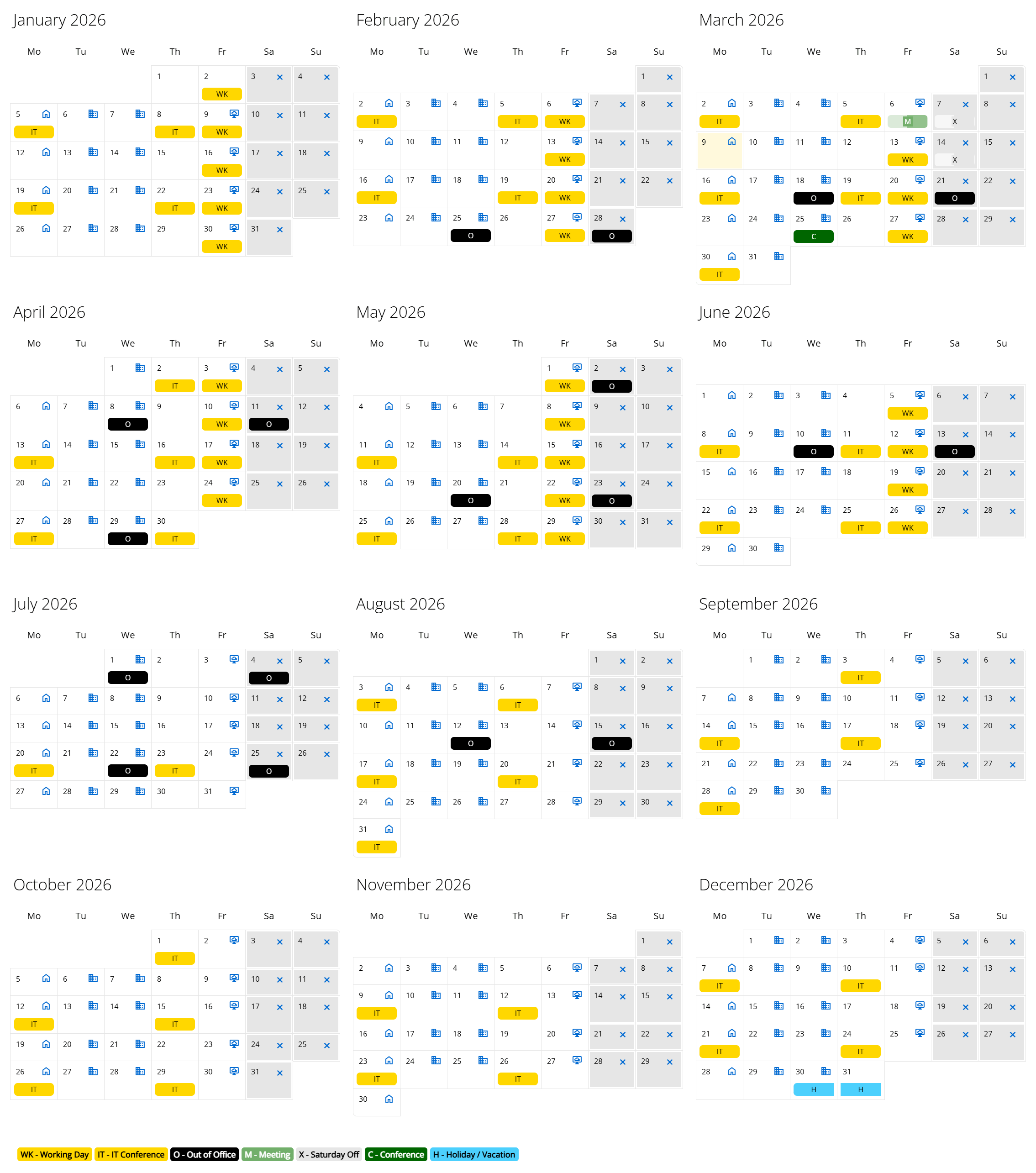
You've probably already noticed the calendar within the "My Leave" area looks a lot different. That's because we've rewritten it from scratch, taking into account the new "working labels" functionality published in 2025. It's fast, and informative.
But speed is only part of the story. The real value is in what you can now see at a glance. The yearly calendar shows your (or a member of your team if you have access to reports) entire whereabouts across the full year, all on one screen. You can spot patterns, identify gaps in coverage, and plan ahead without clicking through week by week.
Setting up 2nd and 3rd approvers for leave and overtime
Not every organisation runs on a simple approval model. Different types of requests might need different approvers, or you might want backup options when someone's unavailable. WhosOff now supports 2nd and 3rd approver configurations for both leave and overtime, giving you flexibility in how requests get handled.
Here's how it works in practice. An employee submits a request, and their primary approver receives a notification. If that approver is away or unavailable, the 2nd approver can step in to action the request instead. You might also set up different approvers for different request types - perhaps one person handles leave requests while another manages overtime, with a 3rd approver (like a senior manager) configured to approve both.
You can configure approvers differently across teams and staff members. For example, your sales team might have one approver for leave and a different approver for overtime, while your operations team uses a single approver for leave and overtime, with a backup. The flexibility is there to match how your organisation actually operates.
"Tip: Super users can change approvers in bulk using the Administration menu, which is helpful when a manager leaves or changes role."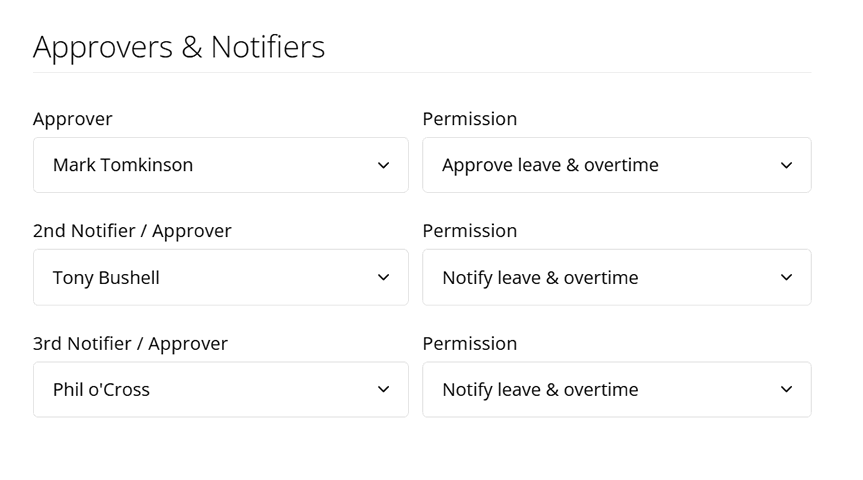
Setting up approvers is straightforward. In the Administration section, you'll find options to assign 2nd and 3rd notifiers to individual staff members or entire departments. The knowledgebase has step-by-step guides if you want to walk through the process.
WhosOff offers a free trial, making it easy to test the system with your team before committing. For organisations still using spreadsheets, this trial alone often reveals how much time and accuracy can be gained by switching to a structured platform.
Get in touch with the WhosOff team today and they’ll get you up and running in no time.
👉 See how multi approvers works for your teamUnderstanding cross-year bookings with clearer information
Booking leave that spans two holiday years has always been a bit awkward. Think of a Christmas break that starts in late December and runs into January. Which year does the leave come from? How many days are deducted from each allowance?
The updated cross-year booking display now breaks this down clearly. When an employee submits a request that crosses into a new holiday year, WhosOff shows exactly how many days are allocated to each year. No guesswork, no manual calculations.
For employees, the benefit is obvious: they can see precisely what they're booking before they submit. For approvers, the clarity removes a common source of confusion. And for HR teams running year-end reconciliations, fewer queries means faster processing.
If you've ever had to explain to someone why their allowance looks different than expected after a cross-year booking, you'll appreciate how much simpler the new display makes things.
Running all staff and yearly allowance reports
Accurate reporting sits at the heart of leave management, especially when you're preparing for payroll, audits, or board meetings. The latest updates expand WhosOff's reporting capabilities with enhanced options for viewing staff balances and yearly allowances across your entire organisation.
Approvers and super users can now:
Generate all-staff report: See an overview of all staff, including which department they are allocated to, who their approver(s) are, when they started and how long their employment has lasted
Print yearly allowance summaries: Useful for payroll or compliance documentation, including opening balances, carryover balances and expiry dates (if applicable), lieu time accrued, how much time is allocated to pending requests, along with the ultimate "Available to Book" value which is how much time a staff member actually has lef to book
Filter by department, team, or leave type: Focus on the data you actually need
Export data: Pull information into spreadsheets or external systems
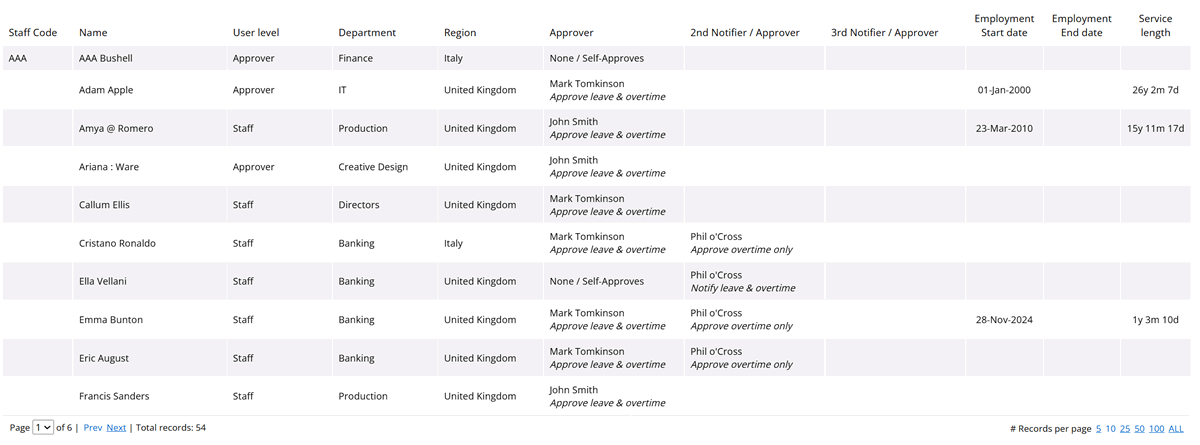
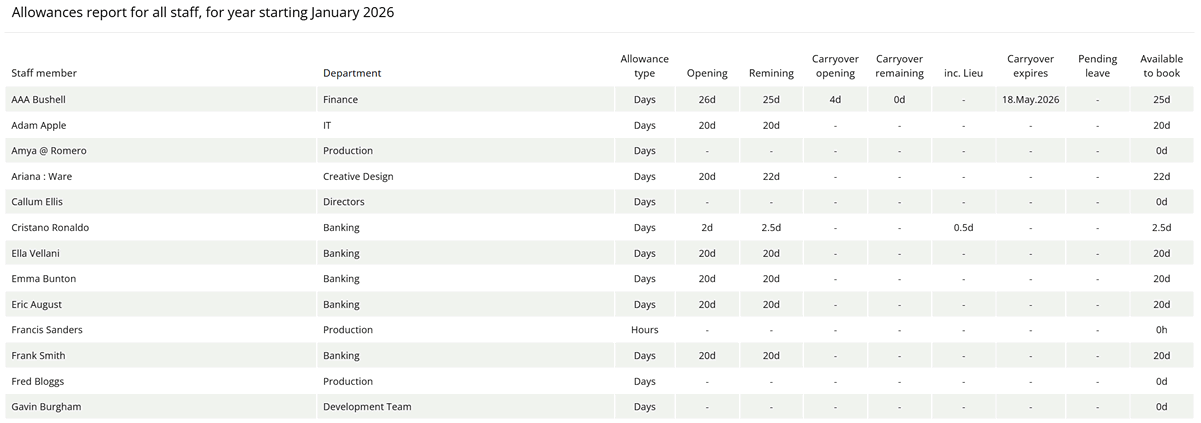
Running a report takes just a few clicks. Navigate to the Reports section, select your criteria, and the data appears on screen. You can print directly or export for further analysis.
For organisations managing leave across multiple departments or locations, consolidated reports save significant time compared to pulling information from individual team views.
Configuring optional minimum duration on leave types
Sometimes a half-day request makes perfect sense. A doctor's appointment, a school pickup, or a quick errand. Other times, you might want certain leave types to require a longer minimum booking.
WhosOff now lets administrators set optional minimum duration constraints on specific leave types.
You can require that sabbaticals, for example, are booked in full-week blocks, while keeping annual leave flexible for half-day or single-day requests.
Practical applications include:
Training leave: Require full-day bookings to ensure complete course attendance
Unpaid leave: Set a minimum of one week to simplify payroll processing
Study leave: Enforce minimum durations that align with exam schedules
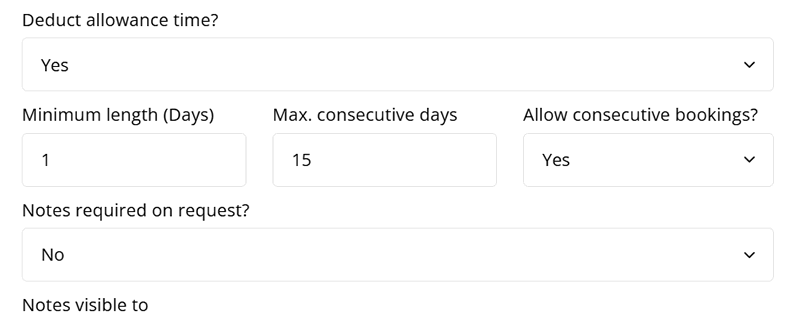
The system handles validation automatically. If someone tries to book less than the minimum, they'll see a message explaining the requirement. Approvers don't have to manually check each request against policy documents, and employees get immediate feedback rather than having their request rejected later.
To configure minimum durations, head to the Leave Types section in Administration. You'll find the option alongside other leave type settings.
Connecting external systems with the new webhook service
For organisations that want WhosOff to talk to other business systems, the new webhook service opens up real possibilities. But first, what exactly is a webhook?
A webhook is an automatic notification that WhosOff sends to another system whenever something specific happens. Unlike an API, where you have to ask for information, a webhook pushes updates to you in real-time. Think of it as WhosOff tapping another system on the shoulder and saying, "Hey, something just changed."
Here are a few scenarios where webhooks prove useful:
A leave request is approved, and your payroll system receives an automatic update
An overtime entry is submitted, triggering a notification in your scheduling software
An employee cancels their sabbatical and their details sync to your HR database
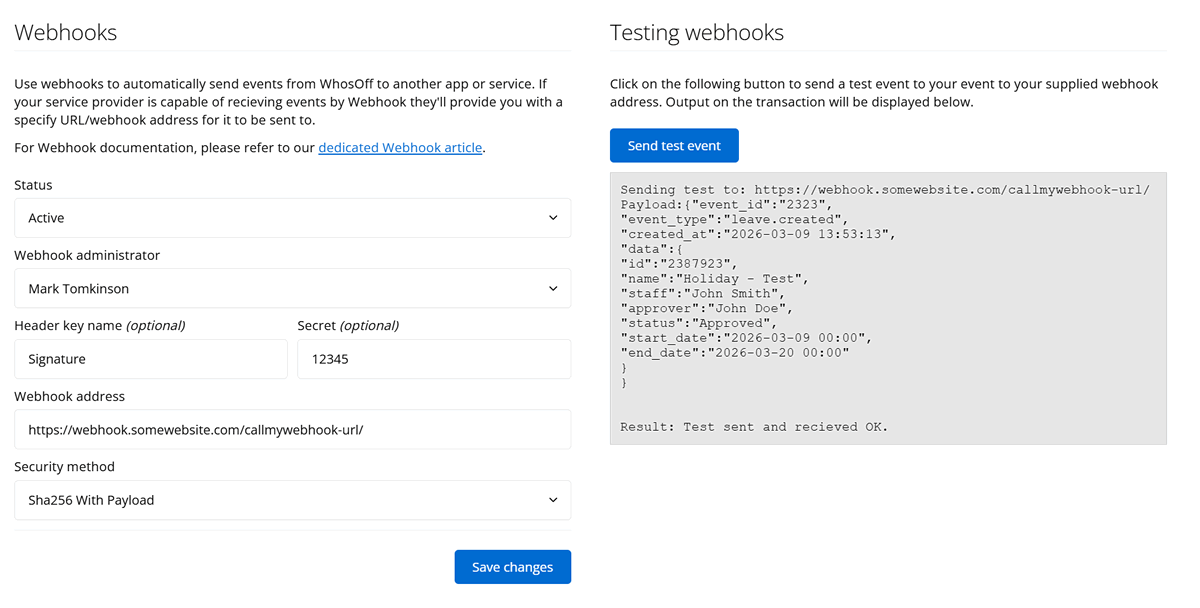
Setting up webhooks typically requires some technical involvement, either from your IT team or a developer. Once configured, though, they run automatically in the background. Data flows between systems without anyone having to copy and paste or manually update records — a pattern Postman's 2025 State of the API Report found is now used by 50% of development teams.
The webhook service complements WhosOff's existing API access, giving you multiple options for integrating leave data into your broader technology stack.
If you're unsure whether webhooks are right for your organisation, the support team can walk you through the options during a free 20-minute demonstration.
Accessing these updates on mobile and desktop
All of the features covered here are available on the web platform, with most becoming available within WhosOff's FREE iOS and Android apps. Whether you're approving a request from your desk or checking team availability while travelling, the experience stays consistent - essential when 78% of workers access HR information via mobile.
The mobile apps reflect the multiple approvers setup, so approvers at any level can review and action requests directly from their phone.
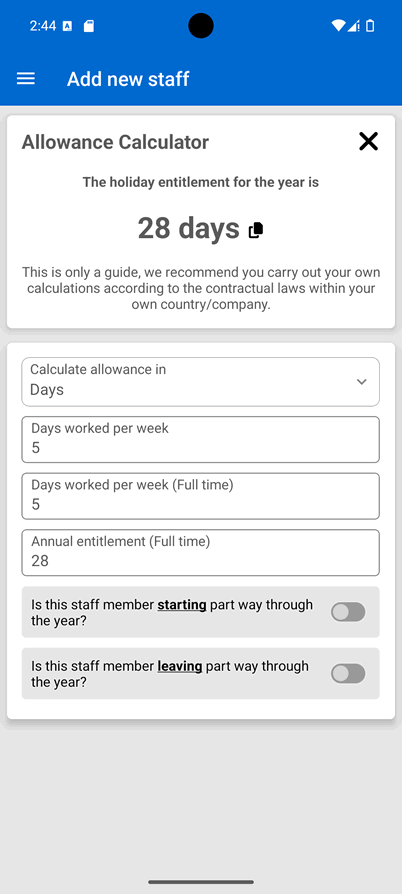
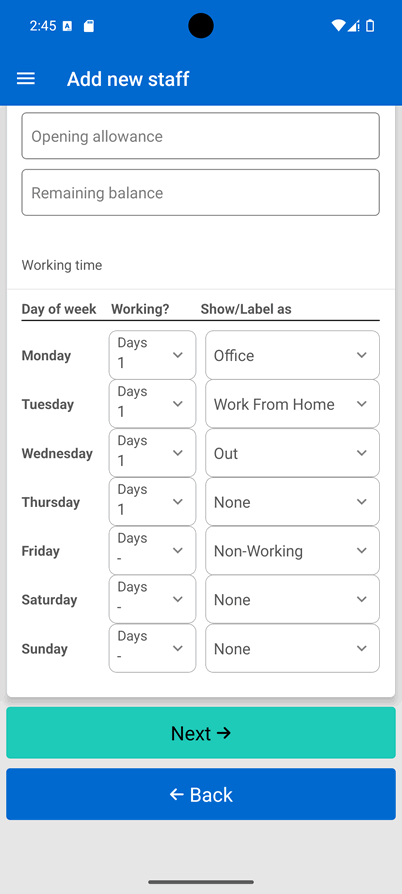
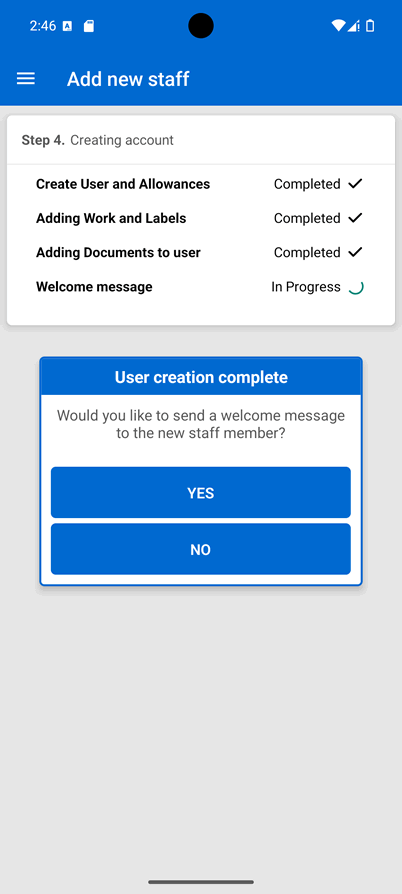
For administrators who manage settings and configurations, the full range of options remains accessible through the web platform. Setting up approval chains, configuring minimum durations, and managing webhook connections all happen in the browser.
Getting started with the new WhosOff features
If you're already using WhosOff, the updates are live in your account now.
For features like multi-approvers and minimum duration settings, you'll find configuration options in the Administration section. The knowledgebase includes step-by-step guides for each feature, and the support team is available via email or telephone if you'd prefer a walkthrough.
New to WhosOff? All of the features covered here are included in every account. With over 2,500 companies across 72 countries already using the platform, you'd be joining a community that's moved beyond spreadsheets and manual processes. Why not start with a FREE trial and explore how the updates work for your team?
Of course you are, if you don't already have a WhosOff account, you're probably missing out! Sign up for your instant free trial and get up to 8-weeks to see how our easy-to-use leave planner is perfect for your business needs — no credit/debit card required, no obligation.
👉 Start your FREE WhosOff trial instantly


Similar articles
30.SEP.2026
Most businesses don't set out to buy leave management software - they start with a spreadsheet, or a shared Outlook calendar, and it works fine for a while. Then the balances stop adding up, two people get approved for the same week, and nobody's sure which file is actually current. Here's an honest, feature-by-feature comparison of spreadsheets, Outlook calendars, and dedicated leave management software - including exactly where each one starts to fall apart.
22.SEP.2026
Who's in, who's off, and when are they back? It sounds like a simple question - until sickness, holiday clashes, and a spreadsheet nobody's updated since last week make it anything but. Here's a full UK guide to what absence management software actually does, how it differs from leave management, and the rules worth knowing before you build (or fix) your process.
07.SEP.2026
A spreadsheet is fine when there are five of you. It's less fine when requests are arriving by email, WhatsApp, and sticky note, and nobody's quite sure who's actually off next week. Here's a practical look at why leave admin hits small businesses harder than most, and how to know when it's time for something better than a shared spreadsheet.
24.AUG.2026
Leave management looks simple on paper - until three people request the same week off, your busiest month collides with a holiday rush, and someone resigns with ten days still owed. These situations aren't exceptions; they're what HR actually deals with every week. Here's a practical look at the most common leave scenarios, and how the right process (and the right software) stops each one from becoming a headache.